



Introduction:
Choosing a VPN in 2026 is no longer simply about hiding your IP address. Today, a good VPN should offer strong encryption, reliable speeds, useful privacy tools, broad device compatibility, a trustworthy no-logs approach, and enough flexibility for streaming, work, travel, gaming, and everyday browsing.
Among the most popular premium VPN services are NordVPN, ExpressVPN, and Surfshark.
But which one should you actually buy?
In this NordVPN vs ExpressVPN vs Surfshark comparison, we look beyond marketing claims and compare the three services based on security, privacy, speed, server networks, device support, streaming, features, ease of use, value, and everyday usability.
Quick answer: NordVPN is the strongest all-round choice for many users, Surfshark is particularly attractive for households with many devices, while ExpressVPN is a strong option for users who prioritize a simple premium experience and connection stability.
Affiliate Disclosure
Affiliate Disclosure: This article contains affiliate links. If you purchase a product or subscription through our links, TechVision.ID may earn a commission at no extra cost to you. This helps us continue creating useful technology content.
Our comparison is based on publicly available product information, official documentation, features, and buyer-focused criteria. We do not guarantee that any VPN will work with every website, streaming service, network, or device.
Table of Contents
Important Note Before Buying
VPN features, server counts, supported devices, subscription prices, discounts, renewal prices, and included services can change.
Always check the provider’s current website and checkout page before purchasing.
NordVPN vs ExpressVPN vs Surfshark: Quick Comparison
| Feature | NordVPN | ExpressVPN | Surfshark |
|---|---|---|---|
| Best for | Overall security & features | Simplicity & premium experience | Multiple devices & families |
| Encryption | AES-256 | AES-256 | Industry-standard encryption |
| Main high-speed protocol | NordLynx | Lightway | WireGuard |
| No-logs approach | Yes | Yes | Yes |
| Kill Switch | Yes | Yes | Yes |
| Split tunneling | Yes | Yes | Yes |
| Advanced privacy options | Excellent | Excellent | Excellent |
| Simultaneous connections | Up to 10 | Up to 14 depending on plan | Unlimited |
| Server network | Thousands of servers | Global network | 4,500+ servers |
| Double VPN / MultiHop | Yes | Available through selected features | Yes |
| Obfuscated servers | Yes | Yes | Yes |
| 30-day money-back guarantee | Yes | Yes | Yes |
| Best for many devices | Good | Good | Excellent |
| Best overall pick | Yes | Very good | Excellent |
NordVPN currently advertises protection for up to 10 devices simultaneously and thousands of servers across 225+ locations. ExpressVPN’s current feature information advertises up to 14 active connections, depending on the applicable plan. Surfshark advertises unlimited simultaneous connections. NordVPN
Important: Device limits and plan inclusions can vary by subscription and region, so verify the current offer before purchasing.
How We Compared NordVPN, ExpressVPN and Surfshark
A VPN comparison shouldn’t be based only on which provider claims to be the fastest.
We considered the factors that can actually affect a buyer’s decision:
- Security and encryption
- Privacy and no-logs policies
- Independent audits and transparency
- VPN protocols
- Connection speed
- Server availability
- Number of simultaneous connections
- Streaming usability
- Torrenting/P2P support
- Kill switch
- Split tunneling
- Obfuscation
- Router support
- App compatibility
- Ease of use
- Customer support
- Money-back guarantee
- Long-term value
- Additional security features
The best VPN depends on how you intend to use it.

1. NordVPN Review
NordVPN is one of the most feature-rich VPN services in this comparison.
It combines traditional VPN protection with additional security and privacy tools, making it attractive to users who want more than basic IP masking.
NordVPN currently advertises thousands of servers covering 225+ locations and support for up to 10 simultaneous devices. It also offers a 30-day money-back guarantee.
NordVPN Security
Security is one of NordVPN’s strongest areas.
Its ecosystem includes features such as:
- AES-256 encryption
- NordLynx protocol
- OpenVPN
- NordWhisper
- Kill Switch
- Double VPN
- Obfuscated servers
- Threat Protection features
- Scam and phishing protection
- Ad and tracker blocking
- Dark web monitoring on applicable plans
- Additional security tools depending on subscription
NordVPN also promotes post-quantum encryption technology in its current service offering. NordVPN
Why this matters
For a typical user, you don’t necessarily need every advanced feature.
However, if you regularly use public Wi-Fi, travel frequently, work remotely, handle sensitive information, or want additional privacy controls, these features can be useful.
NordVPN Speed
NordVPN’s NordLynx protocol is designed to provide high-speed VPN connections without unnecessarily sacrificing security.
However, don’t assume that one VPN will always be the fastest for everyone.
Actual performance depends on:
- Your internet connection
- ISP
- Distance to the VPN server
- Server load
- VPN protocol
- Device hardware
- Network congestion
- Time of day
For users in India, a nearby VPN location will generally provide lower latency than connecting to a distant location.
NordVPN Privacy
NordVPN promotes a no-logs approach and has undergone independent reviews of its privacy practices.
For buyers, the important point is not simply the phrase “no logs.”
Look for transparency, published policies, independent verification, and how the company explains its infrastructure and data practices.
NordVPN Pros
Pros
- Strong overall security features
- Fast NordLynx protocol
- Large global server network
- Double VPN
- Obfuscated servers
- Useful additional security features
- Up to 10 simultaneous devices
- 30-day money-back guarantee
- Suitable for beginners and advanced users
NordVPN Cons
Cons
- Some advanced features require higher-tier plans
- Renewal pricing can be significantly different from introductory pricing
- 10 simultaneous connections may be limiting for very large households
- Users who only need a basic VPN may not need all the additional features
2. ExpressVPN Review
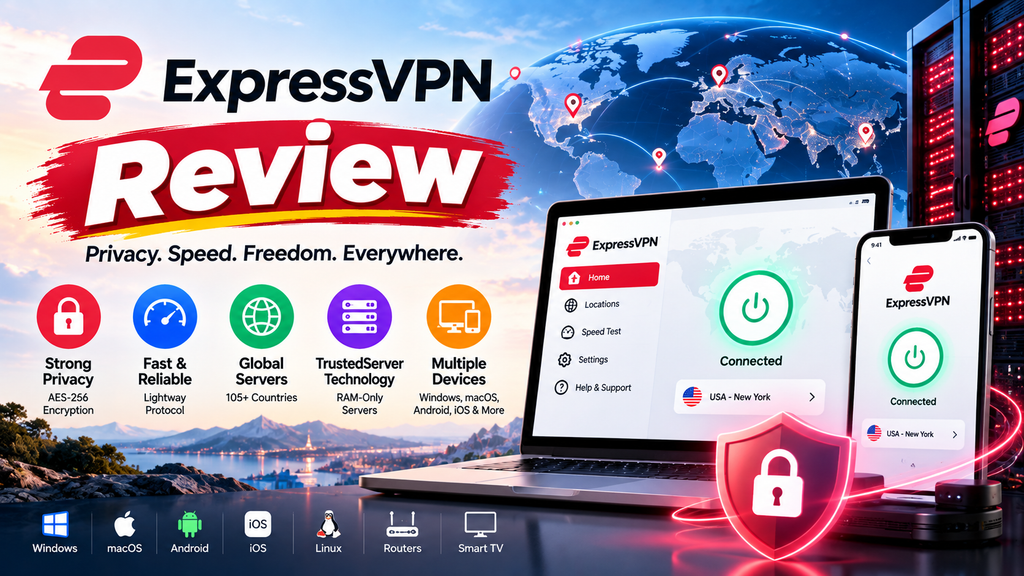
ExpressVPN focuses heavily on ease of use, privacy, security, and connection performance.
One of its best-known technologies is Lightway, its proprietary VPN protocol designed for speed, reliability, and fast connection establishment.
ExpressVPN also uses TrustedServer technology based on RAM-only infrastructure and says its no-logs practices have been independently audited.
ExpressVPN Security
ExpressVPN provides several important security features:
- AES-256 encryption
- Lightway
- OpenVPN
- WireGuard
- Kill Switch
- Private DNS
- Leak protection
- RAM-only TrustedServer technology
- No-logs policy
- Security audits
ExpressVPN says its infrastructure and privacy practices have been reviewed by independent organizations including PwC, Cure53, and KPMG. ExpressVPN
ExpressVPN Speed
ExpressVPN’s Lightway protocol is one of its major advantages.
The protocol is designed to provide:
- Fast connections
- Quick connection establishment
- Reliable performance
- Reduced connection interruptions
- Good performance when switching networks
ExpressVPN also advertises high-capacity servers in many locations.
Again, your actual speed will depend on your location and network.
ExpressVPN Ease of Use
This is where ExpressVPN can be especially appealing.
If you don’t want to spend time adjusting advanced VPN settings, a simple interface can be a major advantage.
This makes ExpressVPN suitable for:
- Beginners
- Frequent travelers
- Remote workers
- Laptop users
- Smartphone users
- Users who want a simple VPN experience
ExpressVPN Device Support
ExpressVPN currently advertises support for multiple simultaneous connections, with the exact limit depending on the applicable plan. Its current feature page advertises up to 14 active connections.
It supports major platforms and can also be configured for routers.
ExpressVPN Pros
Pros
- Excellent privacy-focused infrastructure
- Lightway protocol
- RAM-only TrustedServer technology
- Strong encryption
- Independent security reviews
- Easy-to-use applications
- Broad device support
- Good option for travelers
- 30-day money-back guarantee
ExpressVPN Cons
Cons
- Can be more expensive depending on the plan
- Some advanced features may require specific plans
- Fewer simultaneous connections than Surfshark
- Long-term cost should be checked carefully before purchasing
3. Surfshark Review
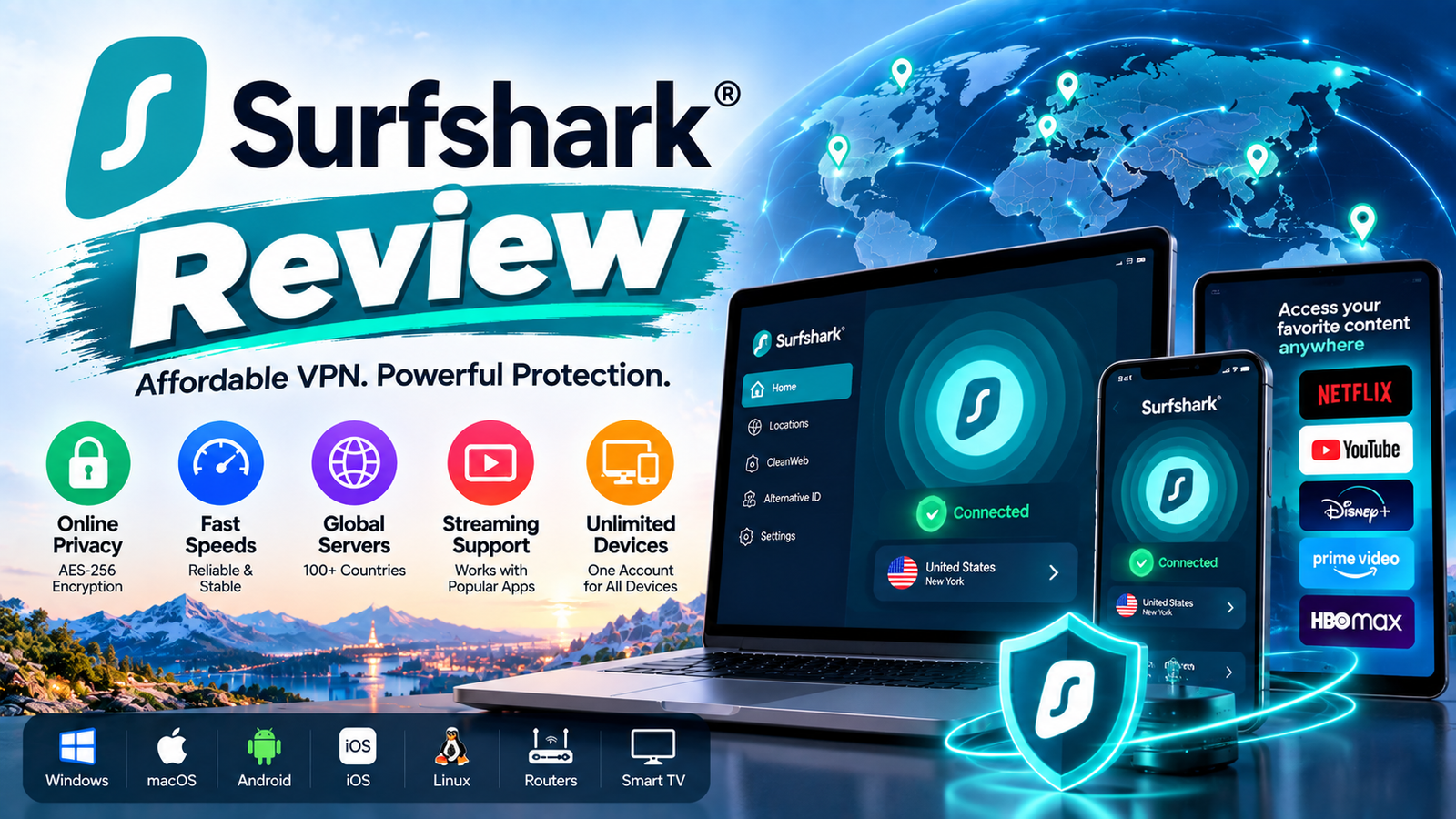
Surfshark stands out most clearly when it comes to multiple devices.
Its biggest advantage is unlimited simultaneous connections under one subscription.
That can make Surfshark particularly interesting for families, households, or users who own many devices.
Surfshark Security
Surfshark offers a wide selection of privacy and security tools, including:
- Encryption
- WireGuard
- Kill Switch
- Split tunneling
- Obfuscated servers
- Dynamic MultiHop
- NoBorders
- CleanWeb
- IP protection
- No-logs approach
Surfshark also offers features such as Bypasser, which allows selected apps or websites to bypass the VPN connection.
Surfshark Multiple Devices
This is arguably Surfshark’s biggest buyer advantage.
Instead of worrying about whether you have enough simultaneous connections for your:
- Smartphone
- Laptop
- Tablet
- Smart TV
- Gaming console
- Work computer
- Family members’ devices
Surfshark advertises unlimited simultaneous connections.
For a household with many devices, this can provide excellent practical value.
Surfshark Server Network
Surfshark currently advertises more than 4,500 VPN servers worldwide and coverage across 100+ countries.
The number of servers isn’t the only thing that matters.
You should also consider:
- Country availability
- Nearby locations
- Server congestion
- Connection speed
- Protocol availability
- Reliability
Surfshark Pros
Pros
- Unlimited simultaneous connections
- Excellent choice for families
- 4,500+ servers
- 100+ countries
- WireGuard support
- MultiHop
- Obfuscated servers
- Split tunneling
- CleanWeb
- 30-day money-back guarantee
- Strong feature set
Surfshark Cons
Cons
- Some advanced features are available only with certain plans
- Large feature sets can be confusing for beginners
- Add-on services can increase the overall cost
- Actual performance varies according to location and server

NordVPN vs ExpressVPN vs Surfshark: Security Comparison
Security should be one of the first things you evaluate when purchasing a VPN.
| Security Feature | NordVPN | ExpressVPN | Surfshark |
|---|---|---|---|
| Strong encryption | ✅ | ✅ | ✅ |
| Kill Switch | ✅ | ✅ | ✅ |
| No-logs approach | ✅ | ✅ | ✅ |
| Independent security reviews | ✅ | ✅ | ✅ |
| Split tunneling | ✅ | ✅ | ✅ |
| Obfuscation | ✅ | ✅ | ✅ |
| Double VPN / MultiHop | ✅ | Available features vary | ✅ |
| Additional security tools | Excellent | Excellent | Excellent |
All three are serious premium VPN products rather than basic free VPN applications.
For most users, the differences are more about features, usability, pricing, device limits and ecosystem than whether they provide basic VPN encryption.
NordVPN vs ExpressVPN vs Surfshark for Speed
Which VPN is fastest?
There isn’t a universally correct answer.
A VPN that performs extremely well in the United States may perform differently in India, Europe, Southeast Asia, or Australia.
Your results can change depending on:
- ISP
- Wi-Fi vs mobile data
- VPN server
- Distance
- Protocol
- Network congestion
- Device
- Time of day
For the best real-world performance:
- Choose a nearby server.
- Try the provider’s recommended protocol.
- Compare the same server region.
- Test during different times of the day.
- Compare both download and upload speeds.
- Check latency/ping if gaming.
- Test video calls rather than relying only on speed-test results.
Verdict: All three are capable premium VPN services. Don’t choose solely because a provider advertises itself as “the fastest.”
Which VPN Is Best for Streaming?
VPN streaming performance can change frequently because streaming platforms continuously update their VPN detection systems.
Therefore, no responsible comparison should promise that a VPN will permanently unblock every streaming service.
For streaming, look for:
- Reliable international servers
- Good connection speed
- Stable connections
- Apps for your streaming devices
- Router support where needed
- Good customer support
NordVPN, ExpressVPN and Surfshark all position themselves as suitable for streaming and support multiple device types.
Best approach: Check whether your specific streaming service and desired region are supported at the time you purchase.
Which VPN Is Best for Gaming?
Gaming is different from normal browsing.
For gaming, download speed isn’t the only factor.
You should look at:
- Ping
- Latency
- Connection stability
- Server distance
- Packet loss
- DDoS protection
- Ability to connect to appropriate regions
A VPN can sometimes improve routing, but it can also increase latency.
My recommendation
If gaming is your priority, test the VPN during its money-back period before committing long term.
Don’t assume that the VPN with the highest advertised speed will automatically provide the lowest ping.
Which VPN Is Best for Torrenting?
If you use P2P services, check the provider’s current P2P policy and supported server locations.
Also remember:
A VPN does not make illegal activity legal.
You are responsible for complying with copyright laws, local regulations, and the terms of the websites and services you use.
VPN for Public Wi-Fi
One of the most practical reasons to use a VPN is when connecting to unfamiliar networks.
For example:
- Airports
- Hotels
- Cafés
- Shopping malls
- Universities
- Public Wi-Fi
- Co-working spaces
A VPN encrypts your connection between your device and the VPN service, helping reduce the risk of network-level interception.
However, a VPN doesn’t eliminate every cybersecurity risk.
You should still:
- Use strong passwords
- Enable two-factor authentication
- Keep software updated
- Avoid suspicious links
- Use HTTPS websites
- Avoid installing unknown applications
VPN for Working From Home
A VPN can be useful for remote workers who frequently use public networks or travel.
Important features include:
- Kill switch
- Strong encryption
- Stable connections
- Split tunneling
- Broad device support
- Reliable customer support
For work, connection stability can be more important than maximum theoretical speed.
VPN for Families
If several people in your household use multiple devices, the number of simultaneous connections becomes extremely important.
For example:
Family devices:
- 3 smartphones
- 2 laptops
- 2 tablets
- 1 Smart TV
- 1 gaming console
That’s already nine devices.
In this scenario, Surfshark’s unlimited simultaneous connections can be particularly attractive.
NordVPN’s 10-device limit may also be sufficient for many families. NordVPN
ExpressVPN can also support multiple devices, with the exact simultaneous-connection allowance depending on the current plan.
VPN for Travelers
Frequent travelers should look for:
- Mobile apps
- Fast connection establishment
- Multiple server locations
- Public Wi-Fi protection
- Kill switch
- Reliable support
- Router compatibility
- Good performance when switching networks
ExpressVPN’s Lightway protocol and RAM-only TrustedServer infrastructure make it particularly appealing to users who prioritize a polished travel experience.
NordVPN and Surfshark are also strong alternatives.

10 Things to Check Before Buying a VPN
Don’t buy a VPN simply because it is advertised as “fast” or “secure.”
Check these ten things first.
1. How many devices can you connect?
This matters especially for families.
2. Does it have servers where you need them?
A large global network is useful, but your specific countries matter more.
3. What protocols are available?
Look for modern protocols such as NordLynx, Lightway or WireGuard.
4. Does it have a Kill Switch?
A kill switch can prevent internet traffic from continuing outside the VPN connection if the VPN unexpectedly disconnects.
5. What is the privacy policy?
Read the provider’s actual policy rather than relying only on advertisements.
6. Has the service undergone independent audits?
Independent verification can provide additional confidence.
7. Does it support your devices?
Check Windows, macOS, Android, iPhone, Smart TV, gaming devices and router support if relevant.
8. Does it support your use case?
Streaming, gaming, work, travel and torrenting can have different requirements.
9. What happens after the introductory period?
This is extremely important.
Don’t look only at the first-year or promotional price.
Check the renewal price.
10. What is the refund policy?
A money-back guarantee allows you to test the service with less risk.
All three providers currently advertise a 30-day money-back guarantee. NordVPN
Don’t Look Only at the Advertised Monthly Price
This is one of the most important things buyers should understand.
A VPN may advertise something like:
₹XXX/month
But that may represent the average monthly cost of a longer subscription.
The actual amount charged at checkout can be different.
Also check:
- Subscription duration
- Initial promotional price
- Renewal price
- Taxes
- Currency conversion
- Optional add-ons
- Whether the subscription automatically renews
For example, NordVPN’s current pricing page explicitly distinguishes promotional pricing from renewal pricing. NordVPN
Buyer tip: Always check the final checkout amount and the renewal terms before completing the purchase.
Which VPN Is Best for You?
Here’s the simplest way to decide.
| Your Requirement | Recommended VPN |
|---|---|
| Best overall balance | NordVPN |
| Advanced security features | NordVPN |
| Many devices | Surfshark |
| Family use | Surfshark |
| Simple premium experience | ExpressVPN |
| Frequent travel | ExpressVPN / NordVPN |
| Advanced privacy controls | NordVPN |
| Unlimited connections | Surfshark |
| Beginner-friendly experience | ExpressVPN / NordVPN |
| Best choice for most buyers | NordVPN |

NordVPN vs ExpressVPN vs Surfshark: My Verdict
🏆 Best Overall: NordVPN
For the majority of buyers, NordVPN is our overall pick.
Why?
It provides a strong combination of:
- Security
- Privacy
- Speed
- Large server network
- Advanced features
- Multiple protocols
- Additional security tools
- Good device support
- 30-day money-back guarantee
It is especially attractive if you want a VPN that can grow with your needs instead of providing only basic VPN functionality. NordVPN
Check NordVPN’s current plans and offers
🥈 Best for Multiple Devices: Surfshark
Surfshark is the obvious choice if device count is your biggest concern.
Unlimited simultaneous connections can be extremely useful for:
- Families
- Multiple smartphones
- Multiple laptops
- Smart TVs
- Gaming devices
- Home networks
Its combination of unlimited connections, 4,500+ servers and a broad feature set makes it a strong value-oriented option.
Check Surfshark’s current plans and features
🥉 Best for a Simple Premium Experience: ExpressVPN
ExpressVPN is a strong choice if you prioritize:
- Ease of use
- Privacy
- Connection stability
- Lightway
- RAM-only TrustedServer technology
- Broad platform support
Its combination of simple apps and privacy-focused infrastructure makes it particularly attractive to users who don’t want to spend time configuring complicated VPN settings.
What a VPN Cannot Do
This is an important section that many VPN advertisements don’t explain clearly enough.
A VPN does not make you completely anonymous online.
It doesn’t automatically protect you from:
- Phishing
- Fake websites
- Malware
- Weak passwords
- Account theft
- Social engineering
- Unsafe downloads
- Data breaches
- Tracking performed through accounts you voluntarily log into
For example, if you log into Facebook, Google, Amazon or another service, that service can still associate activity with your account.
A VPN should therefore be considered one layer of your cybersecurity strategy, not complete protection by itself.
How to Test Your VPN Before Keeping It
If you purchase a VPN with a money-back guarantee, don’t simply install it and forget about it.
Spend the first few days testing it.
Test 1: Your normal Wi-Fi
Connect to a nearby VPN server and browse normally.
Test 2: Mobile data
Switch from Wi-Fi to mobile data and test again.
Test 3: International server
Connect to a distant country and compare performance.
Test 4: Video streaming
Test the streaming services you actually use.
Test 5: Video calls
Try WhatsApp, Zoom, Google Meet or your normal video-calling service.
Test 6: Downloading
Compare download speeds with VPN on and off.
Test 7: Uploading
Test upload speeds as well.
Test 8: Kill Switch
Disconnect the VPN unexpectedly and confirm that the feature behaves as expected on your device.
Test 9: Split tunneling
If available, test which applications should use the VPN and which should connect directly.
Test 10: Customer support
Contact support with a real question.
This is a better way to determine whether a VPN is right for you than relying only on online rankings.
VPN Buying Checklist
Before pressing the Buy button, ask yourself:
☐ How many devices do I have?
☐ Do I need the VPN for family members?
☐ Which countries do I need to connect through?
☐ Do I need streaming support?
☐ Do I play online games?
☐ Do I work remotely?
☐ Do I frequently use public Wi-Fi?
☐ Do I need split tunneling?
☐ Do I need obfuscated servers?
☐ Do I need router support?
☐ Have I checked the renewal price?
☐ Have I checked the refund policy?
☐ Have I checked the final checkout price?
If you can answer these questions, you’ll have a much better idea of which VPN is appropriate.
Frequently Asked Questions
Is NordVPN better than ExpressVPN?
For many users, NordVPN offers a stronger combination of advanced features, security tools, server coverage and overall flexibility.
However, ExpressVPN can be a better choice if you prioritize simplicity and its particular privacy and performance features.
Is Surfshark better than NordVPN?
Not universally.
Surfshark has a major advantage with unlimited simultaneous connections, making it particularly attractive for families and users with many devices.
NordVPN offers a broader set of advanced features and a larger advertised server/location footprint. NordVPN
Is Surfshark good for families?
Yes.
Its unlimited simultaneous connections are one of its biggest advantages for households with many devices.
Is ExpressVPN worth buying?
It can be, particularly for users who value ease of use, privacy-focused infrastructure, reliable connections and the Lightway protocol.
Whether it is worth the price depends on your requirements and the current subscription offer.
Which is the fastest VPN?
There is no single VPN that is guaranteed to be fastest for every person.
Performance depends on your ISP, location, VPN server, protocol, device and network conditions.
NordVPN, ExpressVPN and Surfshark all offer technologies designed for high-speed connections.
Which VPN is best for India?
For users in India, the best option depends on the purpose.
For general security and advanced features, NordVPN is a strong choice.
For many household devices, Surfshark is attractive.
For users who prioritize a simple premium experience, ExpressVPN is worth considering.
Always check the provider’s current server availability, applicable terms and local legal requirements before purchasing.
Does a VPN improve internet speed?
Usually, you should not expect a VPN to increase your normal internet speed.
A VPN can sometimes improve routing in specific situations, but encryption and routing through another server can also reduce speed.
The result depends on the network and server.
Can I use a VPN on my phone?
Yes.
NordVPN, ExpressVPN and Surfshark all provide apps for major mobile platforms.
Can I use one VPN subscription on multiple devices?
Yes, but the number of simultaneous connections varies.
NordVPN currently advertises up to 10 simultaneous devices, ExpressVPN’s current feature information advertises up to 14 depending on the plan, while Surfshark advertises unlimited simultaneous connections. NordVPN
Do VPNs protect against viruses?
Not completely.
Some VPN providers include malware, phishing, ad-blocking or threat-protection features, but a VPN should not automatically be considered a replacement for comprehensive endpoint security.
Keep your operating system and applications updated and use reputable security software where appropriate.
Do VPNs make me completely anonymous?
No.
A VPN can hide your IP address from websites and encrypt traffic between your device and the VPN server, but it doesn’t eliminate every form of online tracking.
Your accounts, cookies, browser fingerprint, device information and online behavior can still identify or associate activity with you.
Are VPNs legal?
VPN legality varies by country and situation.
Using a VPN does not give you permission to break the law or violate the terms of websites and services.
Always follow applicable local laws and the terms of the services you use.
Final Verdict: NordVPN vs ExpressVPN vs Surfshark
There is no single VPN that is perfect for everyone.
But if you want a simple decision:
🏆 Choose NordVPN if:
You want the best overall balance of security, privacy, speed and advanced features.
👨👩👧👦 Choose Surfshark if:
You have many devices or want to protect an entire household with unlimited simultaneous connections.
🚀 Choose ExpressVPN if:
You prioritize a simple premium experience, privacy-focused infrastructure and reliable connection technology.
Our overall choice: NordVPN
For the typical buyer, NordVPN offers the strongest all-round package in this comparison. Its combination of security features, performance-focused protocols, large network, additional protection tools and broad functionality makes it an excellent choice for everyday users as well as more advanced VPN users. NordVPN
However, Surfshark may be the better value for large households, while ExpressVPN may be the better fit for users who value simplicity and its particular privacy infrastructure.
The right VPN is ultimately the one that matches your devices, location, budget and actual usage.
Before You Buy
VPN prices and promotional offers change frequently. Check the provider’s official website for the latest:
- Subscription price
- Renewal price
- Available plans
- Device limits
- Server locations
- Included features
- Refund terms
Official websites
Editorial Note
Last reviewed: 2026. VPN features, pricing, server counts, device limits and subscription terms may change after publication. TechVision.ID recommends checking the provider’s official website before making a purchase.

2 thoughts on “NordVPN vs ExpressVPN vs Surfshark in 2026: Which VPN Is Best?”