Choosing the right laptop processor in 2026 is more important than ever. Modern laptops are no longer designed only for traditional computing. Today’s processors need to deliver a combination of high performance, long battery life, efficient multitasking, graphics capabilities, and AI-powered features.
The competition between Intel, AMD, and Snapdragon has therefore become much more interesting. Intel continues to develop its Core Ultra processor family, AMD is expanding its Ryzen and Ryzen AI platforms, while Qualcomm Snapdragon is bringing ARM-based processors to a growing range of Windows laptops.
But which processor is actually the best?
There is no single answer for everyone. The best processor depends on whether you are a business professional, student, gamer, content creator, developer, data analyst, or frequent traveler.
In this detailed guide, we compare Intel vs AMD vs Snapdragon Laptop Processors in 2026 based on performance, battery life, AI capabilities, gaming, software compatibility, productivity, value for money, and everyday use.
Table of Contents
Intel vs AMD vs Snapdragon Laptop Processors in 2026: Complete Comparison
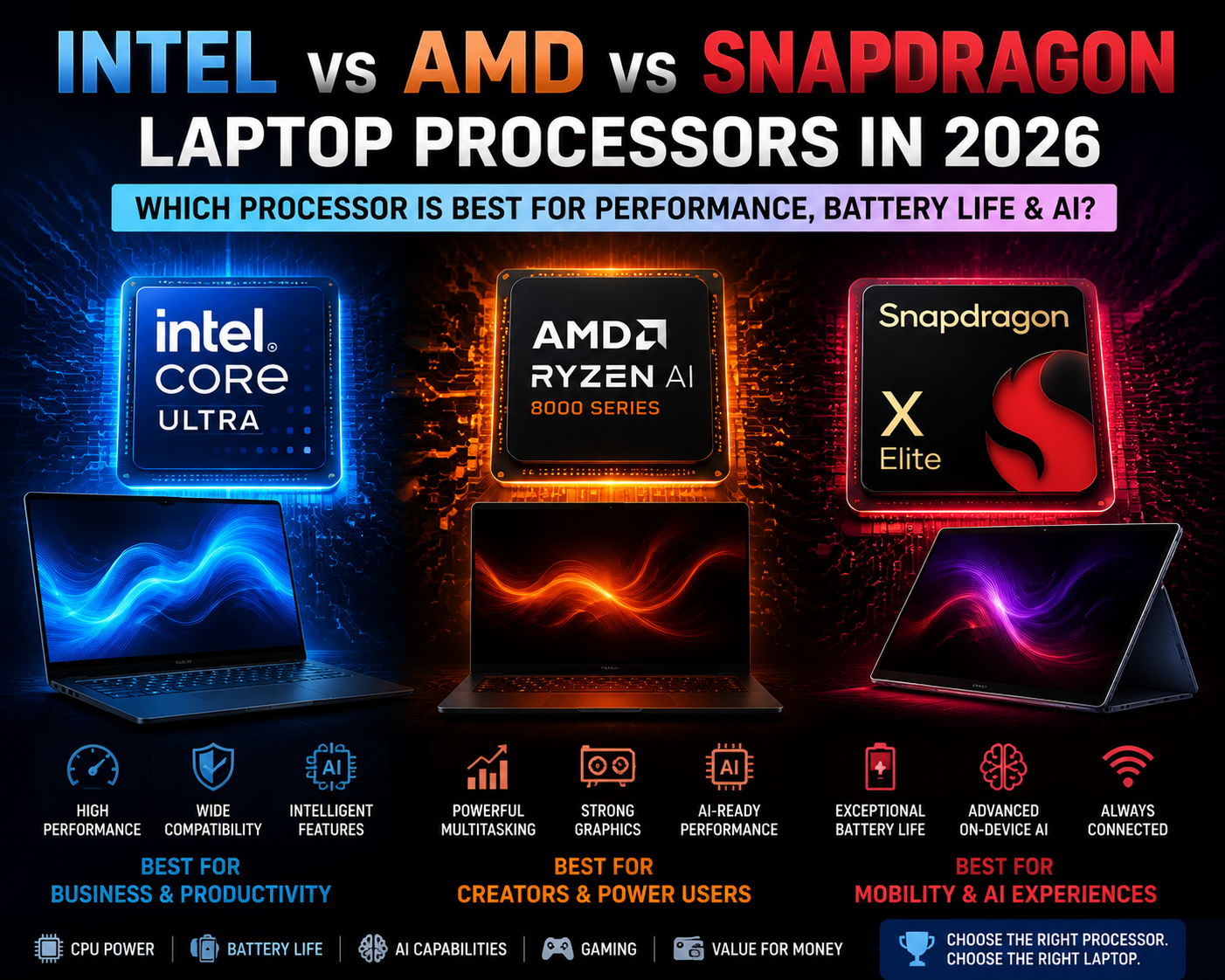
The Intel vs AMD vs Snapdragon Laptop Processors in 2026 competition is not simply about processor speed. Modern laptop platforms combine CPU, GPU, NPU, memory, connectivity, and power-management technologies to provide a complete computing experience.
| Feature | Intel | AMD | Snapdragon |
|---|---|---|---|
| Architecture | x86 | x86 | ARM |
| Performance | Excellent | Excellent | Very Good to Excellent |
| Battery Efficiency | Very Good | Very Good | Excellent |
| Windows Compatibility | Excellent | Excellent | Improving |
| Gaming | Excellent | Excellent | More Limited |
| AI Capability | Strong | Strong | Excellent |
| Multitasking | Excellent | Excellent | Very Good |
| Professional Software | Excellent | Excellent | Check Compatibility |
| Portability | Excellent | Excellent | Excellent |
| Best For | Business & Productivity | Performance & Multitasking | Battery & AI |
Actual performance depends on the exact processor model, laptop cooling system, power limits, RAM, SSD, GPU, display, and manufacturer’s configuration. Therefore, buyers should compare the complete laptop rather than relying only on the processor brand.
Why Laptop Processor Choice Matters in 2026
A processor is one of the most important components of a laptop, but processor technology has changed considerably.
Traditional laptop buyers often compared processors using:
- Clock speed
- Number of CPU cores
- Processor generation
- Cache
- TDP
In 2026, buyers should also consider:
- CPU performance
- GPU performance
- NPU capability
- AI acceleration
- Battery efficiency
- Software compatibility
- RAM
- SSD
- Thermal management
- Connectivity
- Overall laptop design
A processor with a higher specification is not automatically the best option for every user.
For example, a user who travels frequently may prefer an efficient processor with excellent battery life, while a video editor may prioritize CPU and GPU performance over battery efficiency.
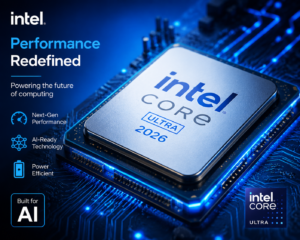
Intel Laptop Processors in 2026
Intel remains one of the most established processor manufacturers in the Windows laptop market.
Its modern Core Ultra family is designed to combine CPU performance, graphics capabilities, and AI acceleration in a single platform.
Intel processors are available across a wide range of laptops, including affordable everyday systems, premium business notebooks, gaming laptops, professional workstations, and high-performance creator machines.
Why Choose Intel?
Intel can be an excellent option for users who need broad Windows compatibility and reliable performance across a wide range of applications.
Intel-powered laptops are commonly used for:
- Microsoft Office
- Excel
- Power BI
- Web browsing
- Video conferencing
- Programming
- Business applications
- Content creation
- Gaming
- Professional software
Intel Advantages
- Excellent Windows compatibility
- Wide range of laptop models
- Strong productivity performance
- Excellent business laptop availability
- Strong gaming options
- Modern AI-capable platforms
- Broad support for professional applications
Intel Disadvantages
- Performance varies considerably between processor models
- High-performance models can consume more power
- Premium configurations can be expensive
- Battery life depends heavily on laptop design
AMD Laptop Processors in 2026
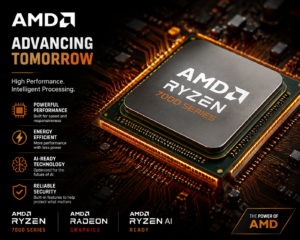
AMD has become one of Intel’s strongest competitors in the laptop market.
The Ryzen processor family covers everyday laptops, gaming systems, premium notebooks, creator laptops, and professional machines.
AMD has also expanded its Ryzen AI portfolio, bringing dedicated AI processing capabilities to modern laptops.
Why Choose AMD?
AMD processors can be particularly attractive for users who want a combination of strong performance, multitasking capability, graphics performance, and efficiency.
AMD-powered laptops are suitable for:
- Multitasking
- Video editing
- Programming
- Data analysis
- Gaming
- Content creation
- 3D applications
- Business applications
AMD Advantages
- Strong CPU performance
- Excellent multi-core capability
- Competitive power efficiency
- Strong integrated graphics on selected processors
- Ryzen AI platforms support dedicated AI acceleration
- Excellent options for multitasking
- Strong performance-to-price potential
AMD Disadvantages
- Performance varies significantly between Ryzen generations and models
- Premium Ryzen AI laptops can be expensive
- Buyers need to compare the complete GPU and cooling configuration
Snapdragon Laptop Processors in 2026
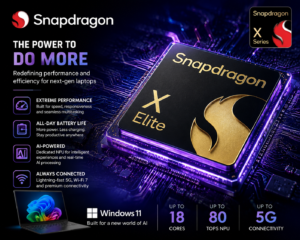
Snapdragon has brought a different approach to Windows laptops.
Unlike Intel and AMD, which primarily use x86 architecture, Snapdragon laptop processors use ARM architecture.
Qualcomm’s Snapdragon laptop platforms focus heavily on efficiency, battery life, connectivity, and AI processing.
The Snapdragon X family has helped establish ARM-based Windows laptops as a serious alternative to traditional PC platforms.
Why Choose Snapdragon?
Snapdragon laptops are particularly attractive for users who want:
- Long battery life
- Lightweight designs
- Quiet operation
- Portable computing
- AI-powered features
- Efficient performance
- Connected computing
They can be useful for students, business professionals, frequent travelers, and users who spend many hours away from a charger.
Snapdragon Advantages
- Excellent power efficiency
- Strong battery-life potential
- Dedicated AI acceleration
- Lightweight laptop designs
- Strong performance-per-watt
- Excellent portability
- Good option for mobile professionals
Snapdragon Disadvantages
- ARM software compatibility must be checked
- Some specialized applications may not provide the same experience as x86 versions
- Certain games may have compatibility limitations
- Specialized drivers and peripherals should be verified
Intel vs AMD vs Snapdragon Laptop Processors in 2026: Performance Comparison
The Intel vs AMD vs Snapdragon Laptop Processors in 2026 performance comparison cannot be decided by looking at clock speed alone.
Real-world performance depends on:
- Processor architecture
- CPU cores
- GPU
- NPU
- Power limits
- Cooling
- RAM
- Storage
- Operating system
- Application optimization
Everyday Productivity
For Microsoft Office, browsing, email, video conferencing, presentations, and general productivity, all three platforms can provide excellent performance when paired with suitable hardware.
For normal users, having sufficient RAM and a fast SSD can make a bigger difference than choosing one processor brand over another.
Heavy Multitasking
Intel and AMD remain excellent options for traditional Windows multitasking.
Users working with multiple browser tabs, Excel files, Power BI, databases, communication applications, and other business software can benefit from a strong multi-core processor and sufficient RAM.
Snapdragon can also handle many everyday multitasking workloads efficiently, particularly when applications are optimized for ARM.
Professional Work
For professional applications, Intel and AMD remain safe choices because of their mature x86 Windows ecosystem.
Snapdragon can be suitable for many professional workflows, but users should verify software compatibility before purchasing.
Intel vs AMD vs Snapdragon Laptop Processors in 2026: Battery Life Comparison
Battery life is one of the most important considerations when purchasing a laptop.
Snapdragon has a strong reputation for power efficiency because its ARM-based platforms are designed around performance per watt.
However, Intel and AMD also offer efficient laptop processors, and the actual battery life depends on the complete laptop.
Battery performance is affected by:
- Processor efficiency
- Battery capacity
- Display resolution
- Display brightness
- Refresh rate
- Background applications
- Wi-Fi usage
- SSD
- RAM
- Cooling system
- Operating-system optimization
Therefore, it is incorrect to assume that every Snapdragon laptop will automatically provide longer battery life than every Intel or AMD laptop.
Always consider the exact laptop model.
Intel vs AMD vs Snapdragon Laptop Processors in 2026 for AI Computing
AI computing has become one of the biggest developments in the laptop industry.
The Intel vs AMD vs Snapdragon Laptop Processors in 2026 competition is increasingly focused on AI acceleration in addition to traditional CPU performance.
Modern AI PCs can use three major processing resources:
CPU
The CPU handles general computing tasks, operating-system functions, applications, and traditional workloads.
GPU
The GPU handles graphics and highly parallel workloads. It can also accelerate many AI applications.
NPU
The NPU, or Neural Processing Unit, is specifically designed to accelerate supported AI workloads efficiently.
AI features can include:
- Background blur
- Noise cancellation
- Camera enhancement
- Speech recognition
- Automatic transcription
- AI assistants
- Image processing
- Content creation
- Local AI applications
What Is NPU and Why Is It Important?
NPU stands for Neural Processing Unit.
It is a dedicated processing component designed for certain artificial intelligence and machine-learning workloads.
One major advantage of an NPU is that supported AI tasks can be processed efficiently without placing the entire workload on the CPU.
However, buyers should not judge an AI laptop only by its NPU specification.
The actual experience also depends on:
- Software support
- AI application optimization
- CPU performance
- GPU performance
- Memory
- Operating system
- AI frameworks
What Does TOPS Mean in an AI Laptop?
TOPS means Trillions of Operations Per Second.
It is commonly used to describe the theoretical AI processing capability of an NPU or other AI accelerator.
A higher TOPS number can indicate greater AI processing capability, but it does not automatically mean that the entire laptop is faster.
Therefore, buyers should consider:
CPU + GPU + NPU + Software + Memory + Efficiency
rather than focusing only on TOPS.
Intel vs AMD vs Snapdragon Laptop Processors in 2026: AI Capabilities
Intel, AMD, and Snapdragon all have modern AI-focused laptop platforms.
Intel AI
Modern Intel Core Ultra platforms combine CPU, graphics and dedicated AI capabilities for supported workloads.
AMD AI
AMD Ryzen AI processors combine CPU, GPU and NPU resources and are designed to accelerate supported AI workloads locally.
Snapdragon AI
Snapdragon places a particularly strong emphasis on on-device AI processing and AI performance-per-watt.
The important point is that AI performance should always be evaluated together with application support.
Intel vs AMD vs Snapdragon Laptop Processors in 2026: Gaming Performance
Gaming laptops require more than a powerful processor.
The graphics card is usually one of the most important components for modern gaming.
When purchasing a gaming laptop, consider:
- CPU
- Dedicated GPU
- GPU power limit
- RAM
- SSD
- Cooling
- Display refresh rate
- Resolution
- Thermal performance
Intel and AMD remain strong choices for gaming laptops, especially when paired with a dedicated graphics processor.
Snapdragon laptops can be excellent productivity machines, but gamers should carefully check game compatibility and performance before purchasing.
Intel vs AMD vs Snapdragon Laptop Processors in 2026 for Business Users
Business users normally need a combination of:
- Reliability
- Performance
- Battery life
- Security
- Software compatibility
- Video conferencing
- Multitasking
Intel and AMD are excellent options for traditional business environments.
Snapdragon can be particularly attractive for professionals who travel frequently and value battery endurance.
However, companies using specialized enterprise software should verify ARM compatibility before purchasing Snapdragon-based systems.
Intel vs AMD vs Snapdragon Laptop Processors in 2026 for Students
Students generally need a laptop that is:
- Affordable
- Lightweight
- Reliable
- Fast
- Battery efficient
- Suitable for online classes
For everyday education, all three platforms can provide sufficient performance.
Snapdragon
Best suited to students who prioritize battery life and portability.
Intel
A strong choice for broad software compatibility.
AMD
A good option for students who need stronger multitasking or performance-oriented configurations.
Students studying engineering, programming, design, or specialized technical subjects should check application compatibility before purchasing an ARM-based laptop.
Intel vs AMD vs Snapdragon Laptop Processors in 2026 for Content Creators
Content creators need more than a powerful CPU.
For video editing, photography, animation and 3D workloads, consider:
- CPU
- GPU
- RAM
- SSD
- Display
- Cooling
- Color accuracy
- Battery
- Ports
Intel and AMD currently provide a wide range of suitable systems for demanding creator workflows.
Snapdragon can be attractive to mobile creators who value battery life, but application compatibility should be checked carefully.
Intel vs AMD vs Snapdragon Laptop Processors in 2026 for Data Analysts
Data analysts working with Excel, Power Query, Power BI, SQL, Python and large datasets should prioritize sustained performance and memory capacity.
For large Excel workbooks, Power BI models, SQL environments and multitasking, a powerful CPU combined with sufficient RAM can make a major difference.
For traditional Windows data-analysis workflows, Intel and AMD remain practical choices because of their broad software ecosystem.
Snapdragon can work well for supported applications, but professional users should verify compatibility with their specific tools before purchasing.
Intel vs AMD vs Snapdragon Laptop Processors in 2026: ARM vs x86
One of the most important differences between these processors is architecture.
Intel and AMD generally use x86 architecture, while Snapdragon uses ARM architecture.
For many everyday tasks, users may not notice the difference.
However, architecture becomes important when using:
- Older applications
- Specialized professional software
- Drivers
- Plugins
- Games
- Development tools
- Hardware accessories
Before buying a Snapdragon laptop, check whether your essential applications are:
- ARM-native
- Compatible through Windows compatibility technology
- Supported by required drivers
- Compatible with external accessories
If compatibility is critical, Intel or AMD may be the safer choice.
Does RAM Matter More Than the Processor?
A powerful processor cannot compensate for insufficient system memory.
For example, a laptop with a high-end CPU but inadequate RAM may struggle when running multiple applications simultaneously.
For modern laptop buyers, it is important to consider:
- Processor
- RAM
- SSD
- GPU
- Display
Users working with large datasets, professional applications, video editing or heavy multitasking should prioritize a suitable amount of RAM rather than spending the entire budget on the processor.
Integrated Graphics vs Dedicated GPU
Another important consideration is graphics capability.
Integrated Graphics
Integrated graphics can be sufficient for:
- Office work
- Web browsing
- Streaming
- Presentations
- Basic photo editing
- Casual gaming
Dedicated Graphics
A dedicated GPU is recommended for:
- AAA gaming
- Advanced video editing
- 3D rendering
- CAD
- Animation
- Professional graphics
- GPU-intensive AI workloads
For these workloads, GPU selection may have a greater impact than the difference between two similarly positioned CPUs.
Which Processor Offers the Best Value in 2026?
There is no universal winner.
The best value depends on the complete laptop configuration and your budget.
Choose Intel If:
- You want broad Windows compatibility
- You need a business laptop
- You use specialized applications
- You want a wide selection of laptop models
- Gaming is important
- You want a mature Windows ecosystem
Choose AMD If:
- You want strong performance
- You need excellent multitasking
- You want strong integrated graphics
- You are interested in Ryzen AI
- You want a good performance-to-price balance
Choose Snapdragon If:
- Battery life is your highest priority
- You travel frequently
- You want a lightweight laptop
- AI features are important
- Your applications are compatible with ARM Windows
Intel vs AMD vs Snapdragon Laptop Processors in 2026: Which One Should You Buy?
The answer depends on your individual requirements.
| User Type | Recommended Choice |
|---|---|
| Business Professional | Intel / AMD |
| Student | Intel / AMD / Snapdragon |
| Gamer | Intel / AMD + Dedicated GPU |
| Content Creator | Intel / AMD |
| Data Analyst | Intel / AMD |
| Frequent Traveler | Snapdragon |
| AI-Focused User | Compare Intel / AMD / Snapdragon NPU |
| General Office User | Intel / AMD / Snapdragon |
| Professional Software User | Intel / AMD |
| Battery-Life Priority | Snapdragon / Efficient Intel or AMD |
Where Should You Buy a Laptop in 2026: Online or Offline?

After selecting your processor, the next question is where to purchase your laptop.
Buying Online
Online shopping offers several advantages:
- Large product selection
- Easy price comparison
- Customer reviews
- Bank offers
- Exchange offers
- Seasonal discounts
- Home delivery
Before ordering, verify:
- Exact processor model
- RAM
- SSD
- Display specifications
- Warranty
- Seller reputation
- Return policy
- Included accessories
Do not purchase a laptop simply because the listing mentions “Core Ultra,” “Ryzen AI,” or “Snapdragon.” The exact processor and complete configuration are more important.
Buying Offline
A physical store allows you to inspect the laptop before purchasing.
You can check:
- Keyboard
- Trackpad
- Display
- Speakers
- Build quality
- Weight
- Ports
- Hinge
- Overall design
For expensive laptops, visiting a store before making the final purchase can be useful even if you later buy the product online.
Laptop Buying Checklist for 2026
Before purchasing a laptop, check the following:
- Exact processor model
- Processor generation or series
- CPU performance
- GPU
- NPU/AI capability
- RAM capacity
- SSD capacity
- Display quality
- Battery capacity
- Weight
- Cooling system
- USB and other ports
- Wi-Fi and Bluetooth
- Software compatibility
- Warranty
- Price
- Seller reputation
Frequently Asked Questions About Intel vs AMD vs Snapdragon Laptop Processors in 2026
Is Intel better than AMD in 2026?
Not necessarily. Intel and AMD both offer excellent laptop processors. The better choice depends on the specific processor, laptop design, workload, price, graphics solution and battery requirements.
Is AMD better than Intel for laptops?
AMD can be an excellent choice for performance, multitasking, graphics and efficiency. Intel remains highly competitive and offers excellent options for business users and people who need broad Windows compatibility.
Is Snapdragon good for laptops?
Yes. Snapdragon has become a serious Windows laptop platform, especially for users who value battery life, portability, connectivity and AI capabilities.
However, software compatibility should be checked before purchasing.
Which processor is best for battery life?
Snapdragon is strongly focused on efficiency and can provide excellent battery endurance. However, battery life ultimately depends on the complete laptop design.
Which processor is best for AI laptops?
Intel, AMD and Snapdragon all offer AI-focused laptop platforms. The best choice depends on the NPU, CPU, GPU, software support and applications you use.
Which processor is best for gaming?
Intel and AMD are generally the safer choices for Windows gaming laptops, particularly when paired with a powerful dedicated GPU.
Which processor is best for students?
There is no universal answer. Students should compare price, battery life, RAM, storage, weight and software compatibility.
Which processor is best for business laptops?
Intel and AMD are excellent choices for business users. Snapdragon can be a good alternative for mobile professionals who prioritize battery life.
Should I buy a Snapdragon laptop instead of Intel or AMD?
Choose Snapdragon when battery life, portability and AI are important and your applications are compatible with ARM-based Windows. Choose Intel or AMD if you rely heavily on specialized Windows applications or want maximum traditional PC compatibility.
Intel vs AMD vs Snapdragon Laptop Processors in 2026: Final Verdict
The Intel vs AMD vs Snapdragon Laptop Processors in 2026 comparison does not have one universal winner.
Each platform has a different strength.
Intel: Best for Compatibility and All-Round Computing
Intel remains a strong choice for business users, professionals, gamers and users who want broad Windows compatibility.
AMD: Best for Performance and Multitasking
AMD is an excellent option for users who prioritize strong performance, multitasking, graphics capability, efficiency and modern AI features.
Snapdragon: Best for Battery Life and Mobility
Snapdragon is particularly attractive for people who want excellent battery efficiency, lightweight designs, connected computing and AI-focused features.
Our Overall Recommendation
For maximum Windows compatibility: Intel or AMD
For strong multitasking and performance: AMD or Intel
For gaming: Intel or AMD with a dedicated GPU
For long battery life: Snapdragon deserves serious consideration
For AI computing: Compare the NPU, CPU, GPU and software support rather than looking only at TOPS
For professional software: Check compatibility before choosing Snapdragon
The most important lesson is that you should not choose a laptop based only on the processor brand.
Instead, evaluate the complete package:
Processor + GPU + NPU + RAM + SSD + Display + Battery + Cooling + Software Compatibility + Warranty + Price
In 2026, the best laptop processor is not necessarily the one with the highest benchmark score. It is the processor that provides the right balance of performance, battery life, AI capability, compatibility and value for your specific needs.