Introduction: Why Laptop Processors Matter More Than Ever
A laptop processor is one of the most important components that decides how fast, efficient, and future-ready your device will be. Whether you are a student attending online classes, a professional managing business tasks, a gamer playing high-performance titles, or a creator editing videos, choosing the right processor can significantly improve your overall experience.
Over the years, Intel has continuously improved its laptop processors with better performance, lower power consumption, advanced graphics, and new artificial intelligence features. The company has moved beyond traditional CPU improvements and entered the era of AI-powered computing with its new Intel Core Ultra processors.
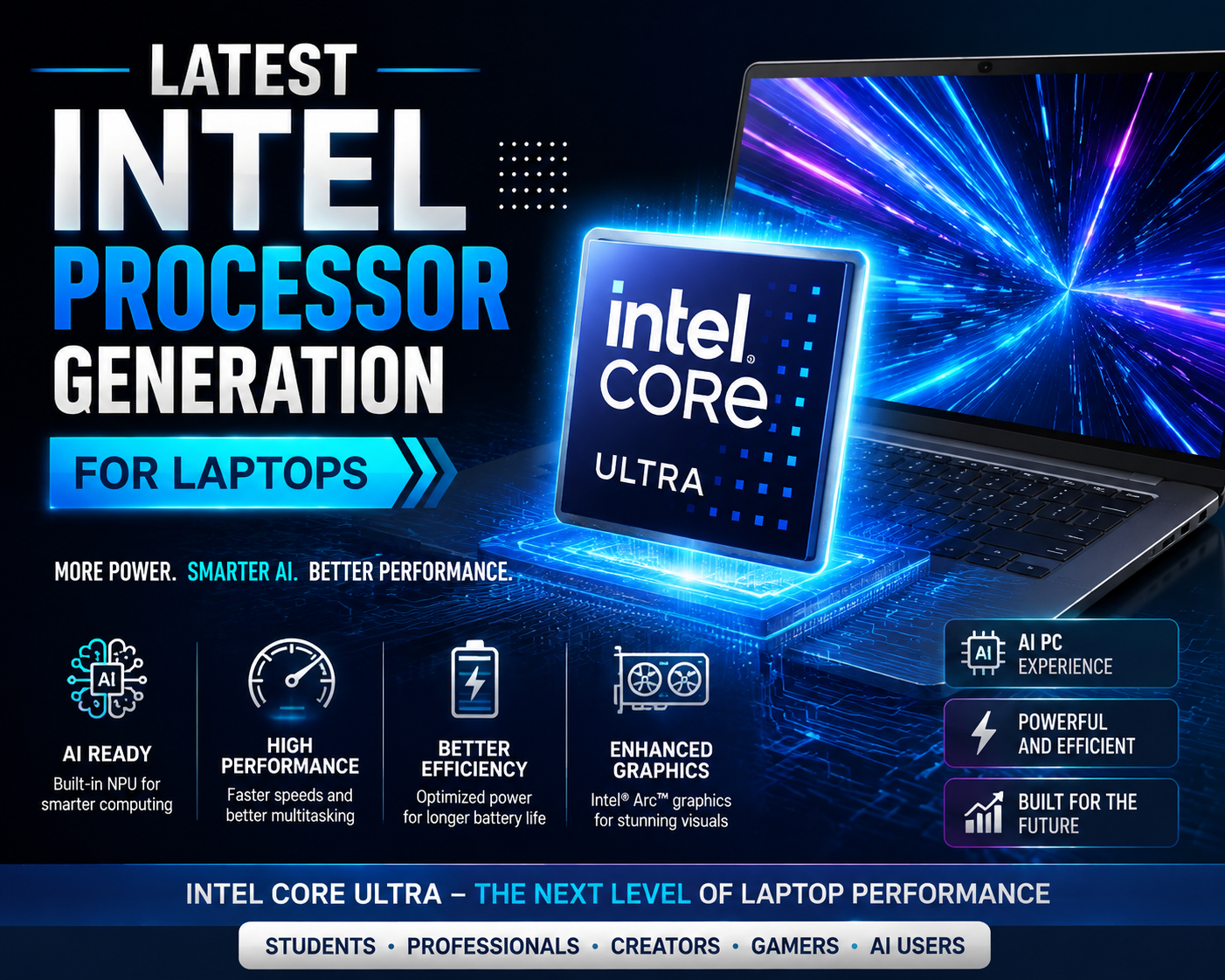
The latest Intel processor generation for laptops represents a major shift toward smarter and more efficient laptops. Intel’s newest processors are designed not only to deliver faster performance but also to handle AI-based applications, improve battery life, and provide better graphics performance without depending completely on dedicated hardware.
For laptop buyers in 2026, understanding Intel latest laptop processors, processor generations, naming systems, and performance differences is essential before making a purchase. This guide explains everything you need to know about Intel laptop CPUs in a simple and beginner-friendly way.
In this latest Intel processor generation for laptops 2026 guide, we explain Intel Core Ultra processors, naming, performance levels, and buying recommendations.
Table of Contents
Latest Intel Processor Generation for Laptops 2026 Explained
The latest Intel processor generation for laptops is based around Intel’s new AI-focused processor family called Intel Core Ultra. These processors introduced a new approach to laptop computing by adding a dedicated AI engine called the NPU (Neural Processing Unit).
Unlike traditional processors that mainly depend on CPU and GPU power, Intel Core Ultra processors combine:
- CPU for general computing tasks
- GPU for graphics and visual workloads
- NPU for artificial intelligence tasks
This combination creates a new category of laptops known as AI PCs.
Current Intel Laptop Processor Lineup
Intel’s modern laptop processor lineup includes:
| Processor Family | Main Purpose | Target Users |
|---|---|---|
| Intel Core i3 | Basic performance | Students, everyday users |
| Intel Core i5 | Balanced performance | Office users, professionals |
| Intel Core i7 | High performance | Creators, advanced users |
| Intel Core i9 | Extreme performance | Gaming and workstation users |
| Intel Core Ultra 5 | AI-powered mainstream laptops | Students, professionals |
| Intel Core Ultra 7 | Premium AI laptops | Creators, business users |
| Intel Core Ultra 9 | Flagship performance | Power users |
Intel Core Ultra Processors: A New Era of Laptop CPUs
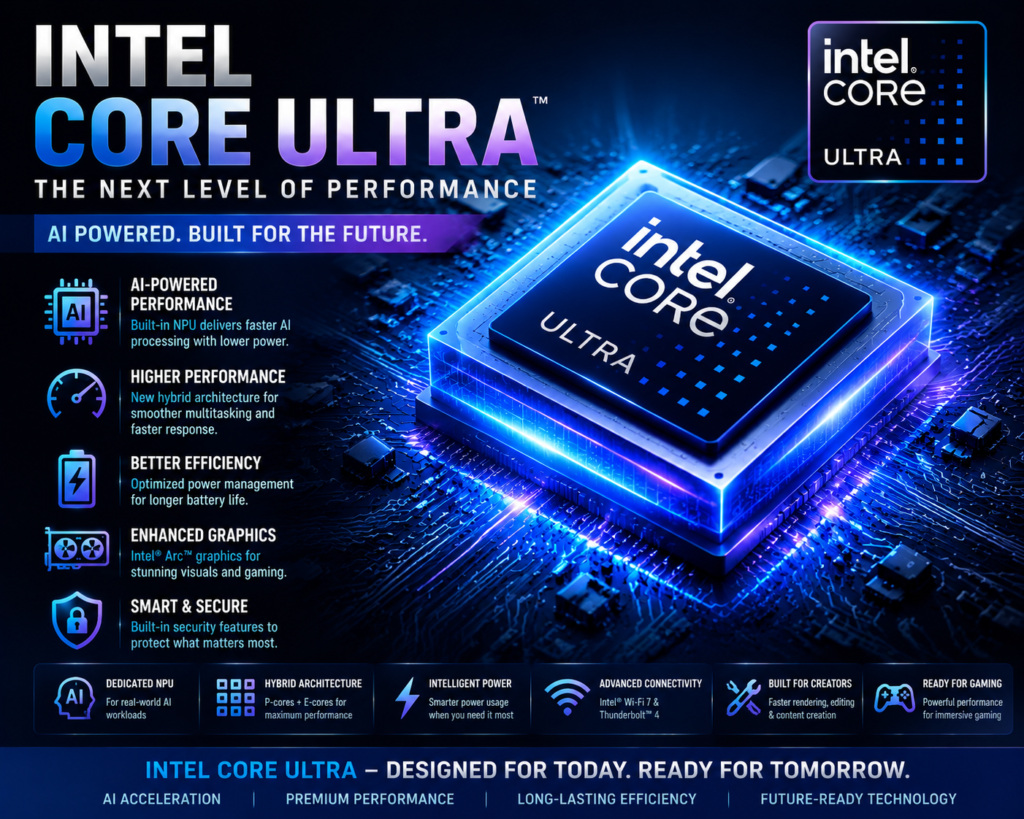
Intel Core Ultra processors replaced the traditional naming approach used in previous Intel Core generations. They are designed specifically for modern workloads such as:
- AI assistants
- Generative AI applications
- Image and video enhancement
- Real-time translation
- Smart productivity tools
- Advanced content creation
The biggest improvement is the built-in NPU, which allows laptops to perform AI tasks more efficiently while consuming less battery power.
For example:
A traditional laptop may use the CPU for AI-based background removal during video calls. An Intel Core Ultra laptop can transfer this task to the NPU, reducing CPU load and improving battery efficiency.
Traditional Intel Core Processors vs Intel Core Ultra Processors
| Feature | Traditional Intel Core Processors | Intel Core Ultra Processors |
|---|---|---|
| CPU Performance | Excellent | Improved efficiency |
| AI Processing | Software-based | Dedicated NPU |
| Battery Efficiency | Good | Better optimized |
| Graphics | Intel integrated graphics | Improved Intel Arc graphics |
| AI PC Support | Limited | Built for AI workloads |
| Future Ready | Good | More future-focused |
Understanding Intel Processor Naming
Intel processor names can look confusing, but understanding them makes laptop buying easier.
Example:
Intel Core Ultra 7 258V
Breaking it down:
| Part | Meaning |
|---|---|
| Intel Core Ultra | Processor family |
| 7 | Performance category |
| 258 | Model number |
| V | Processor series |
Similarly:
Intel Core i7-14650HX
Meaning:
| Part | Meaning |
|---|---|
| Core i7 | Performance level |
| 14 | 14th Generation |
| 650 | Model number |
| HX | High-performance laptop chip |
Intel Laptop Processor Generations Explained
Intel has released several important laptop processor generations. Each generation brought improvements in speed, efficiency, graphics, and AI capabilities.
1. Intel 14th Gen Core Laptop Processors
Intel’s 14th Gen Core processors continued the traditional Core i3, i5, i7, and i9 naming system.
Popular models include:
- Intel Core i5-14500H
- Intel Core i7-14650HX
- Intel Core i9-14900HX
Key Improvements:
Better Multi-Core Performance
14th Gen processors improved performance by using Intel’s hybrid architecture:
- Performance cores (P-Cores)
- Efficiency cores (E-Cores)
This allows laptops to handle demanding workloads while saving power during lighter tasks.
Gaming Performance
High-end 14th Gen processors combined with dedicated GPUs provide excellent gaming performance for:
- AAA games
- Competitive gaming
- Game development
Content Creation
These processors perform well for:
- Video editing
- 3D rendering
- Photo editing
- Streaming
2. Intel Core Ultra Series 1 (Meteor Lake)
Intel Core Ultra Series 1 introduced a major architectural change.
It was the first Intel laptop processor family with a dedicated NPU.
Major Features:
- AI acceleration
- Improved battery efficiency
- Better integrated graphics
- Advanced power management
- Enhanced multitasking
These processors became popular in premium thin-and-light laptops.
Examples:
- Intel Core Ultra 5 125H
- Intel Core Ultra 7 155H
- Intel Core Ultra 9 185H
3. Intel Core Ultra 200V Series (Latest Generation)
Intel Core Ultra 200V processors represent the next step in AI PC technology.
They focus heavily on:
- AI performance
- Battery life improvements
- Thin laptop designs
- Efficient computing
Key Highlights:
| Feature | Benefit |
|---|---|
| Advanced NPU | Faster AI tasks |
| Improved efficiency | Longer battery life |
| Better graphics | Smoother creative work |
| Enhanced AI PC support | Future-ready applications |
These processors are designed for users who want premium laptops with intelligent features.
Intel Latest Laptop Processor Generations Comparison
| Generation | Main Technology | Biggest Improvement |
|---|---|---|
| Intel 12th Gen | Hybrid architecture introduction | Better multitasking |
| Intel 13th Gen | Improved hybrid design | Higher performance |
| Intel 14th Gen | Refined performance | Gaming and productivity |
| Core Ultra Series 1 | AI PC introduction | NPU-powered AI |
| Core Ultra 200V | Advanced AI computing | Efficiency and AI performance |
Intel Core Ultra AI Features, Processor Comparison, Performance, and Buying Guide
Intel Core Ultra Processors: The Future of Laptop Computing
The biggest change in the latest Intel processor generation for laptops is the introduction of Intel Core Ultra processors. These processors are designed for the new era of AI-powered computing, where laptops are not just tools for running applications but intelligent devices that can process AI tasks locally.
Intel Core Ultra processors combine three important computing engines:
- CPU (Central Processing Unit) – Handles everyday computing tasks.
- GPU (Graphics Processing Unit) – Manages graphics, gaming, and creative workloads.
- NPU (Neural Processing Unit) – Dedicated hardware for artificial intelligence tasks.
This three-engine design helps modern laptops deliver faster AI performance while reducing battery consumption.
What Is an NPU in Intel Core Ultra Processors?
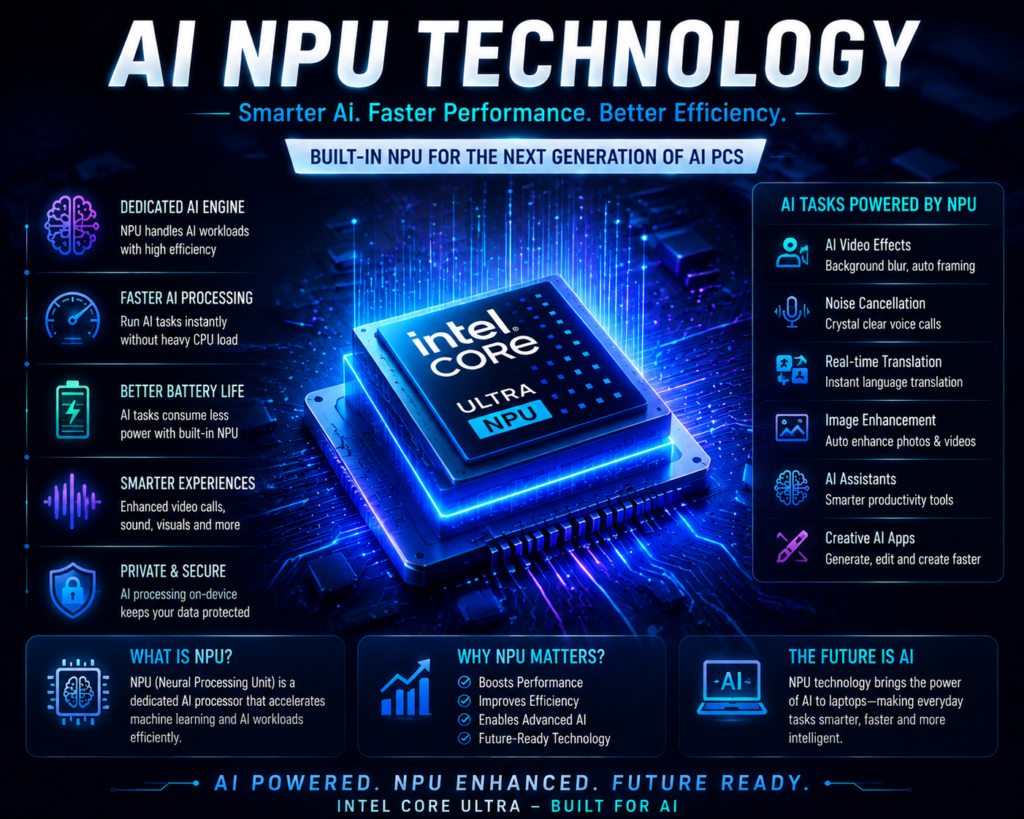
An NPU (Neural Processing Unit) is a dedicated AI processor built inside Intel Core Ultra chips.
In simple words:
A CPU is like the main worker of your laptop, while an NPU is a specialist designed specifically for AI-related tasks.
The NPU helps with:
- AI-powered video effects
- Background noise removal during calls
- Automatic image enhancement
- Real-time language translation
- AI writing assistants
- Smart photo editing
- Generative AI applications
Instead of using only the CPU for AI workloads, the NPU handles these tasks more efficiently.
Benefits of NPU Technology:
| Benefit | Explanation |
|---|---|
| Better Battery Life | AI tasks consume less power |
| Faster AI Processing | Dedicated AI hardware improves speed |
| Less CPU Usage | Allows smoother multitasking |
| Future Ready | Supports upcoming AI applications |
Intel AI PC Processors: Why They Matter
The term AI PC refers to laptops designed with dedicated AI hardware, including an NPU.
Intel Core Ultra processors are among the major processors powering this new category of laptops.
AI PCs can improve daily tasks such as:
Video Meetings
AI features can automatically:
- Blur backgrounds
- Improve camera quality
- Remove background noise
- Adjust lighting
Content Creation
Creators can benefit from:
- Faster image processing
- AI-assisted editing
- Improved video effects
- Faster rendering workflows
Productivity
AI-powered laptops can help with:
- Document summaries
- Smart search
- Writing assistance
- Data analysis
Intel Core Ultra Graphics Improvements
Modern Intel processors have significantly improved integrated graphics performance.
Intel Core Ultra processors feature upgraded Intel Arc graphics technology, offering better performance compared with older integrated GPUs.
Benefits include:
- Smoother casual gaming
- Better video playback
- Faster creative applications
- Improved photo and video editing
For users who do not require a dedicated graphics card, Intel Core Ultra laptops can provide excellent graphics performance.
Intel Core i3 vs i5 vs i7 vs i9 vs Core Ultra: Which One Should You Choose?
Choosing between Intel processors depends on your usage, budget, and performance requirements.
Intel Laptop Processor Comparison
| Processor | Best For | Performance Level | Recommended Users |
|---|---|---|---|
| Intel Core i3 | Basic tasks | Entry-level | Students, browsing, online classes |
| Intel Core i5 | Everyday performance | Mid-range | Office users, professionals |
| Intel Core i7 | Advanced workloads | High performance | Creators, developers |
| Intel Core i9 | Extreme performance | Premium | Gamers, workstation users |
| Intel Core Ultra 5 | AI-powered laptops | Advanced | Modern everyday users |
| Intel Core Ultra 7 | Premium AI laptops | Very High | Creators and professionals |
| Intel Core Ultra 9 | Maximum performance | Flagship | Power users |
Intel Core i3: Best for Basic Laptop Users
Intel Core i3 processors are suitable for:
- Web browsing
- Microsoft Office
- Online classes
- Video streaming
- Basic productivity
Recommended users:
✅ Students
✅ Home users
✅ Casual laptop buyers
For heavy multitasking, gaming, or professional work, upgrading to Core i5 is recommended.
Intel Core i5: Best Balance Between Price and Performance
Intel Core i5 processors are among the most popular laptop CPUs.
They provide a balance of:
- Performance
- Battery efficiency
- Price
Suitable for:
- Office work
- Business applications
- Programming
- Light editing
- Multitasking
For most users, an Intel Core i5 laptop offers excellent long-term value.
Intel Core i7: Best for Professionals and Creators
Intel Core i7 laptop processors are designed for users who need extra performance.
Ideal for:
- Video editing
- Programming
- 3D applications
- Advanced multitasking
- Business workloads
Advantages:
- More processing power
- Higher clock speeds
- Better multi-core performance
Intel Core i9: Maximum Laptop Performance
Intel Core i9 processors are designed for demanding users.
Best suited for:
- High-end gaming laptops
- Professional video editing
- 3D rendering
- Engineering applications
These processors usually require:
- Better cooling systems
- Larger laptop designs
- Higher battery capacity
Intel Core Ultra: Best Choice for Future-Ready Users
Intel Core Ultra processors are recommended for users who want:
- AI features
- Better battery life
- Modern laptop technology
- Improved integrated graphics
They are especially useful for:
- Business professionals
- Content creators
- AI users
- Premium laptop buyers
Latest Intel Laptop Processor Performance Features
The latest Intel laptop processors bring improvements in several important areas.
1. CPU Performance Improvements
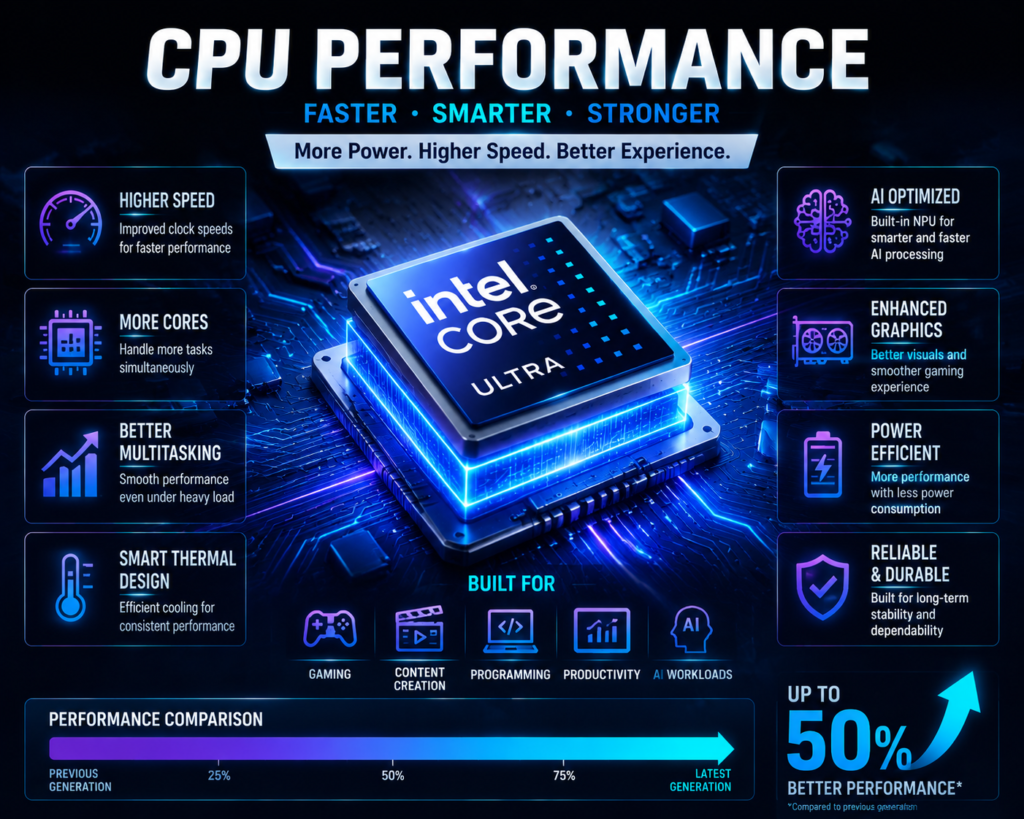
Modern Intel processors deliver better performance through:
- More efficient cores
- Higher processing speeds
- Improved architecture
- Better workload management
This helps users run multiple applications smoothly.
Example:
A laptop with Intel Core Ultra 7 can handle:
- Browser with multiple tabs
- Video conferencing
- Office applications
- Background AI tools
without significant slowdowns.
2. Multi-Core Performance
Multi-core performance is important for demanding tasks.
More cores help with:
- Video rendering
- Programming
- Data analysis
- Gaming
- Heavy multitasking
Professional users should consider Core i7, i9, or Core Ultra 7/9 processors.
3. Gaming Improvements
Gaming performance depends on:
- Processor
- Graphics card
- RAM
- Cooling system
Intel’s latest processors improve:
- Frame stability
- Game loading speed
- CPU-based gaming performance
For serious gaming, a dedicated GPU like NVIDIA GeForce RTX is still recommended.
4. Video Editing and Content Creation
Creators benefit from:
- Faster rendering
- Better encoding performance
- Improved graphics processing
- AI-powered editing features
Recommended processors:
- Intel Core i7
- Intel Core i9
- Intel Core Ultra 7
- Intel Core Ultra 9
5. Battery Efficiency
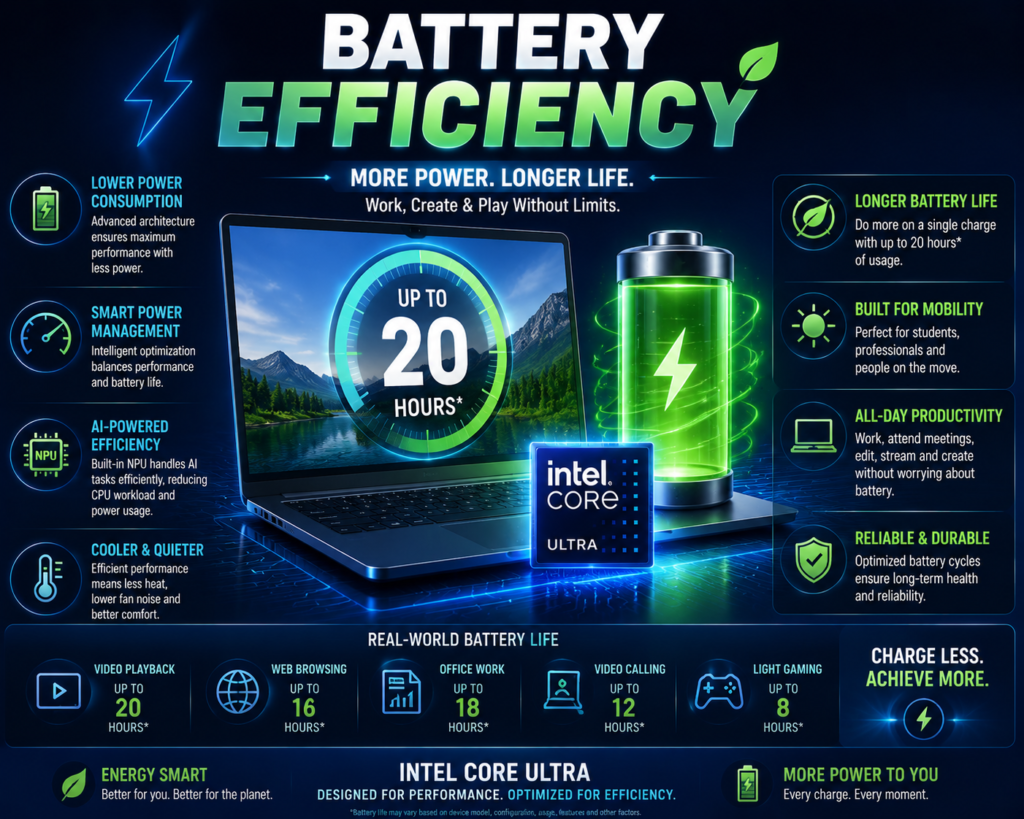
Battery life has become a major focus of modern Intel processors.
Core Ultra processors improve efficiency through:
- Better power management
- Dedicated AI processing
- Efficient architecture
This allows thin laptops to provide longer battery life without sacrificing performance.
6. Thermal Management
Powerful processors generate heat, so cooling is important.
Premium laptops include:
- Improved cooling fans
- Better heat pipes
- Advanced thermal designs
A powerful processor in a poorly cooled laptop may reduce performance due to thermal throttling.
Intel Processor Naming Explained (Easy Guide)
Understanding Intel naming helps buyers avoid confusion.
Core Ultra Naming Example
Intel Core Ultra 7 258V
| Part | Meaning |
|---|---|
| Core Ultra | AI-focused processor family |
| 7 | Performance category |
| 258 | Model number |
| V | Lunar Lake mobile series |
Intel Core i7 Naming Example
Intel Core i7-14650HX
| Part | Meaning |
|---|---|
| Core i7 | Processor category |
| 14 | 14th generation |
| 650 | Model number |
| HX | High-performance mobile processor |
Intel Laptop Processor Suffix Meaning
H Series
Designed for:
- High-performance laptops
- Gaming laptops
- Creator laptops
Example:
Intel Core i7-H
U Series
Designed for:
- Thin laptops
- Better battery life
- Everyday productivity
Example:
Intel Core i5-U
HX Series
Designed for:
- Maximum performance
- Gaming laptops
- Workstations
Example:
Intel Core i9-HX
V Series
Used in newer Core Ultra mobile processors.
Focus:
- AI performance
- Efficiency
- Thin and premium laptops
Best Intel Processor Recommendations, Intel vs AMD Ryzen Comparison, Buying Guide, FAQs, and SEO Elements
Best Intel Processor for Different Types of Laptop Users
Choosing the best Intel processor for laptops depends on your personal requirements. A student does not need the same processor as a professional video editor or a hardcore gamer.
Below is a practical guide to selecting the right Intel laptop processor.
Best Intel Processor for Students
Recommended Processors:
✅ Intel Core i3 (latest generation)
✅ Intel Core i5
✅ Intel Core Ultra 5
Students usually need laptops for:
- Online classes
- Web browsing
- Microsoft Office
- Research work
- Presentations
- Programming basics
- Entertainment
Best Choice:
Intel Core i5 laptops offer the best balance for most students.
Why?
- Smooth multitasking
- Better future usability
- Good battery efficiency
- Affordable pricing
For students studying:
- Engineering
- Computer science
- Data analytics
- Design
an Intel Core i5 or Core Ultra 5 laptop is a better long-term investment.
Best Intel Processor for Office Work and Business Users
Recommended Processors:
✅ Intel Core i5
✅ Intel Core Ultra 5
✅ Intel Core Ultra 7
Business professionals require:
- Fast application loading
- Video conferencing
- Multiple browser tabs
- Spreadsheet processing
- Business software
Intel Core Ultra processors are especially useful because AI features improve:
- Video call quality
- Productivity applications
- Battery efficiency
For managers, entrepreneurs, and professionals who travel frequently, Core Ultra laptops provide a premium experience.
Best Intel Processor for Gaming Laptops
Recommended Processors:
✅ Intel Core i7-H
✅ Intel Core i9-HX
✅ Intel Core Ultra 7/9
Gaming performance depends on both processor and graphics card.
A powerful gaming laptop should include:
- High-performance Intel processor
- NVIDIA GeForce RTX GPU
- Minimum 16GB RAM
- Fast SSD storage
- Good cooling system
Best Choice:
For serious gaming:
Intel Core i7 or Core i9 with a dedicated GPU is recommended.
Best Intel Processor for Content Creators
Content creators working with:
- YouTube videos
- Photography
- Animation
- Graphic design
- 3D modelling
need powerful processors.
Recommended Processors:
✅ Intel Core i7
✅ Intel Core i9
✅ Intel Core Ultra 7
✅ Intel Core Ultra 9
Advantages:
- Faster rendering
- Better multitasking
- Improved AI editing features
- Faster export times
Intel Core Ultra processors are becoming attractive for creators because AI-powered applications can use the built-in NPU.
Best Intel Processor for AI-Based Work
AI workloads are becoming common in:
- Software development
- Data analysis
- Image generation
- AI applications
- Automation tools
Recommended Processors:
✅ Intel Core Ultra 5
✅ Intel Core Ultra 7
✅ Intel Core Ultra 9
Benefits:
- Dedicated NPU acceleration
- Lower power consumption
- Faster AI processing
- Future-ready performance
For users planning to use AI tools regularly, choosing an Intel AI PC processor is a smarter option.
Intel Processor vs AMD Ryzen: Which Is Better?
The competition between Intel and AMD has become stronger in recent years. Both companies offer powerful laptop processors with different advantages.
There is no single winner because the best choice depends on your requirements.
Intel vs AMD Ryzen Laptop Processor Comparison
| Category | Intel Processors | AMD Ryzen Processors |
|---|---|---|
| Performance | Excellent high-end performance | Excellent multi-core performance |
| Battery Life | Strong efficiency with Core Ultra | Very competitive efficiency |
| Gaming | Excellent with high-end CPUs | Excellent gaming performance |
| AI Features | Strong with NPU-based Core Ultra | Growing AI capabilities |
| Graphics | Improved Intel Arc graphics | Strong Radeon integrated graphics |
| Availability | Available in many laptop brands | Widely available |
| Pricing | Premium models can cost more | Often competitive pricing |
Intel Advantages
Intel processors are known for:
✔ Strong single-core performance
✔ Wide laptop availability
✔ Excellent business laptop support
✔ Advanced AI PC features
✔ Good compatibility with professional software
AMD Ryzen Advantages
AMD Ryzen processors are known for:
✔ Excellent multi-core performance
✔ Competitive pricing
✔ Strong integrated graphics
✔ Good battery efficiency
Which One Should You Choose?
Choose Intel if you want:
- Latest AI PC features
- Business laptops
- Strong software compatibility
- Premium performance
Choose AMD Ryzen if you want:
- Better value pricing
- Strong integrated graphics
- Competitive performance
Both Intel and AMD offer excellent processors in 2026.
Things to Check Before Buying an Intel Laptop
Buying a laptop only based on the processor name is a common mistake.
A good laptop requires a balance between processor, memory, storage, and other hardware.
1. Check the Processor Generation
Always choose newer generations when possible.
A newer processor usually provides:
- Better performance
- Improved battery life
- Longer software support
- Better efficiency
2. Check Core and Thread Count
More cores and threads help with multitasking.
Examples:
Basic users:
- 4–6 cores
Professional users:
- 8+ cores
Creators and gamers:
- Higher-core processors
3. Choose Enough RAM
Recommended RAM:
| Usage | Recommended RAM |
|---|---|
| Basic tasks | 8GB |
| Students | 8GB–16GB |
| Office professionals | 16GB |
| Creators | 16GB–32GB |
| Gaming | 16GB–32GB |
4. Check SSD Storage
Modern laptops should have SSD storage.
Recommended:
- 512GB SSD for most users
- 1TB SSD for creators and gamers
Benefits:
- Faster boot time
- Faster application loading
- Better overall experience
5. Check Graphics Performance
Integrated graphics:
Suitable for:
- Office work
- Learning
- Streaming
- Casual gaming
Dedicated graphics:
Required for:
- Gaming
- Video editing
- 3D work
6. Battery Capacity
Battery life depends on:
- Processor efficiency
- Display
- Battery size
- Usage pattern
For students and professionals:
Look for:
- 50Wh or higher battery
Premium laptops often provide:
- 60Wh+
- 70Wh+
7. Display Quality
A good laptop display improves productivity.
Check:
- Resolution
- Brightness
- Color accuracy
- Refresh rate
Creators should prefer:
- Higher color accuracy
- OLED displays
Gamers should consider:
- Higher refresh rate displays
8. Cooling System
High-performance processors require proper cooling.
Check for:
- Dual fans
- Heat pipes
- Good airflow design
A powerful processor without proper cooling may reduce performance.
Frequently Asked Questions (FAQ)
1. What is the latest Intel processor generation for laptops?
The latest Intel processor generation for laptops includes Intel Core Ultra processors, especially the newer Core Ultra 200V series designed for AI-powered laptops and improved efficiency.
2. Is Intel Core Ultra better than Intel Core i7?
Intel Core Ultra and Core i7 serve different purposes.
Core Ultra focuses on:
- AI features
- Efficiency
- Modern laptop experiences
Core i7 focuses mainly on:
- Traditional performance
- High processing power
For future-ready AI laptops, Core Ultra is a strong choice.
3. Which Intel processor is best for students?
Intel Core i5 is the best choice for most students because it provides a good balance between:
- Price
- Performance
- Battery life
For long-term use, Intel Core Ultra 5 is also a great option.
4. Is Intel Core Ultra good for gaming?
Yes, Intel Core Ultra processors can handle gaming well, especially with a dedicated graphics card.
However, serious gamers should prioritize:
- GPU performance
- Cooling system
- RAM
along with the processor.
5. How long will the latest Intel laptop processors last?
A modern Intel laptop with a recent processor can comfortably last around:
- 4–6 years for normal users
- 5+ years for premium models
Actual lifespan depends on:
- Build quality
- Maintenance
- Usage habits
6. Is Intel Core Ultra good for AI applications?
Yes. Intel Core Ultra processors are designed for AI workloads with built-in NPUs that improve efficiency for AI-powered applications.
Conclusion: Choosing the Right Intel Laptop Processor in 2026
The latest Intel processor generation for laptops represents a major improvement in laptop computing with better performance, improved battery efficiency, enhanced graphics, and powerful AI capabilities.
Intel has moved beyond traditional CPU improvements and entered the AI PC era with Core Ultra processors. Features like built-in NPU technology, better power efficiency, and improved graphics make modern Intel laptops more intelligent and future-ready.
For most users:
- Students should consider Intel Core i5 or Core Ultra 5.
- Office professionals can choose Core i5, Core Ultra 5, or Core Ultra 7.
- Creators should look at Core i7, i9, or Core Ultra 7/9.
- Gamers should focus on high-performance processors with dedicated GPUs.
Before buying a laptop, always consider the complete package, including RAM, SSD, graphics, display, battery, and cooling system.
Choosing the right processor today can help your laptop remain fast, reliable, and useful for many years.
Stay connected with our website for more technology updates, laptop guides, smartphone reviews, AI trends, and digital product recommendations.
Sources & Research
This article is researched using official Intel resources, including Intel Core Ultra processor documentation, AI PC technology updates, and processor architecture information. Additional references include Intel Newsroom updates and technical guides covering performance, NPU technology, battery efficiency, and laptop CPU advancements.