


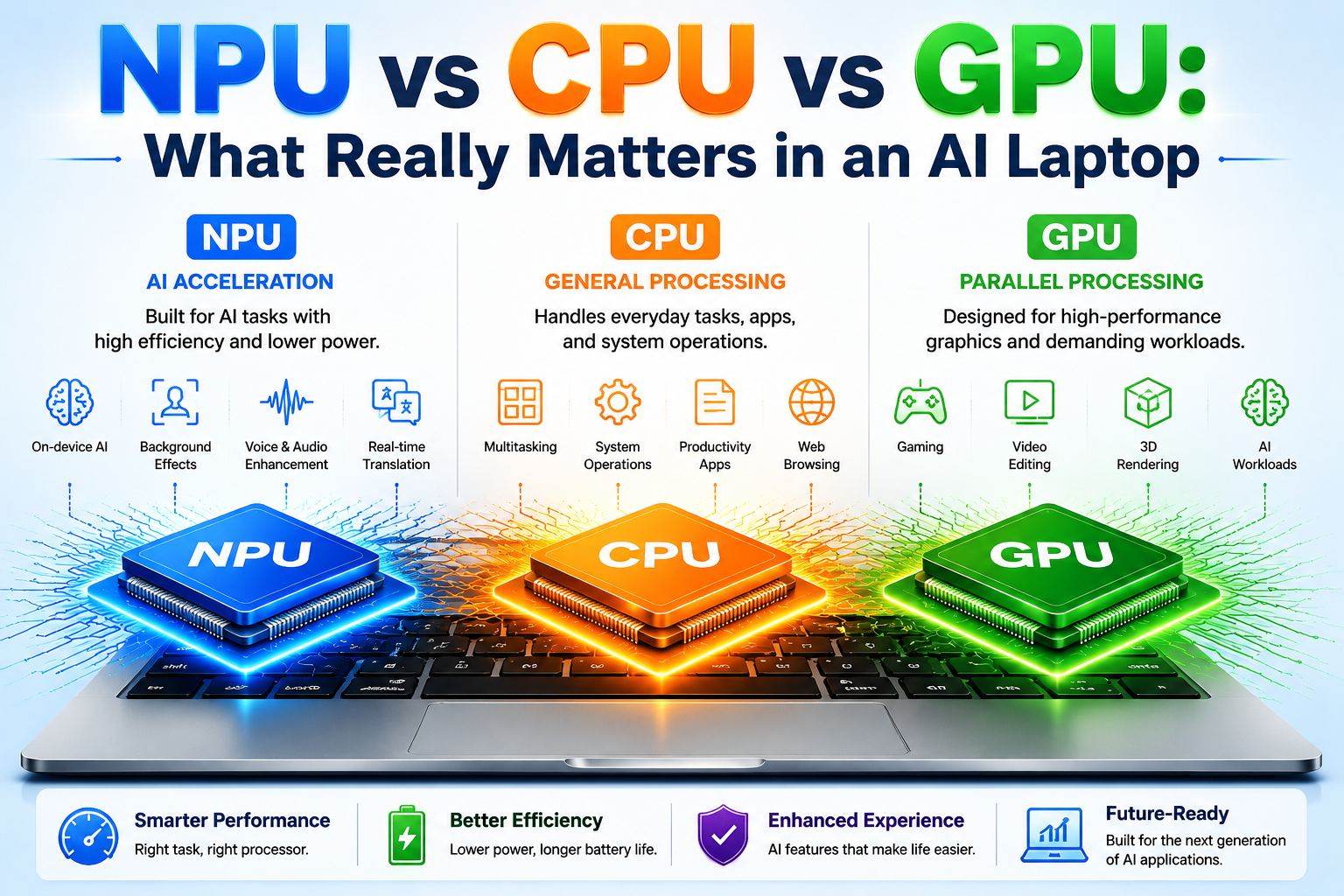
Artificial Intelligence is becoming one of the most important technologies in modern computing. In 2026, laptops are no longer judged only by processor speed, RAM capacity, or battery life. A new generation of AI laptops is changing how computers handle everyday tasks by combining three powerful processing technologies:
- CPU (Central Processing Unit)
- GPU (Graphics Processing Unit)
- NPU (Neural Processing Unit)
Many laptop buyers are confused when they see terms like AI PC, NPU, TOPS, AI acceleration, Copilot+ PC, and neural processing in product specifications.
The biggest question is:
When buying an AI laptop, should you focus on the CPU, GPU, or NPU?
The answer depends on how you use your laptop.
A student attending online classes, a business professional managing daily tasks, a content creator editing videos, a gamer playing high-performance games, and an AI developer running machine-learning models all have different requirements.
Understanding NPU vs CPU vs GPU in an AI laptop helps you choose the right device instead of spending money on features you may never use.
Why AI Laptops Are Different From Traditional Laptops
Traditional laptops were mainly designed around two important processors:
- CPU for general performance
- GPU for graphics and heavy workloads
However, modern AI applications require a different approach.
AI tasks often involve repeated mathematical calculations that can consume significant power. Running all AI features through the CPU or GPU may increase battery consumption and heat generation.
This is where the NPU becomes important.
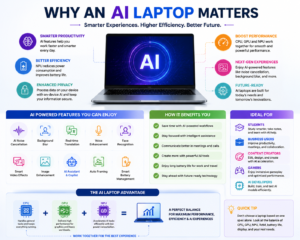
An AI laptop distributes workloads intelligently:
CPU Handles:
- Operating system
- Applications
- Multitasking
- General computing
GPU Handles:
- Gaming
- Graphics
- Video editing
- Heavy parallel workloads
NPU Handles:
- AI acceleration
- Machine-learning tasks
- AI camera features
- Voice enhancement
- Efficient on-device AI processing
This combination creates a more balanced computing experience.
Why Understanding NPU vs CPU vs GPU in an AI Laptop Is Important Before Buying
Many buyers make the mistake of selecting a laptop only by looking at one specification.
For example:
- Higher processor speed does not always mean better AI performance.
- Higher NPU TOPS does not always mean a faster laptop.
- A powerful GPU is unnecessary for some users.
- A lightweight laptop may be better than a high-performance laptop depending on the user’s lifestyle.
The best AI laptop is not the one with the highest specification number.
The best AI laptop is the one that matches:
- Your daily workload
- Your performance requirements
- Your budget
- Your battery expectations
- Your future needs
What Makes an AI Laptop Future-Ready?
A future-ready AI laptop should provide a balanced combination of hardware and software.
Important factors include:
1. AI Processing Capability
A dedicated NPU allows supported applications to perform AI tasks efficiently.
Benefits include:
- Faster AI responses
- Lower power consumption
- Improved battery efficiency
- Better privacy through local processing
2. Strong CPU Performance
The CPU remains the foundation of the laptop.
A good CPU improves:
- Application speed
- Multitasking
- Productivity
- System responsiveness
Even the most advanced NPU cannot replace a capable CPU.
3. Powerful GPU When Required
A GPU becomes important for users who need:
- Gaming performance
- Professional video editing
- 3D design
- AI image generation
- Machine learning workloads
Not every user needs a dedicated GPU, but creative professionals and gamers often benefit significantly from one.
4. Enough RAM for Modern AI Applications
AI applications are becoming more memory-intensive.
A modern AI laptop should ideally have:
- 16GB RAM for normal users
- 32GB RAM or more for professionals and creators
More RAM improves:
- Multitasking
- Large file handling
- Creative applications
- Local AI workloads
5. Fast Storage for Better Experience
A fast SSD improves:
- Boot time
- Application loading
- File transfer
- AI model loading
For many users, 512GB SSD is a practical starting point, while professionals may prefer 1TB or higher.
AI Laptop Buying Mistakes You Should Avoid
Before purchasing an AI laptop, avoid these common mistakes:
Mistake 1: Choosing Only Based on Processor Name
A processor name alone does not tell the complete story.
Check:
- CPU generation
- GPU capability
- NPU performance
- RAM
- Storage
- Cooling
Mistake 2: Buying the Most Expensive Laptop Without Need
A high-end gaming or creator laptop may not provide extra value for someone who only needs:
- Browsing
- Office work
- Online classes
- Business applications
Choose according to your usage.
Mistake 3: Ignoring Battery Life
A powerful laptop may consume more energy.
For students and business users, battery efficiency can be more important than maximum performance.
Mistake 4: Believing Every AI Feature Runs Offline
Some AI applications work locally using CPU, GPU and NPU.
However, many AI services still depend on cloud processing.
Always check software requirements.
Quick Comparison: Which Processor Matters Most?
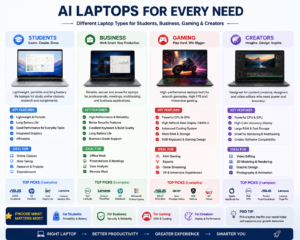
| User Type | Most Important Hardware |
|---|---|
| Students | CPU + NPU + Battery + RAM |
| Business Users | CPU + NPU + Security + Battery |
| Content Creators | CPU + GPU + RAM + Display |
| Gamers | GPU + CPU + Cooling |
| AI Developers | GPU + VRAM + RAM + CPU + NPU |
Before You Buy an AI Laptop: Ask Yourself These Questions
1. What is my main purpose?
Are you buying for:
- Education?
- Office work?
- Gaming?
- Content creation?
- Programming?
- AI development?
2. Do I need a dedicated GPU?
If you only use productivity applications, probably not.
If you edit videos, play games or work with AI models, a GPU can be valuable.
3. Do I need an NPU?
An NPU is useful if you want:
- AI-powered productivity
- Better battery efficiency
- Future AI features
- On-device AI processing
4. How long do I want to use this laptop?
A slightly more future-ready laptop may provide better value over several years.
Expert Tip: Balance Matters More Than Individual Specifications
The biggest lesson from NPU vs CPU vs GPU in an AI laptop is that modern computing is moving toward balanced performance.
A laptop with:
- Good CPU
- Useful NPU
- Capable GPU
- Enough RAM
- Fast SSD
- Efficient battery
- Good cooling
will often provide a better experience than a laptop with only one powerful component.
The future of laptops is not about one processor winning over another.
It is about all processors working together intelligently.Introduction
Artificial Intelligence is changing the way we use computers. Modern laptops are no longer designed only for browsing, office work, gaming or entertainment. Today’s laptops are becoming intelligent devices capable of handling AI-powered tasks such as real-time translation, AI assistants, background noise removal, image enhancement, video processing and local AI applications.
Because of this evolution, three important technologies have become the centre of attention:
- CPU (Central Processing Unit)
- GPU (Graphics Processing Unit)
- NPU (Neural Processing Unit)
Many users are confused about NPU vs CPU vs GPU in an AI laptop and wonder which processor is the most important.
Is an NPU better than a CPU?
Does an AI laptop need a powerful GPU?
Is higher NPU TOPS enough to choose the best AI laptop?
The answer is that there is no single winner.
A modern AI laptop works best when the CPU, GPU and NPU work together. Each processor has a different role, and understanding those differences helps you choose the right laptop based on your actual needs.
Table of Contents
What Is a CPU in an AI Laptop?
The CPU is the main processor responsible for general computing tasks.
It is often called the “brain” of the computer because it manages the operating system, applications and everyday operations.
Even with the introduction of AI processors, the CPU remains one of the most important components in a laptop.
A CPU handles:
- Windows operating system functions
- Opening and running applications
- Web browsing
- Microsoft Office applications
- File management
- Programming
- Multitasking
- Business software
- Data processing
- General computing operations
A powerful CPU is still essential because the NPU does not replace the CPU.
The CPU manages the overall system, while the GPU and NPU support specialised workloads.
What Is a GPU in an AI Laptop?
The GPU, or Graphics Processing Unit, was originally created for graphics processing and gaming.
However, modern GPUs have become extremely important for artificial intelligence because they can perform thousands of calculations simultaneously.
Unlike CPUs that focus on handling different tasks sequentially, GPUs are designed for massive parallel processing.
A GPU is especially useful for:
- Gaming
- Video editing
- 3D rendering
- Graphic design
- AI image generation
- AI video processing
- Machine learning
- Large AI models
- Professional creative applications
For demanding AI workloads, a powerful GPU can often provide much higher performance than an NPU.
When comparing NPU vs CPU vs GPU in an AI laptop, remember that the GPU remains extremely important for users who need maximum processing power.
What Is an NPU in an AI Laptop?
The NPU, or Neural Processing Unit, is a specialised processor created specifically for artificial intelligence workloads.
Unlike the CPU and GPU, which are designed for broader tasks, the NPU focuses on neural network calculations and AI acceleration.
The biggest advantage of an NPU is efficiency.
Instead of using the CPU or GPU for every AI task, supported applications can use the NPU to perform AI operations while consuming less power.
An NPU can support features such as:
- AI camera effects
- Background blur
- Noise cancellation
- Voice enhancement
- Speech recognition
- Real-time translation
- AI assistants
- Image improvement
- Local AI features
- Productivity enhancements
However, having an NPU does not automatically make every AI application faster.
The software must be designed to support NPU acceleration.
NPU vs CPU vs GPU in an AI Laptop: Simple Explanation
The easiest way to understand these three processors is:
CPU = General Worker
The CPU handles everyday computing tasks and manages the overall system.
GPU = Performance Specialist
The GPU handles graphics, gaming and heavy parallel workloads.
NPU = AI Specialist
The NPU handles specific AI tasks efficiently.
Therefore, NPU vs CPU vs GPU in an AI laptop is not a competition where one replaces another.
They are designed to work together.
How CPU, GPU and NPU Work Together
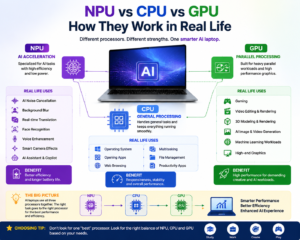
A modern AI laptop intelligently distributes workloads between different processors.
For example, during an online video meeting:
The CPU may handle:
- Video conferencing application
- Operating system
- Background processes
The GPU may handle:
- Video rendering
- Graphics processing
The NPU may handle:
- AI noise removal
- Background effects
- Face tracking
- Voice enhancement
This combination improves performance, efficiency and battery life.
Understanding NPU vs CPU vs GPU in an AI laptop helps users understand why modern laptops are moving toward hybrid processing.
NPU vs CPU vs GPU in an AI Laptop: Performance Comparison
| Processor | Main Purpose | Best For |
|---|---|---|
| CPU | General computing | Everyday work, applications, multitasking |
| GPU | Parallel processing | Gaming, graphics, video editing, demanding AI |
| NPU | AI acceleration | AI features, efficient local AI processing |
There is no universal winner.
The best choice depends on your workload.
Why NPU TOPS Is Important but Not Everything
One of the most common AI laptop specifications is TOPS.
TOPS means:
Trillions of Operations Per Second
It measures AI processing capability.
Higher TOPS can indicate stronger AI acceleration.
However, choosing an AI laptop only based on TOPS is a mistake.
Real-world performance depends on:
- Processor architecture
- Software optimisation
- RAM capacity
- Memory speed
- GPU performance
- VRAM
- Storage speed
- Cooling system
- Battery management
- Application support
Therefore, NPU vs CPU vs GPU in an AI laptop cannot be judged only by TOPS numbers.
A laptop with better overall balance may perform better than one with a higher NPU rating.
NPU vs GPU for AI: Which One Is Better?
The answer depends on the workload.
NPU is better for:
- AI video-call features
- Voice processing
- Background effects
- Lightweight AI tasks
- Efficient AI operations
GPU is better for:
- AI image generation
- Video generation
- 3D rendering
- Gaming
- Large AI models
- Professional creative workloads
For serious AI development or local AI experimentation, GPU performance and VRAM often become more important than NPU performance.
NPU vs CPU for AI: Which One Is Better?
The CPU and NPU serve different purposes.
The CPU is designed for flexibility.
The NPU is designed for AI efficiency.
A simple comparison:
CPU = Handles many different types of work
NPU = Handles specific AI workloads efficiently
A good AI laptop needs both.
The future of NPU vs CPU vs GPU in an AI laptop is cooperation rather than replacement.
Does Every AI Laptop Need a Dedicated GPU?
No.
Many users do not need a dedicated GPU.
Students, office professionals and regular users can often get excellent performance from:
- Modern CPU
- Integrated graphics
- NPU
- 16GB RAM
- Fast SSD
A dedicated GPU becomes important for:
- Gaming
- Professional video editing
- 3D design
- Engineering applications
- AI development
- Local generative AI
Before buying, understand your workload instead of paying extra for unnecessary hardware.
NPU vs CPU vs GPU in an AI Laptop for Different Users
For Students
Students should focus on:
- Battery life
- Lightweight design
- Good CPU
- 16GB RAM
- SSD storage
- AI features
A powerful GPU is usually unnecessary unless they study gaming, graphics, engineering or AI development.
For Business Professionals
Business users should prioritize:
- CPU performance
- RAM
- Battery life
- Security features
- AI productivity features
The NPU can improve:
- Video meetings
- Voice quality
- AI assistance
- Productivity workflows
For Content Creators
Creators should focus on:
- Powerful CPU
- Dedicated GPU
- VRAM
- RAM
- Display quality
- Cooling system
Video editing and creative applications often benefit more from GPU performance than NPU performance.
For Gamers
Gaming users should prioritize:
- GPU performance
- VRAM
- CPU capability
- Display refresh rate
- Cooling system
An NPU is useful but should not be the main buying factor.
For AI Developers
AI developers should consider:
- Powerful GPU
- More VRAM
- Higher RAM capacity
- CPU performance
- NPU capability
- Software compatibility
For advanced AI workloads, GPU resources are often critical.
Importance of RAM in an AI Laptop
Many buyers focus only on processors and ignore RAM.
However, RAM is extremely important for AI workloads.
More RAM helps with:
- Multitasking
- Large applications
- Data processing
- Local AI models
- Professional software
For many users:
16GB RAM is a practical minimum.
For advanced users:
32GB or higher may be beneficial.
When evaluating NPU vs CPU vs GPU in an AI laptop, remember that memory is equally important.
Why GPU VRAM Matters for AI
For local AI workloads, VRAM is a key factor.
GPU VRAM affects the ability to handle:
- AI image generation
- AI video generation
- Large language models
- Machine learning workloads
A powerful GPU with insufficient VRAM may still face limitations.
Therefore, AI users should check:
- GPU model
- GPU memory
- Architecture
- Performance level
Battery Life and AI Laptop Efficiency
One of the biggest advantages of an NPU is power efficiency.
AI features can run continuously during:
- Video meetings
- Voice processing
- Smart assistance
- Camera enhancement
Using an NPU for suitable tasks can reduce the workload on the CPU and GPU.
This can improve:
- Battery life
- Thermal efficiency
- User experience
Local AI vs Cloud AI
AI processing can happen in two ways.
Cloud AI
Advantages:
- Access to powerful servers
- Larger AI models
- No powerful hardware required
Disadvantages:
- Requires internet
- Possible privacy concerns
- Subscription costs
Local AI
Advantages:
- Faster response
- Better privacy
- Works offline for supported applications
Disadvantages:
- Requires capable hardware
- Limited by laptop performance
Understanding NPU vs CPU vs GPU in an AI laptop helps users understand where local AI processing happens.
Common Mistakes When Buying an AI Laptop
Mistake 1: Looking Only at NPU TOPS
TOPS is useful but does not define the complete laptop experience.
Mistake 2: Thinking NPU Replaces GPU
It does not.
GPU remains important for demanding workloads.
Mistake 3: Ignoring RAM
Insufficient RAM can reduce performance.
Mistake 4: Buying a Powerful GPU Without Need
Not everyone needs a dedicated graphics card.
Mistake 5: Assuming Every AI Feature Works Offline
Many AI services still require cloud processing.
Intel vs AMD vs Snapdragon AI Laptop Platforms
Modern AI laptops are available with different processor platforms.
Intel AI laptops combine CPU, GPU and NPU technologies for improved AI performance and efficiency.
AMD Ryzen AI laptops also combine powerful CPU performance with AI acceleration.
Snapdragon laptop platforms focus strongly on efficiency, connectivity and AI processing.
However, brand alone should not decide your purchase.
Consider:
- Performance
- Battery life
- Software support
- Compatibility
- Price
- Your actual requirements
How to Choose the Best AI Laptop in 2026
Before buying an AI laptop, check:
Processor
Choose a modern CPU suitable for your workload.
NPU Capability
Check AI acceleration support.
GPU
Important for gaming, creativity and demanding AI.
RAM
Choose enough memory for future requirements.
Storage
Prefer fast SSD storage.
Battery
Important for students and professionals.
Cooling
Important for sustained performance.
Software Compatibility
Ensure your applications support the hardware.
The Future of AI Laptop Technology
AI laptops will continue becoming smarter.
Future AI applications may include:
- Personal AI assistants
- Real-time translation
- AI productivity tools
- Smart cybersecurity
- AI-powered creativity
- Automated workflows
- Intelligent search
- Personalised computing experiences
The future is not about CPU replacing GPU or NPU replacing CPU.
The future is about intelligent cooperation between all three processors.
Final Verdict: NPU vs CPU vs GPU in an AI Laptop
The debate around NPU vs CPU vs GPU in an AI laptop is not about finding one
Each processor has a different purpose.
The CPU provides general computing power.
The GPU provides high-performance parallel processing.
The NPU provides efficient AI acceleration.
The best AI laptop is the one that provides the right balance of:
- CPU performance
- GPU capability
- NPU support
- RAM capacity
- Storage speed
- Battery life
- Cooling system
- Software compatibility
When choosing your next AI laptop in 2026, do not focus only on one specification.
Choose a laptop that matches your real requirements.
Because the smartest AI laptop is not always the one with the biggest numbers — it is the one that helps you work faster, smarter and more efficiently.
Frequently Asked Questions
Is NPU better than CPU?
No. Both have different roles. CPU handles general computing while NPU handles AI-specific tasks.
Is GPU better than NPU for AI?
For heavy AI workloads, GPU usually provides higher performance. NPU is designed for efficient AI processing.
Do I need an AI laptop?
If you want modern AI features, better efficiency and future-ready computing, an AI laptop is a good choice.
Is 16GB RAM enough for an AI laptop?
For normal users, yes. Heavy users may need 32GB or more.
Does higher TOPS mean a better AI laptop?
Not always. Overall hardware balance matters more.
Conclusion:
Understanding NPU vs CPU vs GPU in an AI laptop helps you make a smarter buying decision. Instead of choosing based on marketing numbers, focus on your actual needs and select a laptop where CPU, GPU and NPU work together to deliver the best experience.


One thought on “NPU vs CPU vs GPU: What Really Matters in an AI Laptop”