


Introduction
Artificial Intelligence (AI) is changing the way we use computers. A few years ago, laptop buyers mainly looked at processor performance, RAM, storage, display quality, graphics, battery life, and design. Today, another important specification is becoming increasingly relevant: AI performance.
Modern laptops are no longer simply devices for browsing the internet, watching videos, working with documents, or playing games. AI-powered laptops can assist with productivity, video calls, image editing, voice recognition, translation, content creation, and many other tasks.
One of the biggest developments in this area is the introduction of dedicated Neural Processing Units (NPUs). An NPU is designed specifically to accelerate artificial intelligence workloads while using less power than relying entirely on the CPU or GPU.
At the same time, Cloud AI continues to provide access to extremely powerful artificial intelligence models through internet-connected servers.
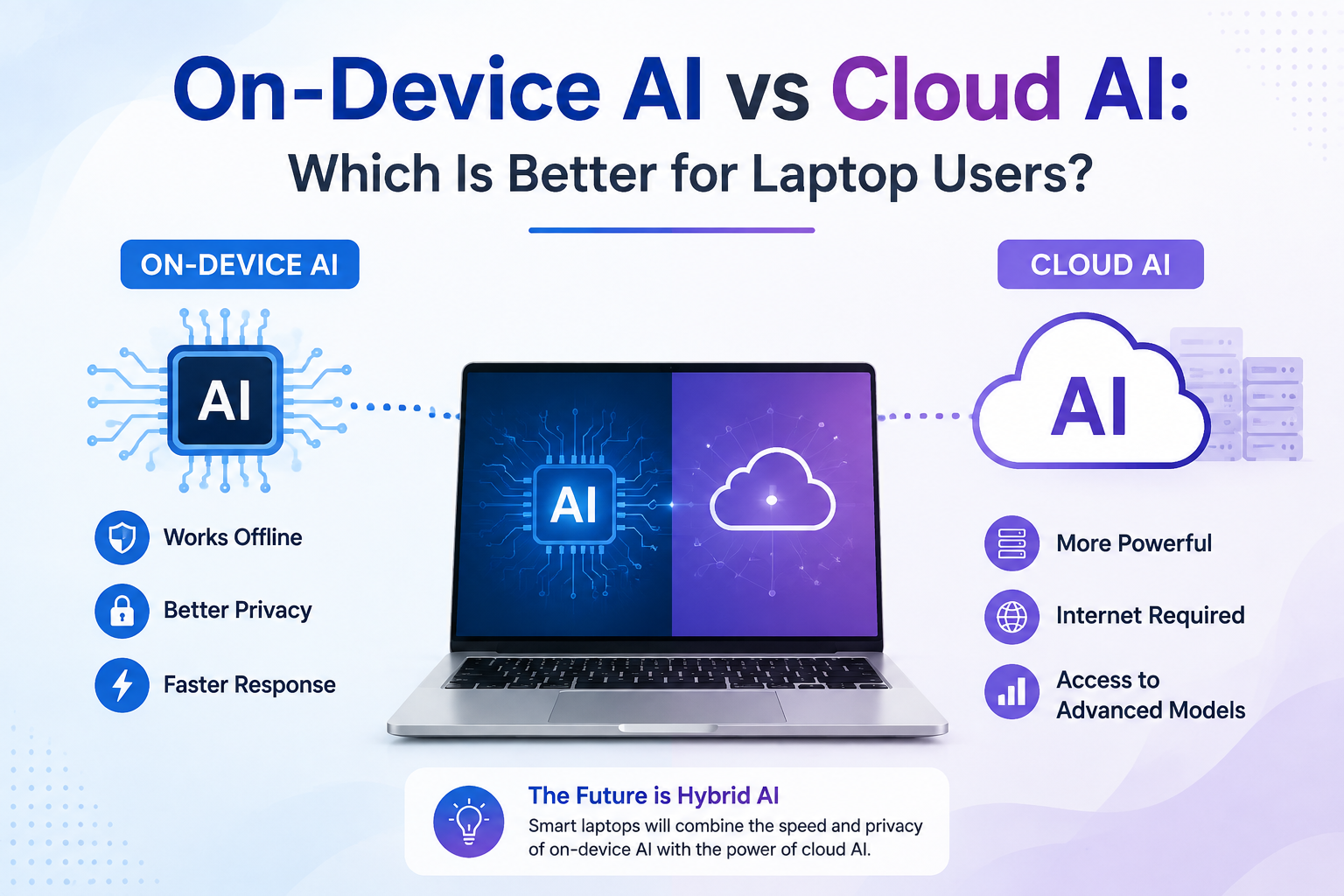
This creates an important question for laptop buyers: On-Device AI vs Cloud AI — which is better for laptop users?
The answer is not simply one or the other. Both technologies have different strengths and limitations. On-Device AI can provide faster responses, improved privacy, offline functionality, and efficient AI processing, while Cloud AI can provide access to larger and more powerful AI models.
Understanding the difference between On-Device AI vs Cloud AI can help students, business professionals, content creators, gamers, and everyday laptop users choose the right technology for their needs.
Table of Contents
What Is On-Device AI?
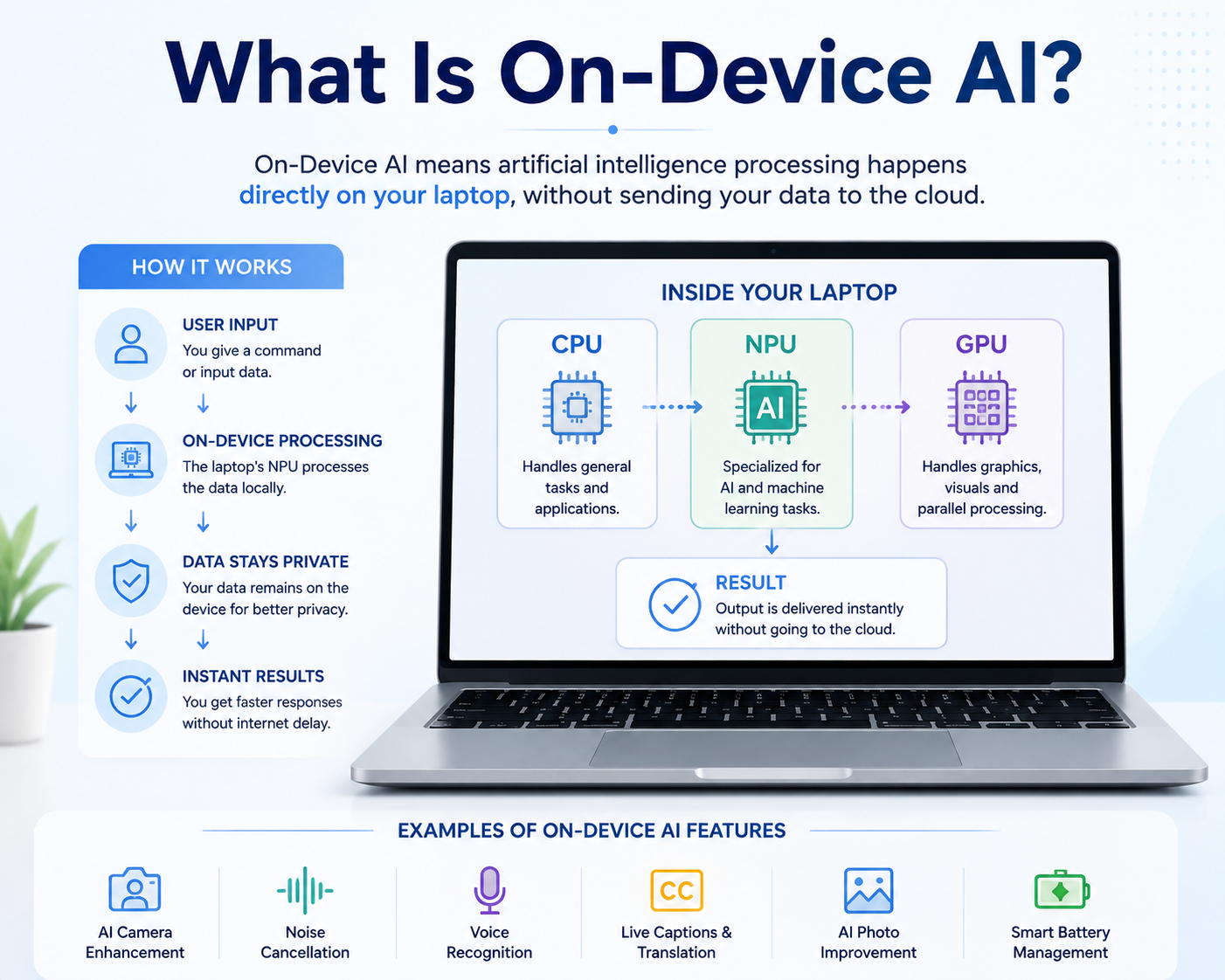
On-Device AI means that artificial intelligence processing takes place directly on the laptop instead of sending every AI request to a remote cloud server.
Modern AI laptops can use a dedicated NPU to process supported AI workloads locally. The NPU works alongside the CPU and GPU to distribute different types of computing tasks more efficiently.
For example, a laptop may use the CPU for general applications, the GPU for graphics and demanding parallel workloads, and the NPU for specific AI operations.
This approach can reduce the need to send certain data over the internet. It can also reduce response time for supported AI features because the information does not need to travel between the laptop and a remote server.
Some examples of On-Device AI include AI-powered noise cancellation, background blur, camera enhancement, speech recognition, live captions, image enhancement, and certain productivity functions.
What Is Cloud AI?
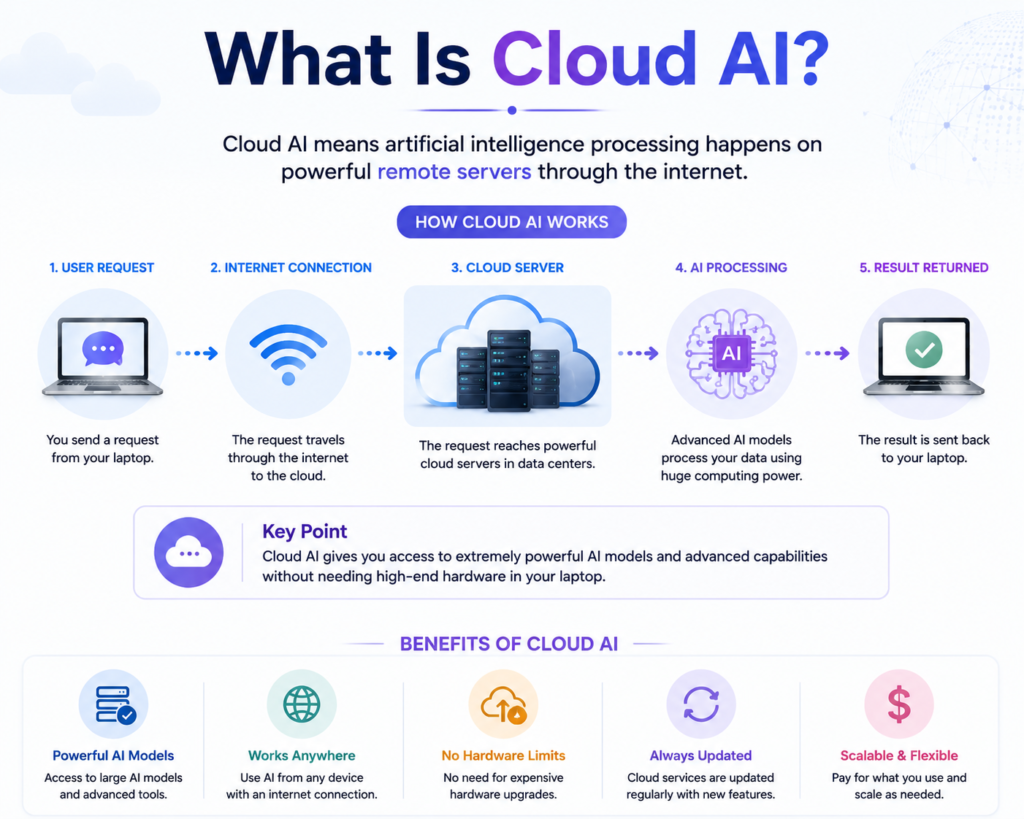
Cloud AI works differently. Instead of performing AI calculations entirely on the laptop, the device communicates with powerful remote servers through the internet.
A user submits a request from a laptop. The request travels through the internet to a cloud data centre, where powerful processors run the AI model. The result is then sent back to the user’s laptop.
Many advanced AI services use this approach because cloud data centres can provide enormous amounts of computing power and memory.
Cloud AI is particularly useful for advanced language models, complex AI research, large-scale data analysis, AI image generation, and other workloads that may be too demanding for a laptop to process locally.
The major disadvantage is that Cloud AI normally depends on an internet connection, and users should also understand how a particular service handles information sent to its servers.
CPU vs GPU vs NPU: How AI Laptops Process Workloads
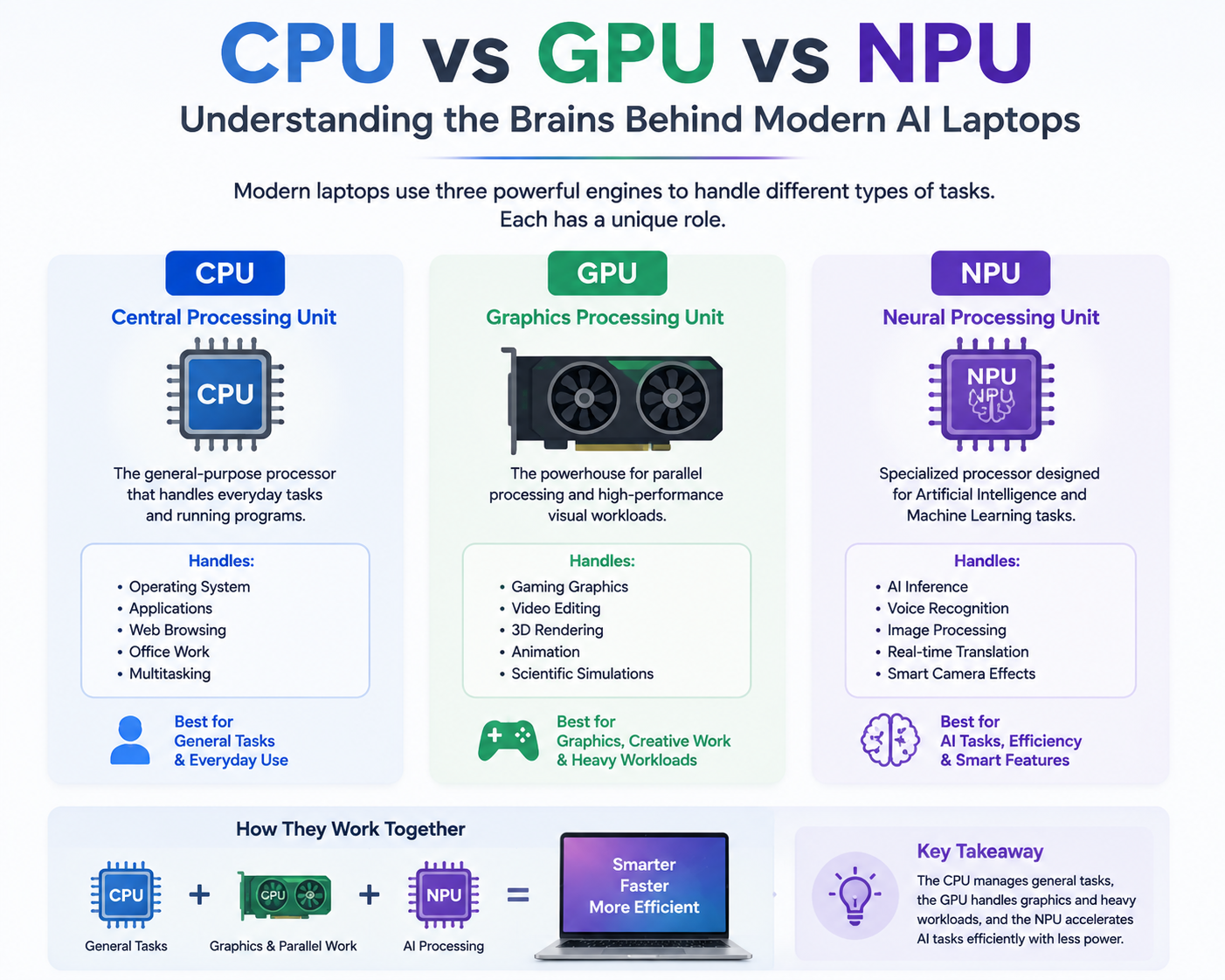
To understand On-Device AI vs Cloud AI, it is useful to understand the three major processing units found in modern computers.
The CPU, or Central Processing Unit, is the general-purpose processor. It handles tasks such as running applications, managing the operating system, browsing the web, working with documents, and performing everyday computing operations.
The GPU, or Graphics Processing Unit, is designed to process large numbers of calculations in parallel. It is particularly important for gaming, video editing, 3D rendering, graphics processing, and certain AI workloads.
The NPU, or Neural Processing Unit, is designed specifically for artificial intelligence and machine-learning workloads. Its purpose is to handle supported AI operations efficiently while reducing the workload placed on the CPU and GPU.
Simple AI Laptop Processing Chart
                 MODERN AI LAPTOP
                        │
        ┌───────────────┼────────────────┐
        │               │                │
       CPU             GPU              NPU
        │               │                │
 General Tasks     Graphics &      AI Processing
 & Applications    Heavy Workloads     │
        │               │                │
        └───────────────┼────────────────┘
                        ↓
             Smarter & More Efficient
                Computing Experience
The important point is that an NPU does not replace the CPU or GPU. Instead, it works alongside them.
How On-Device AI Works
The basic On-Device AI process is simple.
User Request
     ↓
Laptop AI Hardware
     ↓
NPU Processes Supported AI Task
     ↓
Result
Because processing takes place locally, the laptop does not necessarily need to send the information to a cloud server.
For example, imagine you are participating in an online meeting. An AI feature may process background noise locally and remove unwanted sounds before the audio reaches the other participants.
Similarly, an AI camera feature can potentially process the video feed locally to improve the image, blur the background, or apply other supported effects.
How Cloud AI Works
Cloud AI follows a different process.
User Request
     ↓
Internet Connection
     ↓
Cloud Data Centre
     ↓
Powerful AI Model
     ↓
Processing
     ↓
Result Returned to Laptop
The advantage is that the laptop does not need to perform the complete AI workload itself.
Even a relatively modest laptop may be able to access powerful AI services through the cloud.
On-Device AI vs Cloud AI: Complete Comparison
| Feature | On-Device AI | Cloud AI |
|---|---|---|
| Processing location | Laptop | Remote cloud servers |
| Internet requirement | Not always required | Normally required |
| Response time | Usually lower latency for supported tasks | Depends partly on network connection |
| Privacy | Data can remain on the device | Data may be sent to external servers |
| AI computing power | Limited by device hardware | Can use powerful cloud infrastructure |
| Battery efficiency | NPUs can efficiently handle supported AI workloads | Depends on cloud service and connectivity |
| Offline capability | Available for supported local AI features | Generally unavailable without connectivity |
| Hardware requirement | AI-capable hardware is beneficial | Can work on many existing laptops |
| Advanced AI models | Limited by local hardware and software | Can access very large models |
| Updates | May depend on local software/hardware support | Cloud service can update centrally |
| Cost | Requires suitable hardware | Some advanced services may require subscriptions |
Which Is Faster: On-Device AI or Cloud AI?
When comparing On-Device AI vs Cloud AI, speed is one of the most important considerations.
On-Device AI can provide very fast responses for supported tasks because the information does not have to travel to a remote server and return to the laptop.
Cloud AI, on the other hand, involves communication between the laptop and a remote server. The actual AI processing may be much more powerful, but network speed, internet congestion, and server availability can affect the overall experience.
Therefore, On-Device AI can have an advantage for quick, repetitive, real-time tasks, while Cloud AI can have an advantage when the task requires enormous computing power.
Privacy: On-Device AI vs Cloud AI
Privacy is another major difference.
With On-Device AI, supported data can be processed locally. This means information does not necessarily need to leave the laptop.
This can be particularly useful when working with:
- Personal documents
- Private photographs
- Voice recordings
- Business information
- Confidential files
The basic concept can be represented as:
ON-DEVICE AI

Personal Data
     ↓
Laptop
     ↓
Local AI Processing
     ↓
Result
Cloud AI works differently:
CLOUD AI

Personal Data
     ↓
Internet
     ↓
Cloud Server
     ↓
AI Processing
     ↓
Result
Cloud AI can still provide strong security, but users should understand the privacy policy and data-handling practices of the service they use.
For highly sensitive information, users should avoid sharing data with an AI service unless they understand how that information is handled.
Battery Life and AI Processing
Battery efficiency is another important advantage of AI-focused hardware.
A CPU or GPU can perform AI calculations, but continuously using these processors for certain AI workloads can consume considerable power.
An NPU is specifically designed to perform certain AI operations efficiently.
For example, if an AI feature is continuously monitoring audio for noise cancellation, an NPU can handle that workload without placing the entire burden on the CPU.
This can help AI laptops deliver a balance between intelligent features and power efficiency.
However, actual battery life depends on many factors, including processor design, display, battery capacity, software optimization, brightness, applications, and user workload.
Advantages of On-Device AI
Faster Local Processing
On-Device AI can provide low-latency responses for supported tasks because processing happens locally.
Better Privacy Potential
Data can remain on the laptop for supported AI features rather than being transferred to cloud servers.
Offline Capability
Some local AI functions can continue working without an internet connection.
Better Power Efficiency
Dedicated NPUs can process supported AI workloads efficiently, reducing the need to use the CPU or GPU for every AI operation.
Reduced Cloud Dependency
Users do not have to rely entirely on an online service for every AI feature.
Limitations of On-Device AI
On-Device AI is powerful, but it is not unlimited.
The biggest limitation is hardware capability. A laptop NPU has finite computing power and memory. Large AI models can require much more processing capacity than a laptop can provide.
Software support is another consideration. An NPU can only accelerate AI workloads when applications and operating systems are designed to use it.
Therefore, buying a laptop with an NPU does not automatically mean every AI application will run locally.
Advantages of Cloud AI
Access to Powerful AI Models
Cloud platforms can provide access to AI models that are too large or demanding for many laptops.
Large-Scale Processing
Cloud AI is particularly useful for demanding workloads involving large datasets or complex AI models.
Continuous Service Updates
Cloud AI providers can improve their models and services centrally without requiring users to replace their laptop hardware.
Works With Many Existing Laptops
Users do not necessarily need the latest AI laptop to access cloud-based AI services.
Limitations of Cloud AI
Internet Dependency
A reliable internet connection is normally required.
Privacy Considerations
Information may need to be transmitted to external servers.
Potential Subscription Costs
Some advanced AI services require monthly or annual subscriptions.
Network Latency
The overall experience can be affected by internet speed and connection quality.
Real-Life Examples of On-Device AI in Laptops
AI Video Call Enhancement
AI can help improve video conferencing by providing features such as background blur, camera enhancement, framing assistance, and noise cancellation.
AI Image Enhancement
Local AI can help improve photographs, remove unwanted objects, adjust image quality, or apply supported creative effects.
Voice Recognition
AI can convert spoken words into text and support voice-based interactions.
Live Captions and Translation
Supported AI systems can provide real-time captions and language assistance.
Smart Power Management
AI can help optimize system resources based on usage patterns and workload requirements.
These are examples of the type of AI processing that can benefit from dedicated local AI hardware.
Cloud AI in Everyday Laptop Use
Cloud AI has become equally important in many areas.
A student may use a cloud AI service to summarize a long document. A business professional may use it to analyze information. A developer may use an AI coding assistant. A content creator may use cloud-based image or text generation tools.
The important difference is that the heavy AI computation can happen on remote infrastructure rather than on the user’s laptop.
This makes Cloud AI particularly attractive for advanced workloads.
On-Device AI vs Cloud AI for Students
Students can benefit from both technologies.
On-Device AI is useful for offline-supported features, privacy, speech recognition, productivity, and certain learning applications.
Cloud AI is useful when students need access to more powerful AI models for research, writing assistance, brainstorming, and complex questions.
For students who frequently travel or have unreliable internet access, On-Device AI can provide additional flexibility.
On-Device AI vs Cloud AI for Business Professionals
Business users often need a combination of privacy, productivity, communication, and performance.
On-Device AI can be useful for supported meeting features, local document processing, noise cancellation, camera improvements, and other productivity functions.
Cloud AI can be valuable for larger-scale analysis, advanced writing assistance, research, and business applications.
For many professionals, a hybrid AI approach is likely to be the most practical solution.
On-Device AI vs Cloud AI for Content Creators
Content creators can benefit from both local and cloud AI.
On-Device AI can assist with:
- Photo enhancement
- Video effects
- Audio processing
- Camera improvements
- Certain editing features
Cloud AI can provide:
- Advanced image generation
- Large AI models
- Complex content generation
- Cloud-based creative tools
Creators should therefore look for a laptop with a strong CPU, capable GPU, dedicated NPU, sufficient RAM, and fast storage rather than focusing on AI processing alone.
On-Device AI vs Cloud AI for Gamers
Gaming performance continues to depend heavily on CPU and GPU performance.
However, AI can increasingly contribute to gaming-related technologies such as image enhancement, upscaling, streaming improvements, voice communication, and system optimization.
For gamers, an NPU is useful, but it should not be considered a replacement for a powerful GPU.
A gaming laptop should therefore be selected primarily according to its CPU, GPU, cooling system, display, RAM, storage, and overall gaming performance.
Five AI Laptops to Consider in 2026
After understanding On-Device AI vs Cloud AI, the next question is which laptops can provide a good AI-ready experience.
The following five models represent different approaches to modern AI computing. Specifications can vary by region and configuration, so buyers should verify the exact processor and configuration before purchasing.
1. Microsoft Surface Laptop 7
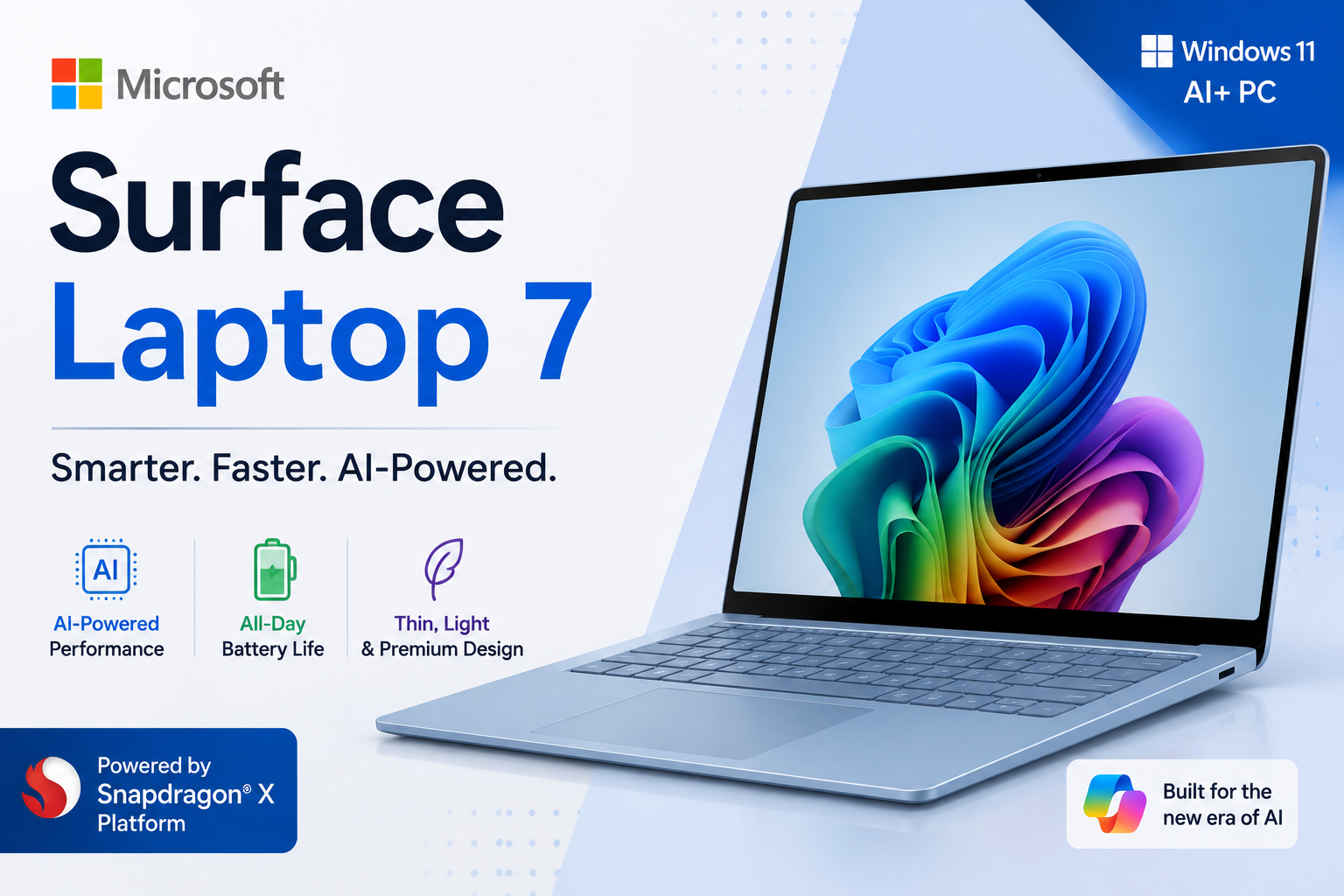
The Microsoft Surface Laptop 7 is an example of a Snapdragon X-based Windows laptop designed around efficiency and AI capabilities.
Its SSnapdragon X Series Continues to Redefine the PC Category with a New Platform, Mini Desktop Form Factors, and NPU Powered AI Experiences | TechPowerUp a dedicated NPU for supported AI workloads.
It is particularly suitable for:
- Students
- Business professionals
- Travellers
- Users prioritizing battery efficiency
The major attraction is the combination of portability, efficient processing, and local AI capabilities.
One consideration is software compatibility. Users who depend on specialized Windows applications should verify ARM compatibility before purchasing a Snapdragon-based laptop.
2. Dell XPS 14
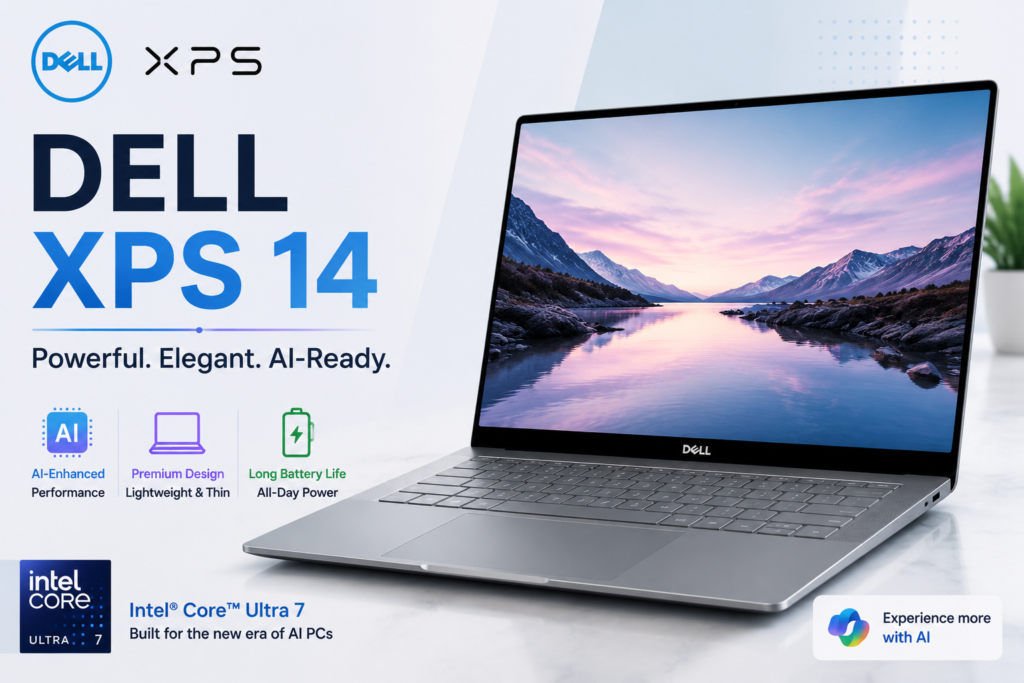
The Dell XPS 14 represents the premium Intel AI laptop category when configured with an Intel Core Ultra processor.
Intel Core Ultra platforms combine CPU, GPU, and NPU capabilities to provide a balanced computing experience.
It is suitable for:
- Business professionals
- Premium laptop users
- Productivity
- Creative workloads
Its major strength is the combination of premium design, strong computing performance, and broad Windows software compatibility.
The main limitation is that premium configurations can be expensive.
3. ASUS Zenbook 14 OLED
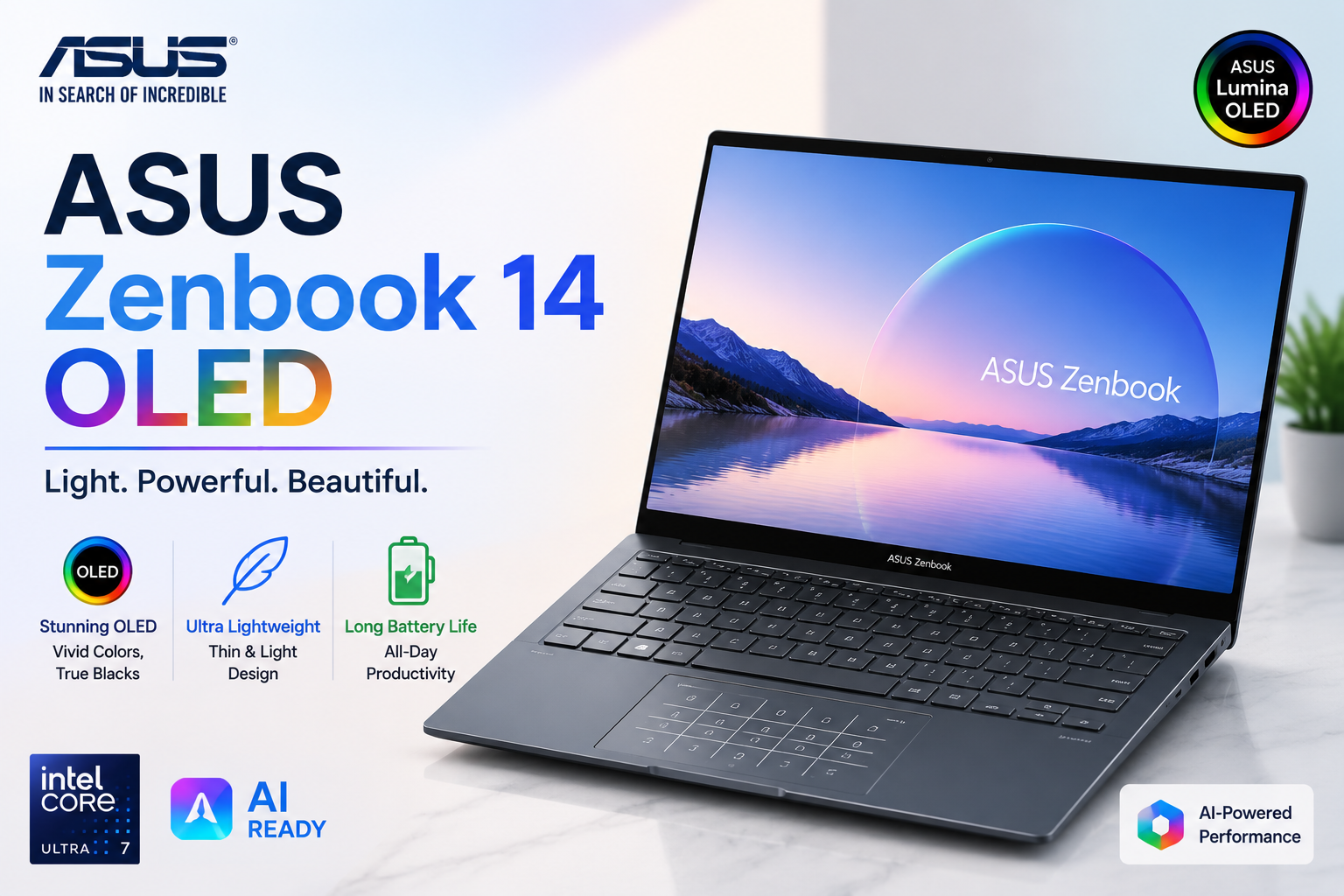
The ASUS Zenbook 14 OLED is an attractive option for users looking for portability, display quality, and AI-capable AMD Ryzen processors in supported configurations.
It can be suitable for:
- Professionals
- Students
- Content creators
- Multitasking users
The OLED display makes this type of laptop particularly attractive to users who care about visual quality.
Its limitation is that higher-end configurations can be expensive compared with mainstream laptops.
4. HP OmniBook AI PC
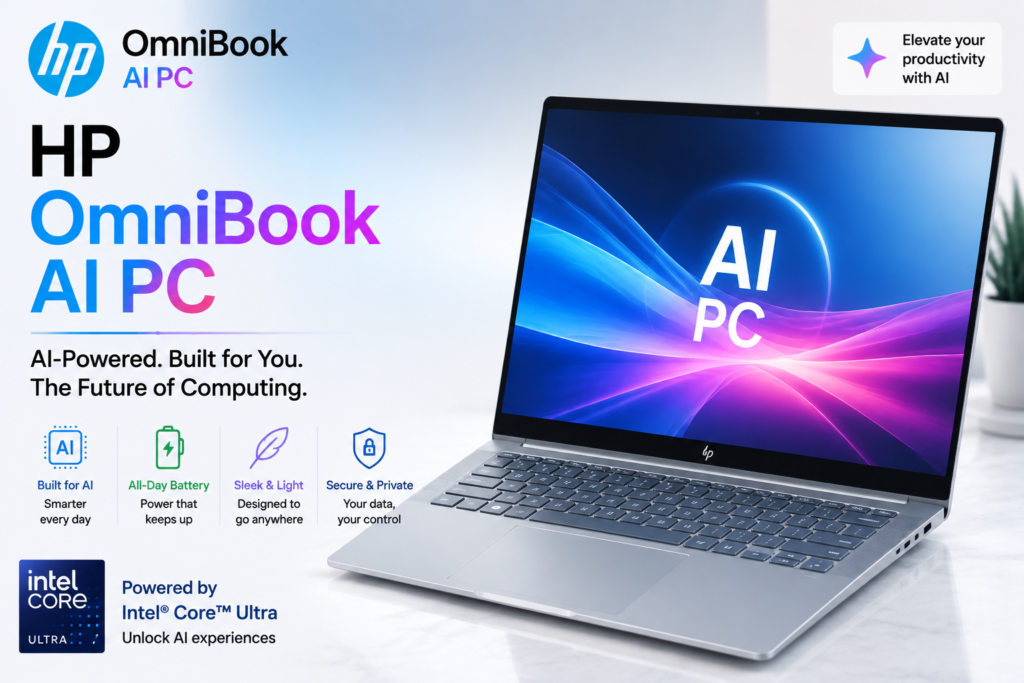
HP’s OmniBook family includes AI-capable configurations designed for everyday productivity and professional use.
Depending on the model and region, OmniBook systems can be available with different processor platforms, including Intel and Snapdragon-based configurations.
They are suitable for:
- Students
- Office users
- Business professionals
- Hybrid workers
AI capabilities can assist with supported productivity, communication, camera, and audio functions.
However, users looking for heavy gaming or professional 3D workloads should consider laptops with stronger dedicated graphics hardware.
5. Lenovo Yoga Slim 7i Aura Edition
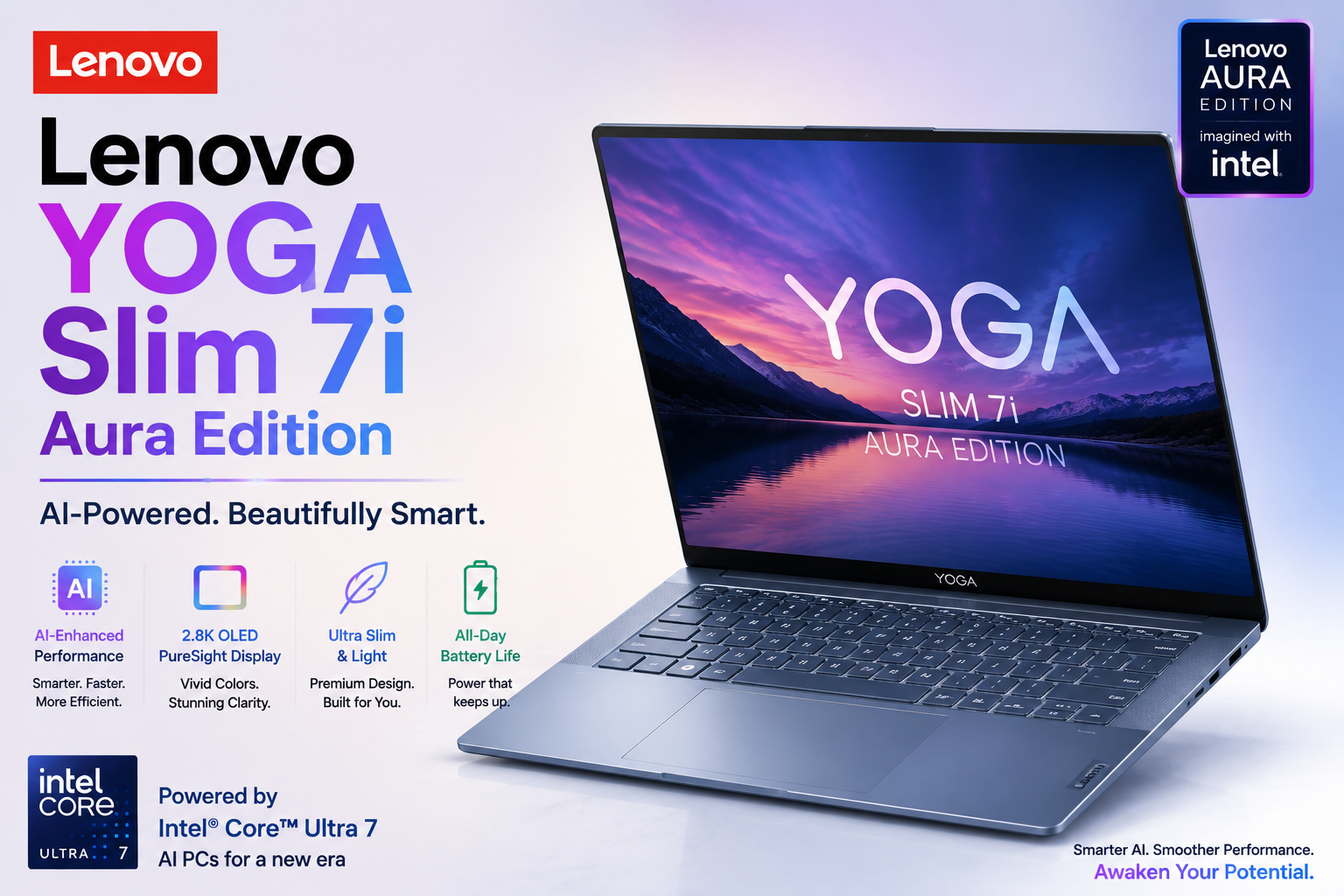
The Lenovo Yoga Slim 7i Aura Edition is another example of a premium productivity-focused AI laptop using an Intel Core Ultra platform in supported configurations.
It is designed for users who want:
- AI productivity features
- Portable design
- Efficient multitasking
- Premium everyday computing
It can be a good choice for professionals who want a future-ready laptop without necessarily buying a large workstation.
As with other premium laptops, pricing can be higher depending on the configuration.
Top 5 AI Laptop Comparison Chart
| Laptop | AI Platform | Best For | Main Strength |
|---|---|---|---|
| Microsoft Surface Laptop 7 | Snapdragon X | Students & Travellers | Efficiency and mobility |
| Dell XPS 14 | Intel Core Ultra | Professionals | Performance and compatibility |
| ASUS Zenbook 14 OLED | AMD Ryzen AI | Creators & Professionals | Display and balanced performance |
| HP OmniBook AI PC | Intel/Snapdragon options | Students & Business Users | Everyday AI productivity |
| Lenovo Yoga Slim 7i Aura Edition | Intel Core Ultra | Premium Professionals | Portability and AI productivity |
These are examples rather than universal winners. The best laptop depends on processor configuration, RAM, storage, display, battery, graphics requirements, software compatibility, and price.
Which AI Laptop Should You Buy?
If your priority is battery efficiency and mobility, a Snapdragon X laptop such as the Surface Laptop 7 can be attractive.
If you need broad Windows software compatibility and premium productivity, an Intel Core Ultra laptop such as the Dell XPS 14 or Lenovo Yoga Slim 7i can be considered.
If you are a content creator or visual professional, an AMD Ryzen AI laptop such as the ASUS Zenbook 14 OLED can provide a strong combination of performance and display quality.
For students and business users looking for everyday AI productivity, an HP OmniBook AI PC can be considered depending on the exact configuration.
However, buyers should always check the exact processor, NPU capabilities, RAM, storage, graphics, battery capacity, and software compatibility before purchasing.
Should You Buy an AI Laptop in 2026?
For users planning to keep their laptop for several years, an AI-capable laptop can be worth considering.
However, you should not buy an AI laptop simply because it has the word “AI” in its marketing.
Look at the complete specification.
A good AI laptop should ideally offer:
- A modern AI-capable processor
- Dedicated NPU
- At least 16GB RAM for many productivity and AI workloads
- Fast SSD storage
- Good battery life
- Strong CPU performance
- Suitable GPU performance for your workload
- Good software compatibility
- A display appropriate for your usage
For gaming and professional creative work, GPU performance may still be more important than NPU performance.
For productivity and AI-assisted everyday computing, NPU capabilities can become increasingly valuable.
The Future of AI Laptops: Hybrid AI
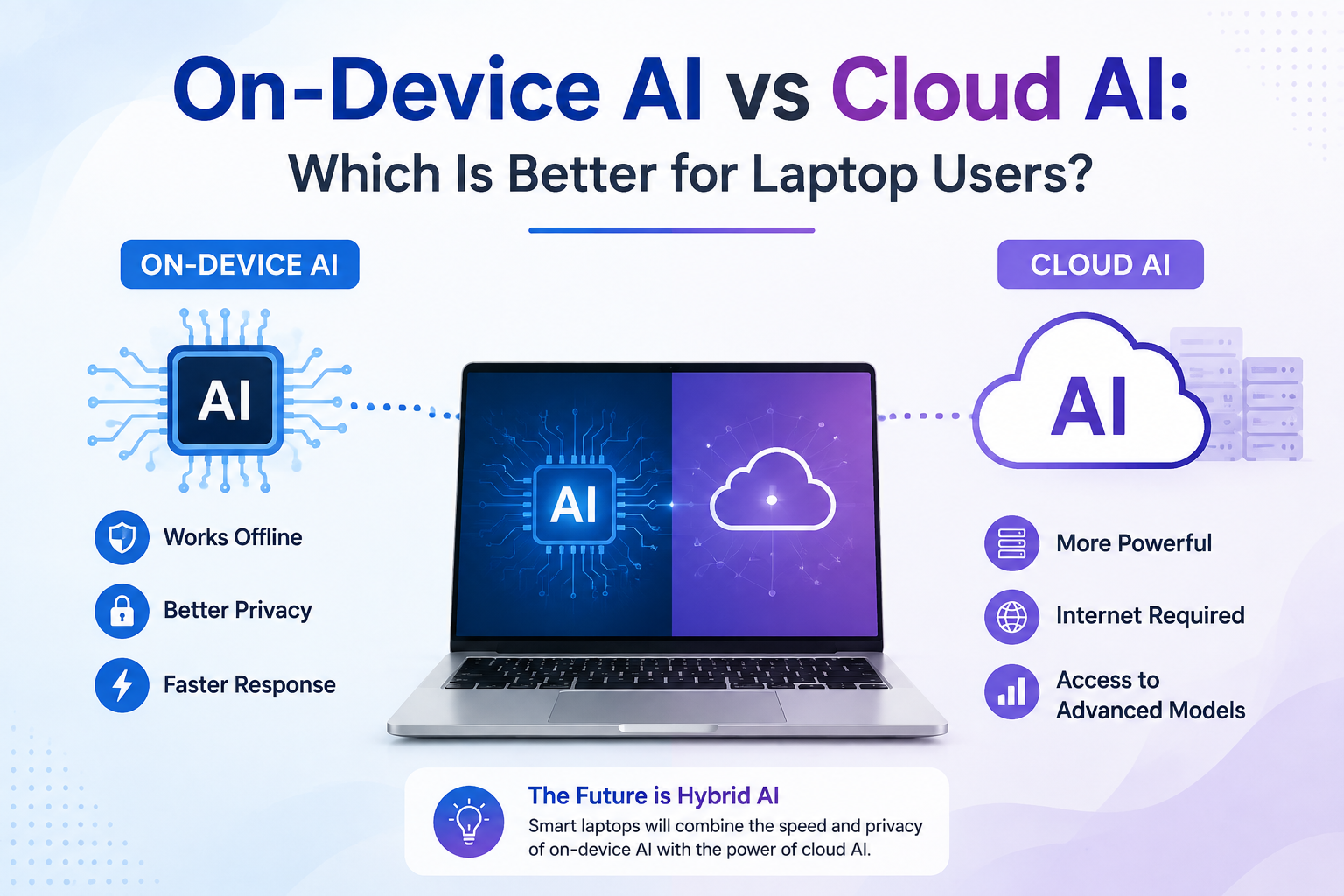
The most important development may not be On-Device AI or Cloud AI individually, but the combination of both.
Future laptops are likely to use Hybrid AI, where the device intelligently determines where a particular AI task should be processed.
Simple, private, and real-time tasks can be handled locally:
Private / Fast Task
        ↓
Laptop NPU
        ↓
Local Result
Complex tasks can be sent to cloud infrastructure:
Complex AI Task
        ↓
Internet
        ↓
Cloud AI
        ↓
Powerful Processing
        ↓
Result
This approach can provide the advantages of both technologies.
The laptop can use local AI when speed, privacy, or offline capability is important, while Cloud AI can provide additional computing power when the workload is too demanding for the device.
Final Decision Chart: On-Device AI vs Cloud AI
| User Requirement | Recommended Technology |
|---|---|
| Fast local response | On-Device AI |
| Privacy-sensitive local processing | On-Device AI |
| Offline AI features | On-Device AI |
| Battery-efficient supported AI tasks | On-Device AI |
| Very large AI models | Cloud AI |
| Advanced AI generation | Cloud AI |
| Large-scale data processing | Cloud AI |
| Access from many devices | Cloud AI |
| Best overall future approach | Hybrid AI |
On-Device AI vs Cloud AI: The Future of Intelligent Laptops
The evolution of laptops is entering a new era where artificial intelligence is becoming a core part of everyday computing. The comparison of On-Device AI vs Cloud AI clearly shows that both technologies have unique advantages and play different roles in modern laptops.
On-Device AI brings intelligence directly into the laptop by processing supported AI tasks locally. With the help of dedicated NPUs, AI laptops can deliver faster responses, improved privacy, better power efficiency, and useful offline capabilities. Features such as AI noise cancellation, smart camera improvements, voice recognition, live captions, and productivity assistance can become smoother and more efficient.
Cloud AI, on the other hand, provides access to extremely powerful AI models and advanced computing resources through internet-connected servers. It remains an important technology for complex tasks such as large-scale data analysis, advanced content generation, AI research, and workloads that require more computing power than a laptop can provide.
The future of computing will not be about choosing only On-Device AI or Cloud AI. Instead, the next generation of laptops will combine both technologies through Hybrid AI. Laptops will intelligently decide whether a task should be processed locally for speed and privacy or handled through the cloud for maximum AI power.
When choosing an AI laptop in 2026, users should look beyond traditional specifications like processor speed and RAM. Important factors such as NPU performance, AI software support, battery efficiency, privacy features, processor architecture, and future upgrade possibilities should also be considered.
Whether you are a student, business professional, content creator, or everyday laptop user, understanding On-Device AI vs Cloud AI will help you make a smarter buying decision.
The future laptop will not simply be a faster computer — it will be an intelligent assistant that understands user needs, improves productivity, protects personal information, and provides a more personalised computing experience.


rent a car jordan aqaba
izmir adnan menderes airport car rental
I congratulate, the remarkable message