

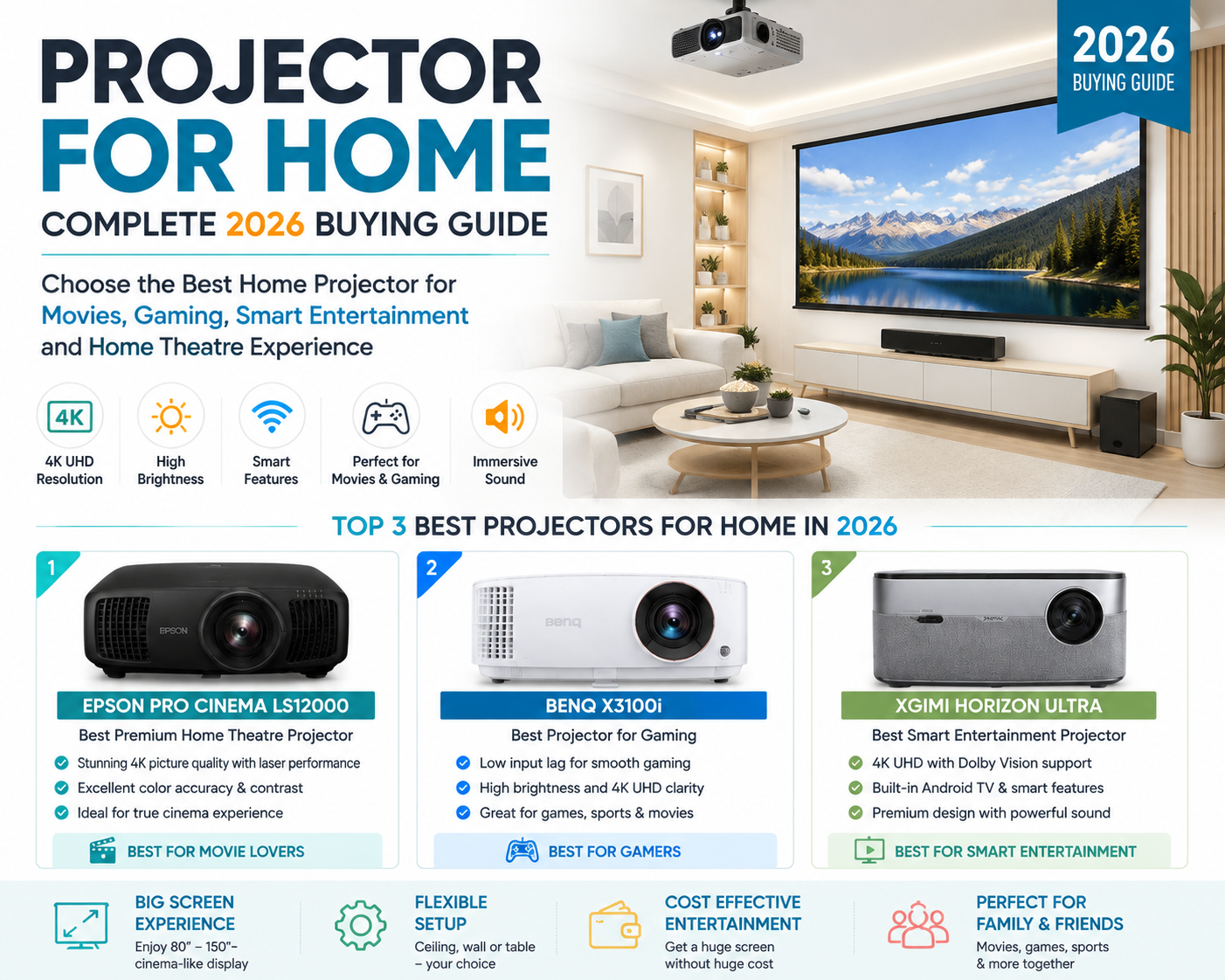
Introduction: Transform Your Home Into a Personal Cinema With a Projector
Entertainment technology is changing rapidly, and a projector for home has become one of the best solutions for people who want a cinema-like experience without investing in an expensive large-screen television. Modern home projectors now offer 4K resolution, smart features, wireless connectivity, powerful brightness, and advanced image technologies that can transform any room into a private theatre.
Whether you enjoy watching movies, streaming OTT platforms, playing video games, watching sports, or creating a dedicated home theatre room, choosing the right home projector can completely upgrade your entertainment experience.
Unlike traditional TVs, a projector allows you to enjoy an enormous screen size ranging from 80 inches to more than 150 inches while occupying minimal space. With the right projector, sound system, and room setup, you can create a premium cinematic environment inside your home.
In this detailed guide, we will explore everything about a projector for home, including types, important features, advantages and disadvantages, top projector recommendations, comparison charts, and the best sound systems for a complete home theatre setup.
Table of Contents
| Type | Best For | Advantage |
|---|
| LED Projector | Movies | Long life |
| Laser Projector | Premium home theatre | Brightness |
| Short Throw Projector | Small rooms | Space saving |
| Gaming Projector | Gamers | Low latency |
What Is a Projector for Home?
A projector for home is a digital display device that projects videos, images, and content onto a wall or projection screen using advanced light and lens technology.
Instead of displaying content on a fixed screen like a television, a projector creates a large image that can be adjusted according to your room size and viewing requirements.
Modern home projectors come with features such as:
- Full HD and 4K UHD resolution
- Smart TV operating systems
- Wi-Fi and Bluetooth connectivity
- Screen mirroring
- Streaming applications
- Voice control
- Automatic focus
- Keystone correction
- Gaming optimization
A quality home projector can provide a much more immersive viewing experience compared to traditional displays.
Why Should You Buy a Projector for Home?
1. Cinema-Like Large Screen Experience
The biggest advantage of a projector for home is the ability to create a huge display size. Watching movies, sports, and gaming content on a 100-inch screen delivers an experience similar to a movie theatre.
A home projector is perfect for:
- Family movie nights
- Netflix and OTT streaming
- Sports events
- Gaming
- Outdoor entertainment
2. Bigger Screen at a Lower Cost
Large televisions above 85 inches can be extremely expensive. A projector can provide a much larger screen size at a more affordable price.
| Device | Screen Size | Cost Range |
|---|---|---|
| Smart TV | 43–85 inches | Medium to High |
| Home Projector | 80–150+ inches | Budget to Premium |
3. Flexible Installation
Unlike televisions, projectors are not permanently fixed.
Installation options include:
- Ceiling mounting
- Wall mounting
- Table placement
- Portable usage
- Outdoor movie setup
This flexibility makes projectors suitable for different home environments.
Types of Projector for Home
1. LED Projector
LED projectors are popular because they offer:
- Long lifespan
- Low power consumption
- Compact design
- Affordable pricing
Best for bedrooms, casual entertainment, and small rooms.
2. Laser Projector
Laser projectors are premium models designed for serious home theatre users.
Benefits:
- Excellent brightness
- Better colour accuracy
- Long operating life
- Instant startup
Best for dedicated cinema rooms.
3. Smart Projector
A smart projector works similarly to a smart TV.
Features include:
- Android TV support
- Streaming apps
- Voice assistants
- Wi-Fi connectivity
- Bluetooth audio
Best for users who want simple installation and entertainment.
4. Short Throw Projector
Short throw projectors can create a large image from a short distance.
Advantages:
- Saves space
- Suitable for small rooms
- Easy installation
5. Portable Projector
Portable projectors are lightweight and easy to carry.
Best for:
- Travel
- Bedroom entertainment
- Outdoor movies
Important Features to Consider Before Buying a Projector for Home
1. Resolution
Resolution determines image quality and sharpness.
| Resolution | Suitable For |
| 720p HD | Basic viewing |
| 1080p Full HD | Movies and gaming |
| 4K UHD | Premium cinema experience |
For most users, a Full HD or 4K projector provides the best experience.
2. Brightness
Brightness is measured in lumens.
| Usage Area | Recommended Brightness |
| Dark Room | 1000–2000 Lumens |
| Living Room | 2500–3500 Lumens |
| Outdoor Use | 3500+ Lumens |
3. Connectivity
A modern projector should support:
- HDMI
- USB
- Wi-Fi
- Bluetooth
- Wireless casting
- HDMI eARC
4. Smart Features
Look for:
- Auto focus
- Auto keystone correction
- Streaming apps
- Voice control
- Smart home compatibility
Projector for Home vs Smart TV Comparison
| Feature | Home Projector | Smart TV |
| Screen Size | 80–150+ inches | 43–85 inches |
| Cinema Experience | Excellent | Good |
| Portability | High | Low |
| Installation | Flexible | Fixed |
| Space Saving | Excellent | Average |
| Bright Room Performance | Depends on model | Better |
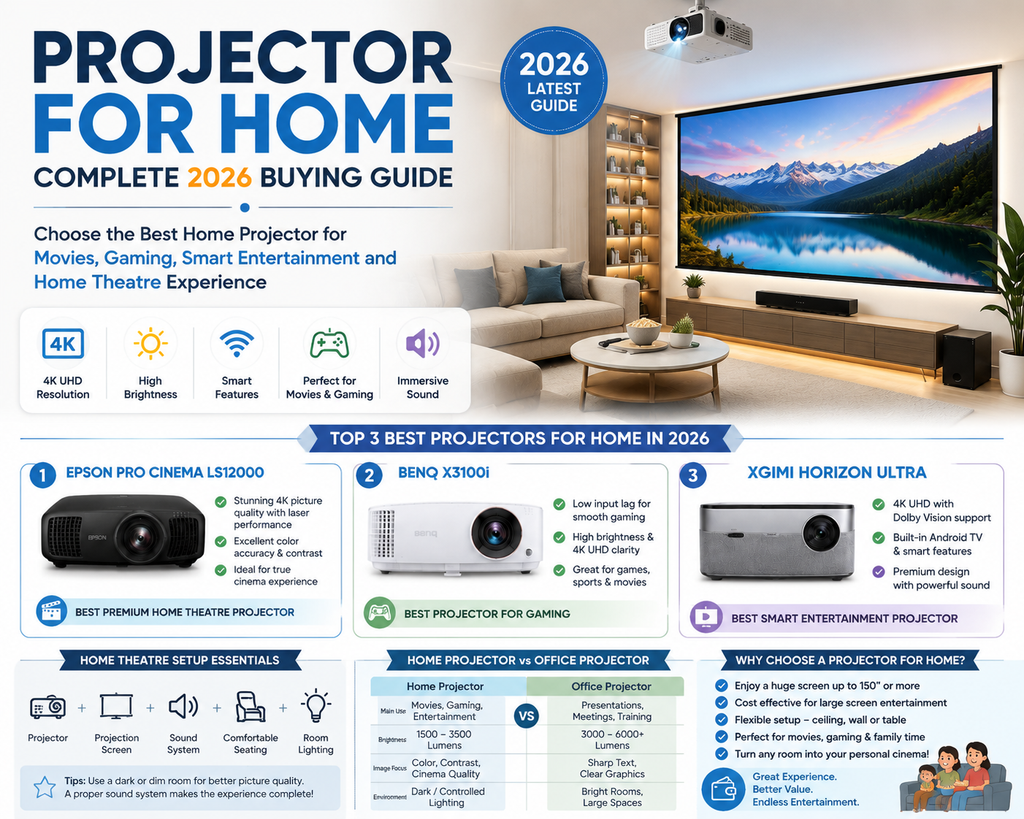
Top 3 Best Projector for Home Models in 2026
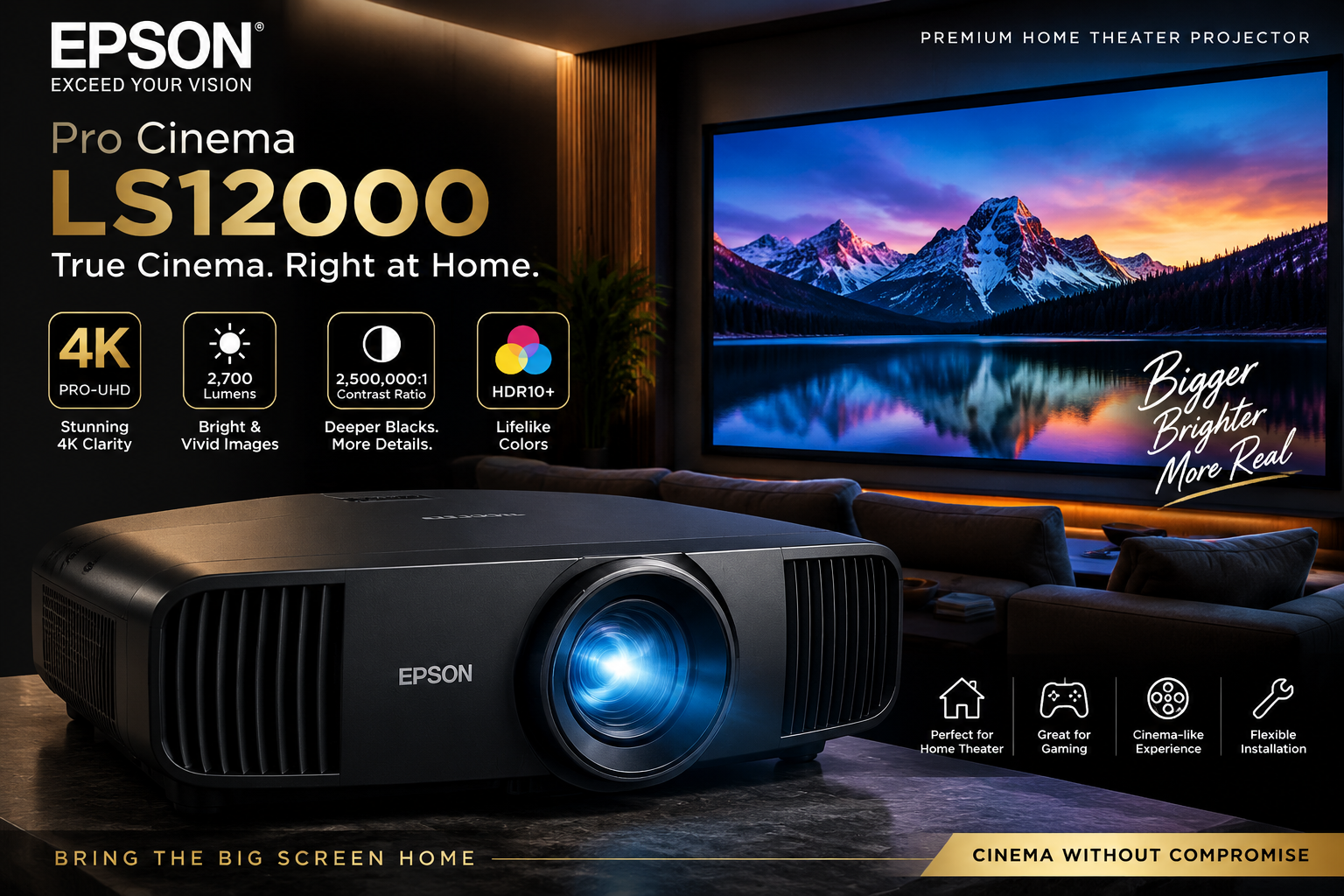
1. Epson Pro Cinema LS12000 – Best Premium Home Theatre Projector
The Epson LS12000 is designed for users who want a professional cinema experience at home. It delivers excellent 4K image quality, powerful laser performance, and impressive colour accuracy.
Key Features
| Feature | Specification |
| Resolution | 4K UHD |
| Technology | Laser 3LCD |
| HDR | HDR10 |
| Best For | Movies and Premium Theatre |
Pros
✅ Excellent 4K picture quality
✅ Premium colour accuracy
✅ Long-lasting laser source
✅ Smooth motion performance
✅ Perfect for large screens
Cons
❌ Expensive
❌ Requires external sound system
❌ Better suited for dedicated rooms
Best For: Premium home theatre lovers
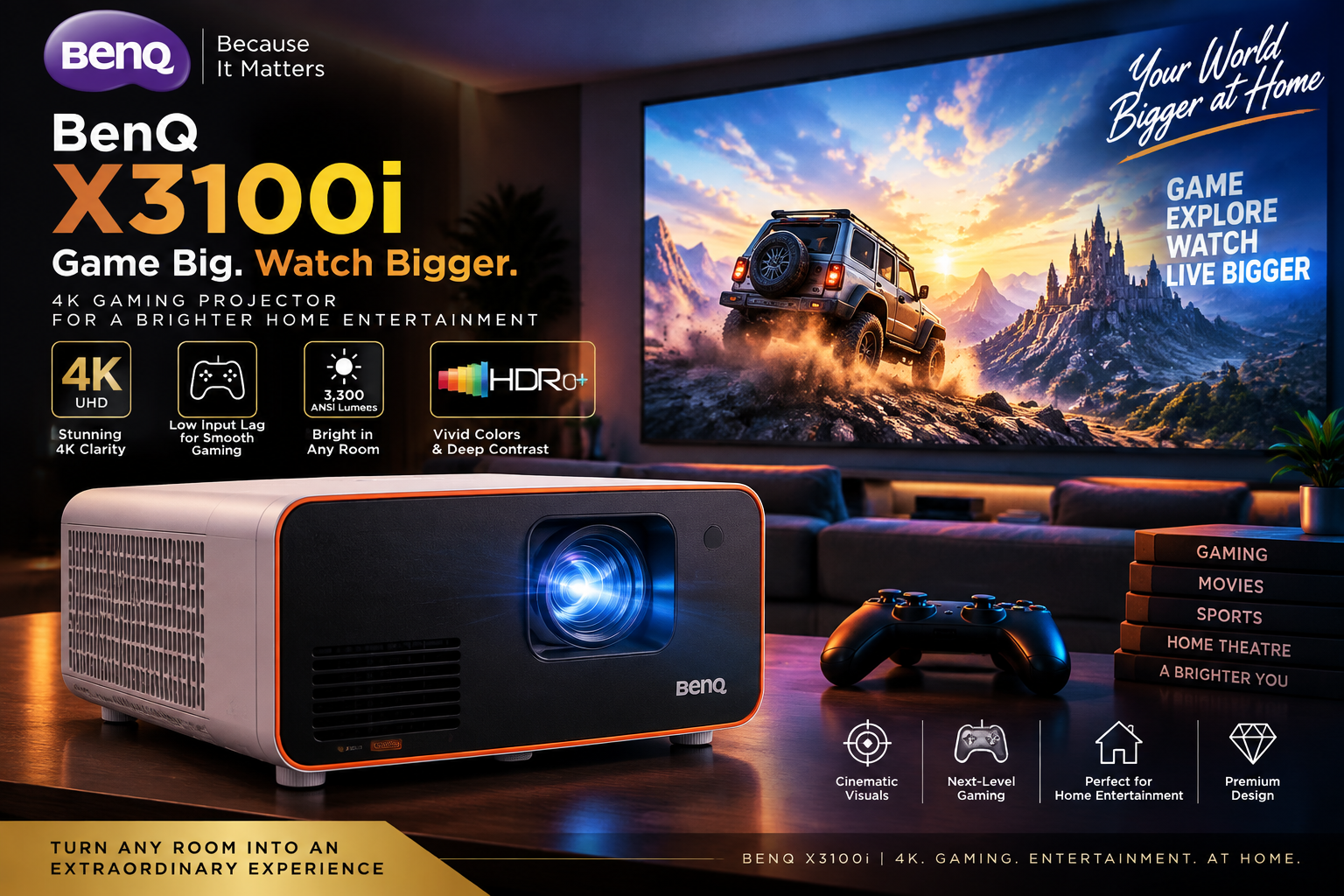
2. BenQ X3100i – Best Projector for Home Gaming
The BenQ X3100i is designed for gamers and entertainment users who need fast response time and excellent image quality.
Key Features
| Feature | Specification |
| Resolution | 4K UHD |
| Technology | DLP LED |
| Brightness | 3300 ANSI Lumens |
| Best For | Gaming and Movies |
Pros
✅ Low input lag
✅ Excellent gaming performance
✅ Bright image quality
✅ Good colour reproduction
✅ Built-in speakers
Cons
❌ Expensive for casual users
❌ Black levels are average compared with premium laser models
Best For: Gaming enthusiasts
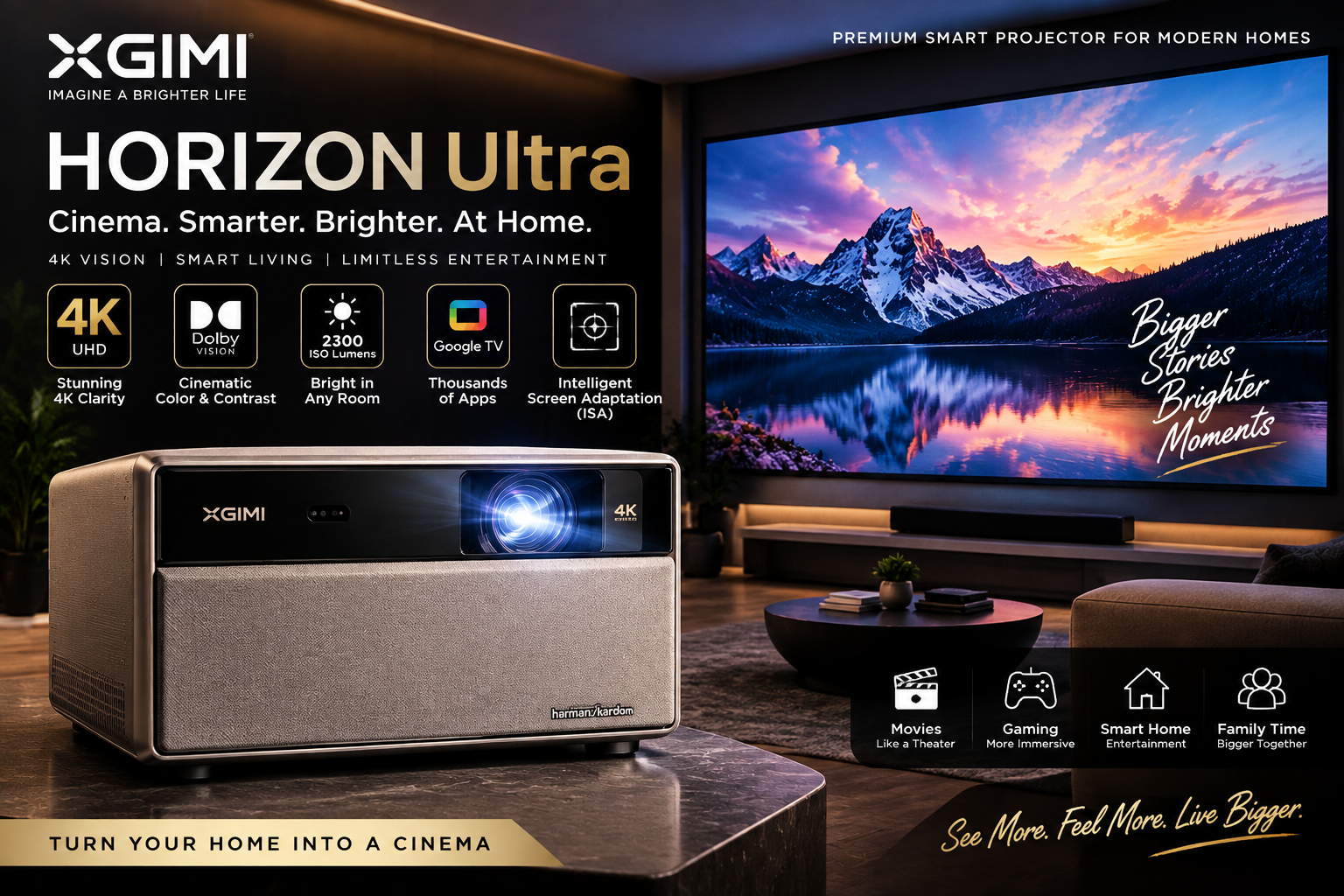
3. XGIMI Horizon Ultra – Best Smart Projector for Home
The XGIMI Horizon Ultra is a smart projector designed for modern homes with easy installation and premium features.
Key Features
| Feature | Specification |
| Resolution | 4K UHD |
| HDR | Dolby Vision |
| Audio | Harman Kardon Speakers |
| Best For | Smart Entertainment |
Pros
✅ Stylish design
✅ Automatic focus and correction
✅ Built-in smart features
✅ Excellent sound quality
Cons
❌ Lower brightness compared with premium models
❌ Not ideal for bright rooms
Best For: Family entertainment
Projector for Home Comparison Chart
| Feature | Epson LS12000 | BenQ X3100i | XGIMI Horizon Ultra |
| Category | Premium Theatre | Gaming | Smart Entertainment |
| Resolution | 4K | 4K | 4K |
| Light Source | Laser | LED | LED |
| Picture Quality | ⭐⭐⭐⭐⭐ | ⭐⭐⭐⭐ | ⭐⭐⭐⭐ |
| Gaming | ⭐⭐⭐⭐ | ⭐⭐⭐⭐⭐ | ⭐⭐⭐⭐ |
| Smart Features | ⭐⭐ | ⭐⭐⭐ | ⭐⭐⭐⭐⭐ |
Best Sound System for Projector Home Theatre Setup
A great picture needs powerful sound. Since most projectors have limited built-in speakers, adding a dedicated sound system creates a complete cinema experience.
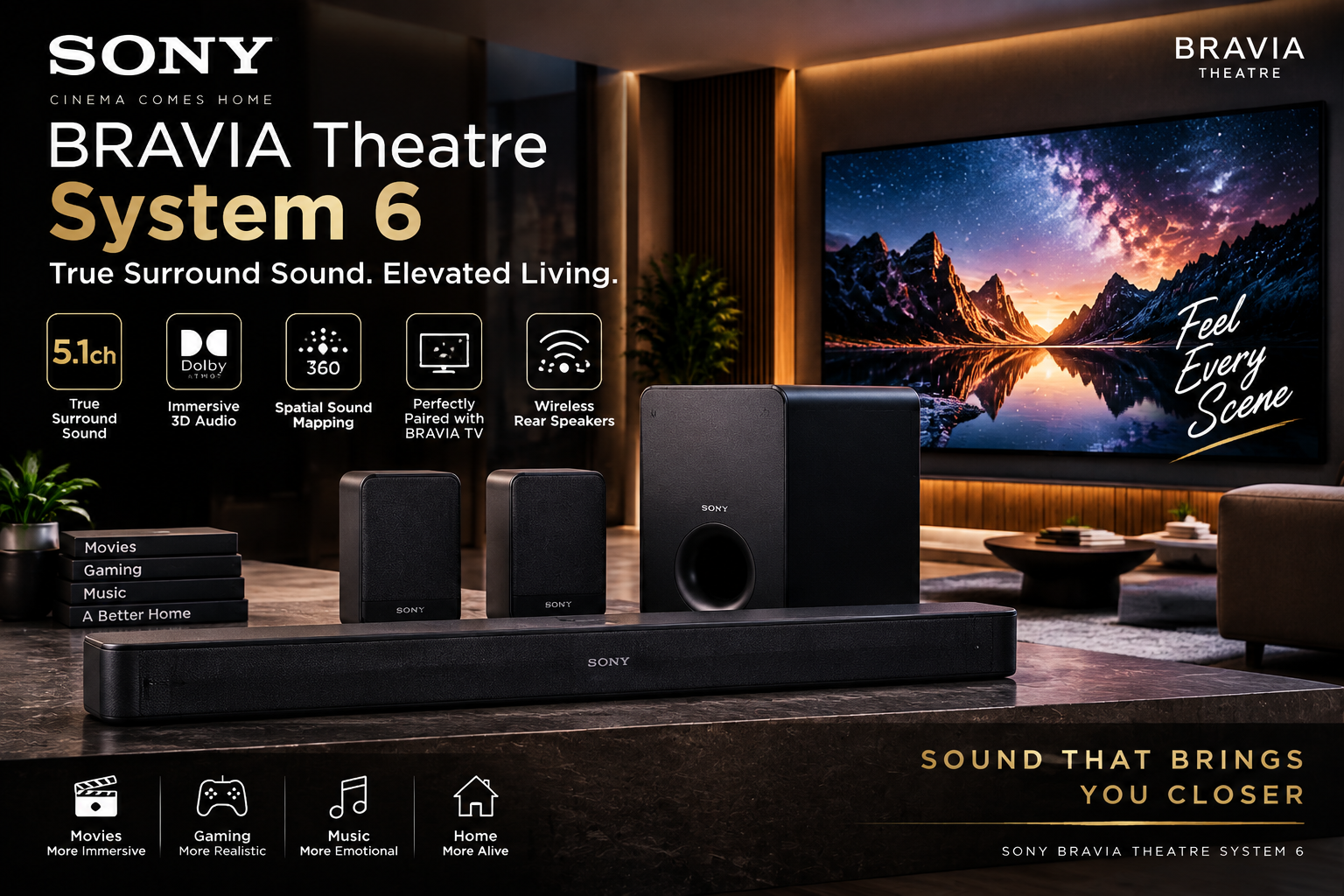
1. Sony Bravia Theatre System 6 – Best Overall
A great projector experience needs powerful audio. The Sony BRAVIA Theatre System 6 enhances your home cinema setup with immersive surround sound, making movies, gaming, and streaming more realistic.
Features
- 5.1 channel surround sound
- Wireless subwoofer
- Rear speakers
- Bluetooth connectivity
Pros
✅ Powerful cinematic audio
✅ Clear dialogue
✅ Easy setup
✅ Excellent surround experience
Cons
❌ Requires more space
❌ Higher price than basic soundbars
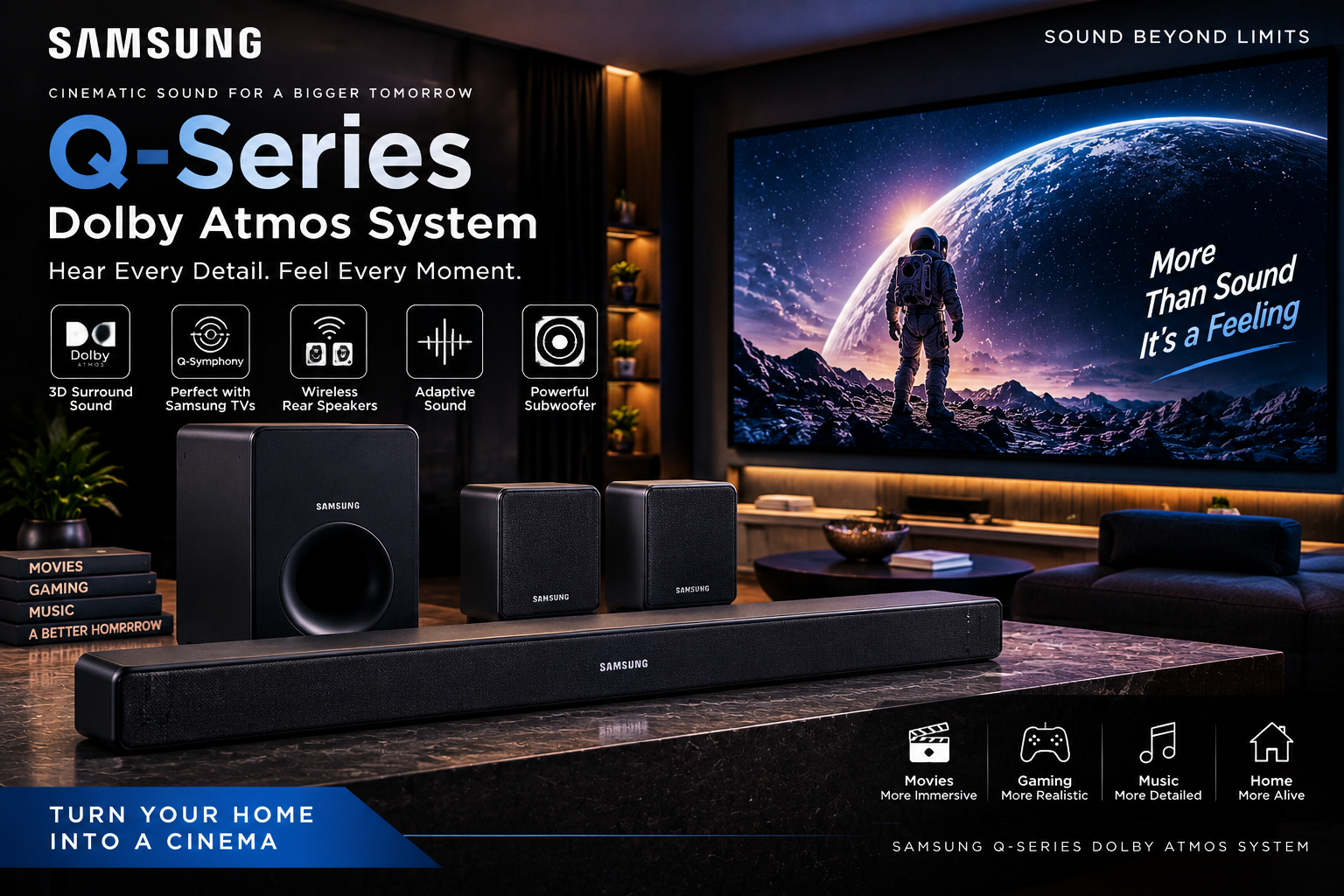
2. Samsung Q-Series Dolby Atmos System – Best Premium Sound
The Samsung Q-Series Dolby Atmos System is an excellent choice for completing a premium projector setup. With immersive surround sound, Dolby Atmos technology, and powerful bass, it transforms a normal room into a cinematic entertainment space.
Features
- Dolby Atmos
- Powerful bass
- Surround speakers
- HDMI eARC
Pros
✅ Premium cinema sound
✅ Excellent immersion
✅ Great for large rooms
Cons
❌ Expensive
❌ Requires proper placement
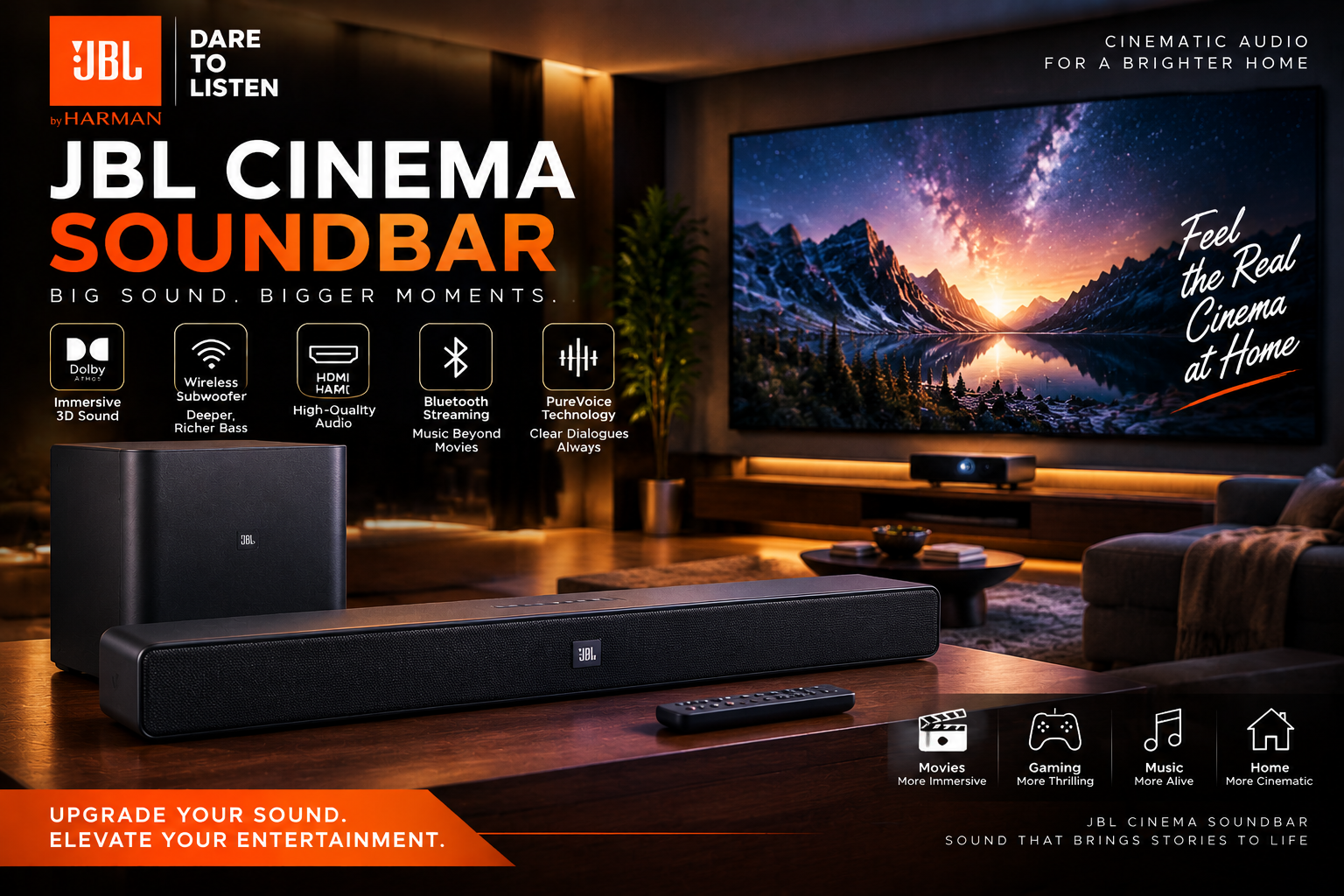
3. JBL Cinema Soundbar – Best Mid-Range Choice
The JBL Cinema Soundbar is a great choice for users who want powerful cinematic sound without a complicated setup. With Dolby Atmos, wireless bass, and clear voice technology, it completes a premium projector-based home theatre experience.
Features
- Dolby Atmos support
- HDMI eARC
- Wireless connectivity
Pros
✅ Good value for money
✅ Easy installation
✅ Clear vocals
Cons
❌ Limited surround effect compared with 5.1 systems
Complete Projector Home Theatre Setup Recommendations
Budget Setup
- Full HD Projector
- Logitech Z906 5.1 Speaker System
- Basic projection screen
Best for:
Bedroom and casual movie watching
Mid-Range Setup
- 4K Smart Projector
- JBL Dolby Atmos Soundbar
- Comfortable seating
Best for:
Living room entertainment
Premium Setup
- Epson LS12000 4K Laser Projector
- Sony or Samsung Dolby Atmos System
- Dedicated theatre room
Best for:
Luxury home cinema experience
Pros and Cons of Projector for Home
Advantages
✅ Huge cinema-style screen
✅ Better entertainment experience
✅ Flexible installation
✅ Portable options available
✅ Excellent for movies and gaming
Disadvantages
❌ Requires suitable lighting conditions
❌ Good speakers are usually needed
❌ Premium models can be expensive
❌ Requires proper setup
How to Choose the Best Projector for Home?
Before purchasing, consider:
Room Size
Small rooms:
- Short throw projector
Large rooms:
- Long throw projector
Usage
Movies:
- 4K projector
Gaming:
- Low latency projector
Smart entertainment:
- Android smart projector
Budget
Choose a model based on:
- Resolution
- Brightness
- Connectivity
- Warranty
- Brand support
Home Projector vs Office Projector: Key Differences and How to Choose the Right Projector
Although both home projectors and office projectors use similar projection technology, they are designed for completely different purposes. A projector for home focuses on entertainment features such as colour quality, cinematic visuals, HDR support, and gaming performance, while an office projector is designed for professional presentations, clear text display, reliability, and business environments.
Choosing the wrong projector can affect your viewing or presentation experience. Understanding the differences between home and office projectors will help you select the right device for your needs.
What Is an Office Projector?
An office projector is a professional display device designed mainly for business presentations, meetings, training sessions, and educational purposes.
Office projectors are optimized for:
- PowerPoint presentations
- Excel reports
- Charts and graphs
- Text documents
- Video conferences
- Training sessions
Unlike a home projector, an office projector prioritizes brightness, sharp text clarity, and easy connectivity.
Home Projector vs Office Projector Comparison
| Feature | Projector for Home | Office Projector |
|---|---|---|
| Main Purpose | Movies, gaming, entertainment | Presentations, meetings, training |
| Image Priority | Colour accuracy and cinematic quality | Sharp text and clear graphics |
| Resolution | Full HD / 4K preferred | Full HD / WUXGA preferred |
| Brightness | 1500–3500 lumens | 3000–6000+ lumens |
| Contrast | Higher contrast for movies | Moderate contrast for documents |
| Colour Performance | More realistic movie colours | Clear and readable visuals |
| HDR Support | Common | Less important |
| Input Lag | Important for gaming | Not important |
| Speakers | Better built-in audio | Basic audio |
| Portability | Optional | Very important |
| Installation | Flexible | Easy setup required |
Key Differences Between Home and Office Projectors
1. Image Quality Difference
Home Projector
A projector for home focuses on creating an immersive entertainment experience.
Important features:
- Deep blacks
- Better colour accuracy
- HDR support
- Smooth motion
- Cinema-style image quality
This makes it ideal for:
- Movies
- OTT streaming
- Gaming
- Sports
Office Projector
An office projector focuses on readability.
Important features:
- Sharp text
- Clear numbers
- Bright images
- Accurate presentation display
This helps users clearly view:
- Business reports
- Charts
- Documents
- Training materials
2. Brightness Difference
Brightness is one of the biggest differences between home and office projectors.
Home Projector Brightness
Home projectors usually work best in controlled lighting environments.
Recommended:
- Bedroom: 1000–2000 lumens
- Home theatre: 2000–3000 lumens
- Living room: 3000+ lumens
Office Projector Brightness
Offices usually have lights turned on and larger rooms, so they require higher brightness.
Recommended:
- Small meeting room: 3000 lumens
- Conference room: 4000–6000 lumens
- Large halls: 6000+ lumens
3. Resolution Difference
Home Projector Resolution
Entertainment users prefer higher resolution:
- Full HD (1080p)
- 4K UHD
Higher resolution improves:
- Movie details
- Gaming graphics
- Streaming quality
Office Projector Resolution
Office users need clear text and presentations.
Common resolutions:
- WXGA
- Full HD
- WUXGA (1920 × 1200)
WUXGA is popular because it provides extra vertical space for documents and presentations.
4. Connectivity Difference
Home Projector Connectivity
Designed for entertainment devices:
- HDMI
- Bluetooth
- Wi-Fi
- Streaming apps
- Gaming consoles
- Sound systems
Office Projector Connectivity
Designed for business devices:
- HDMI
- USB
- VGA (in some models)
- Wireless presentation
- Laptop connection
- Network control
5. Sound System Difference
Home Projector
Sound quality is important because users watch movies and shows.
Many home projectors support:
- Bluetooth speakers
- Dolby Audio
- External soundbars
- 5.1 surround systems
Office Projector
Audio is usually secondary.
Most offices use:
- Conference room speakers
- External audio systems
- Video conferencing equipment
Best Projector Choice Based on Usage
| Usage | Recommended Projector |
|---|---|
| Movies and Netflix | Home Theatre Projector |
| Gaming | Low latency Home Projector |
| Family Entertainment | Smart Home Projector |
| Business Meetings | Office Projector |
| Classroom Training | High Brightness Office Projector |
| Conference Room | Professional Business Projector |
Can You Use a Home Projector in an Office?
Yes, a home projector can be used in an office, especially for small meetings or personal presentations. However, it may not perform well in bright rooms because most home projectors have lower brightness compared to business models.
A home projector is suitable for:
- Small meeting rooms
- Creative presentations
- Home office setups
For large conference rooms, an office projector is a better choice.
Can You Use an Office Projector at Home?
Yes, but it may not provide the best movie experience.
Office projectors usually have:
- Higher brightness
- Lower colour accuracy
- Less cinematic image quality
- Basic sound features
They are excellent for presentations but not ideal for movie enthusiasts.
Recommended Setup
Best Home Entertainment Setup
- 4K Home Projector
- Dolby Atmos Sound System
- Projection Screen
- Dark Room Environment
Best for:
Movies, gaming, OTT entertainment
Best Office Setup
- Full HD/WUXGA Office Projector
- Wireless presentation system
- Meeting room speakers
- Bright room compatibility
Best for:
Business meetings and professional presentations
Frequently Asked Questions About Projector for Home
1. Is a projector better than a TV for home entertainment?
A projector offers a larger screen experience at an affordable price, making it ideal for movies, gaming, and home theatres.
2. What is the best projector resolution for home use?
For most users, Full HD (1080p) is enough, while 4K projectors provide better clarity for premium home cinema setups.
3. How many inches screen size is ideal for a home projector?
Most home projector setups work well between 100 and 150 inches depending on room size and viewing distance.
4. Which projector is best for gaming?
Gaming users should choose projectors with low input lag, high refresh rates, and good HDR support.
Final Recommendation
Choose a projector for home if your priority is movies, gaming, sports, and entertainment. Choose an office projector if your main requirement is presentations, meetings, training, and professional use.
Both projectors serve different purposes. Selecting the right type based on your usage will provide better performance, longer lifespan, and better value for your investment.
Final Conclusion: Is a Projector for Home Worth Buying?
A projector for home is one of the best choices for anyone who wants a premium entertainment experience with a massive screen. Modern projectors provide excellent picture quality, smart features, and flexible installation options that make them a strong alternative to large televisions.
For movie lovers, the Epson LS12000 delivers a premium cinema experience. Gamers can choose the BenQ X3100i for performance, while families looking for convenience can select the XGIMI Horizon Ultra.
By combining a quality home projector with a powerful Dolby Atmos sound system, comfortable seating, and proper room lighting, you can create a complete cinema experience inside your home.

2 thoughts on “Projector for Home: Complete 2026 Buying Guide to Choose the Best Home Projector for Movies, Gaming, Smart Entertainment and Home Theatre Experience”