


Last Updated: September 2026
Introduction: How AI Is Transforming Student Learning in 2026
Artificial Intelligence (AI) has become one of the most useful technologies for students in 2026. From understanding difficult concepts to preparing notes, improving writing skills, learning coding, and organizing study schedules, AI tools are helping students learn more efficiently.
Today’s students no longer depend only on textbooks and classroom lectures. AI-powered learning assistants can explain complex topics in simple language, create practice questions, summarize study materials, and provide guidance when students need additional support. In India, the adoption of AI in education is also increasing as students and educators explore new ways to improve learning experiences.
However, AI should be treated as a learning assistant, not as a replacement for teachers, textbooks, or a student’s own thinking ability. The best results come when students use AI to understand concepts, practice skills, and improve productivity instead of simply copying answers.
In this article, we will explore the best AI tools for students in 2026, including free and paid options, their features, benefits, limitations, and how students can use them responsibly for academic success.
Table of Contents
What Are AI Tools for Students?
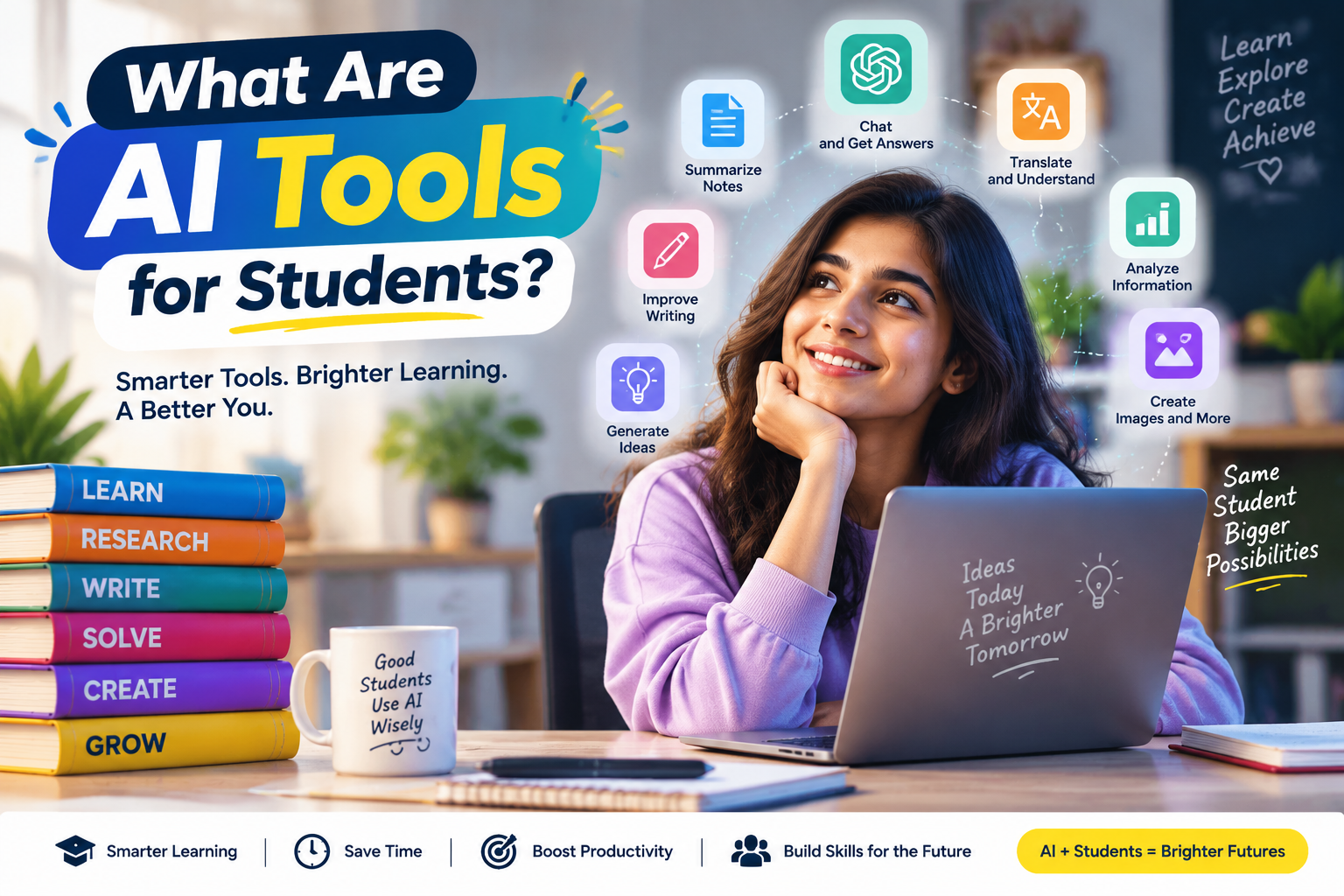
AI tools for students are software applications that use artificial intelligence technology to assist with different learning activities. These tools can understand questions, analyze information, generate content, provide explanations, and help students complete educational tasks more effectively.
Unlike traditional educational software, modern AI apps can interact with students through natural conversations. They can adjust explanations based on a student’s level of understanding and provide personalized learning support.
For example:
- A school student can ask AI to explain a difficult science concept in simple words.
- A college student can use AI to summarize research papers.
- A coding student can get help understanding programming errors.
- An exam aspirant can create practice questions and revision notes.
Some AI learning platforms are now designed specifically for education, offering features such as study guides, quizzes, document analysis, and personalized learning experiences. For example, Google highlights AI-powered study features that can help students create learning materials, quizzes, and understand course content.
How AI Tools Help Students in Different Learning Activities
AI applications can support students across multiple areas of education:
1. Understanding Difficult Concepts
One of the biggest advantages of AI tools is their ability to explain complex topics in simpler ways.
For example:
A student studying physics can ask:
“Explain Newton’s laws of motion like I am a beginner.”
The AI can provide:
- Simple explanations
- Real-world examples
- Step-by-step breakdowns
- Additional practice questions
This makes learning more personalized compared with reading a general textbook explanation.
2. Research and Information Gathering
Students often spend hours searching for information for assignments and projects.
AI research tools can help by:
- Summarizing information
- Suggesting research directions
- Organizing ideas
- Helping students understand different viewpoints
However, students should always verify important information because AI-generated responses may sometimes contain errors or outdated information.
3. Writing and Assignment Support
AI writing assistants can help students improve their writing skills by:
- Checking grammar mistakes
- Improving sentence structure
- Creating outlines
- Suggesting better ways to express ideas
The goal should be improving writing ability, not submitting completely AI-generated work as personal effort.
4. Creating Study Notes
Many students struggle with managing large amounts of study material.
AI note-taking tools can help convert:
- Lecture notes into summaries
- Long chapters into key points
- PDFs into revision material
- Topics into flashcards
This can save time during exam preparation.
5. Coding and Technical Learning
For computer science and engineering students, AI coding assistants can provide support with:
- Understanding programming concepts
- Finding coding errors
- Explaining algorithms
- Creating practice projects
Students should use coding AI tools to learn programming logic rather than blindly copying code.
Benefits of Using AI Tools for Learning
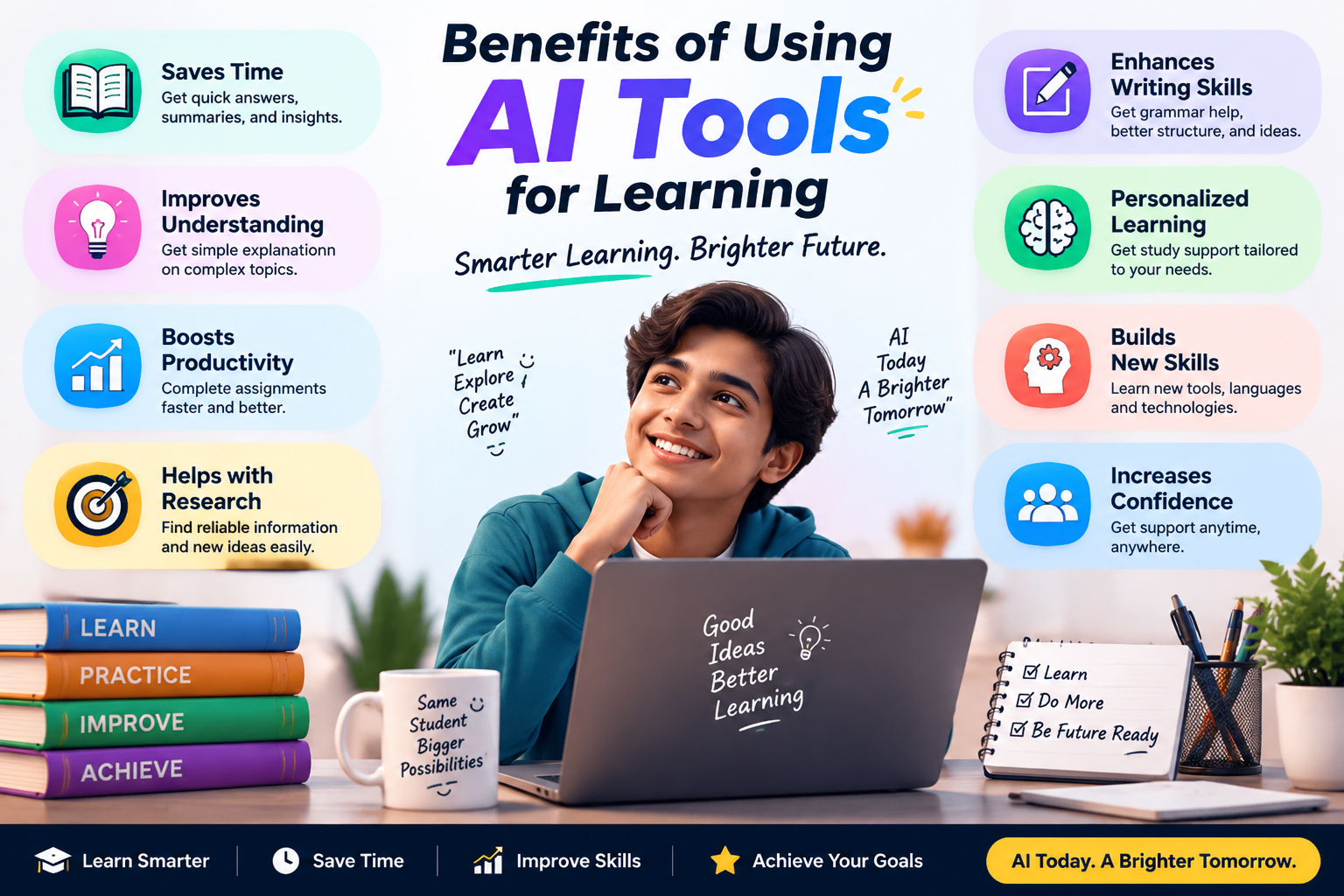
1. Faster Research and Learning
Students can quickly find explanations, examples, and learning resources using AI assistants.
Instead of spending excessive time searching through multiple websites, students can use AI to get a starting point and then verify information from reliable sources.
2. Personalized Learning Experience
Every student learns differently.
Some students prefer:
- Visual explanations
- Practical examples
- Step-by-step solutions
- Short summaries
AI tools can adjust responses according to individual learning preferences.
For example:
A beginner can request a simple explanation, while an advanced learner can ask for deeper technical details.
3. Better Time Management
Students often manage multiple responsibilities:
- Classes
- Assignments
- Exams
- Projects
- Personal learning
AI productivity tools can help create:
- Study schedules
- Task lists
- Revision plans
- Project timelines
This allows students to organize their learning process better.
4. Improved Writing and Communication Skills
AI writing assistants can help students:
- Improve grammar
- Expand vocabulary
- Practice professional writing
- Prepare presentations
- Write better emails
For students improving their English communication skills, AI can act as a practice partner.
5. Support for Exam Preparation
AI tools can assist exam preparation by helping students create:
- Practice questions
- Mock tests
- Revision notes
- Topic summaries
- Flashcards
For competitive exam preparation such as JEE, NEET, UPSC, banking, and other entrance exams, AI can support learning strategies when combined with proper study methods.
Best AI Tools for Students in 2026
Choosing the right AI tool depends on the student’s requirement. Some tools are better for writing, some for research, some for coding, and others for organizing study materials.
The following sections will compare popular AI apps used by students in 2026.
1. ChatGPT
Best for: General learning, explanations, writing assistance, brainstorming, and problem-solving
ChatGPT is one of the most widely used AI assistants among students. It can help explain academic topics, create study plans, answer questions, improve writing, and assist with coding concepts.
Useful for:
- School students
- College students
- Researchers
- Coding learners
- Exam preparation
Key Features:
- Conversational learning support
- Concept explanations
- Writing assistance
- Coding guidance
- Brainstorming ideas
Advantages:
✅ Easy to use
✅ Supports multiple subjects
✅ Helpful for beginner-level explanations
✅ Available with a free plan
Limitations:
❌ May occasionally provide incorrect information
❌ Students should verify important academic facts
❌ Should not replace personal understanding
2. Google Gemini
Best for: Research, Google ecosystem users, document-based learning
Google Gemini is another popular AI assistant that helps students with learning, research, writing, and productivity tasks. Google has introduced education-focused Gemini features that allow students to work with study materials, create quizzes, and build personalized learning resources.
Useful for:
- Students using Google Docs and Drive
- Research projects
- Note-based learning
Key Features:
- AI explanations
- Document assistance
- Study guides
- Research support
- Integration with Google services
Advantages:
✅ Good integration with Google’s ecosystem
✅ Useful for document-based learning
✅ Helpful for organizing study material
Limitations:
❌ AI responses still require verification
❌ Some advanced features may depend on availability and plan
Complete AI Tool Comparison, Free AI Apps & Paid AI Tools
Best AI Tools for Students in 2026 (Complete Comparison)
Students have different learning requirements. Some need help with assignments, some need better research tools, while others need AI support for coding, note-taking, or exam preparation.
The following comparison highlights the most useful AI tools for students in 2026 with their strengths, pricing approach, features, and limitations.
| AI Tool | Best For | Free Plan | Paid Plan | Main Features | Limitations |
|---|---|---|---|---|---|
| ChatGPT | Learning, writing, coding, brainstorming | Available | Advanced models and additional features | Explanations, writing help, coding support, study assistance | May generate incorrect information; requires fact checking |
| Google Gemini | Research and Google ecosystem users | Available | Advanced features through paid plans | AI answers, document assistance, study support | Some features may vary by region |
| Microsoft Copilot | Productivity and Microsoft users | Available | Premium features available | Writing assistance, research, productivity support | Best experience requires Microsoft ecosystem |
| Perplexity AI | Research and information discovery | Available | Advanced search features | AI search, summaries, source-based answers | Should verify sources for academic work |
| Grammarly | Writing improvement | Available | Advanced writing suggestions | Grammar checking, rewriting, tone improvement | Mainly focused on writing rather than learning concepts |
| Notion AI | Notes and organization | Limited free access | AI productivity features | Summaries, notes, task management | Best value for users already using Notion |
| Canva AI | Presentations and visual learning | Available | More design features | Presentations, posters, diagrams, study visuals | AI-generated designs may need editing |
| Quizlet AI | Exam preparation | Available with limitations | Additional learning features | Flashcards, quizzes, study modes | Quality depends on available study content |
| Khan Academy AI Tools | Learning support | Available | Availability depends on program | Educational guidance and practice support | Focused mainly on supported subjects |
| GitHub Copilot | Coding students | Limited options | Paid developer features | Code suggestions, debugging assistance | Requires programming knowledge |
3. Microsoft Copilot
Best for: Students who use Microsoft Office tools
Microsoft Copilot is an AI assistant designed to improve productivity within the Microsoft ecosystem. It can help students write documents, summarize information, generate ideas, and organize tasks.
Useful for:
- College assignments
- Presentations
- Research work
- Office productivity
Key Features:
- Document summarization
- Writing assistance
- Idea generation
- Productivity support
- Integration with Microsoft applications
Advantages:
✅ Useful for students already using Microsoft Word and PowerPoint
✅ Helps improve productivity
✅ Suitable for academic writing support
Limitations:
❌ Some advanced features require paid access
❌ Students should review AI-generated content before submission
Responsible Usage Tip:
Use Copilot to improve your writing and understanding, but ensure your final work represents your own knowledge.
4. Perplexity AI
Best for: Research and finding information quickly
Perplexity AI works like an AI-powered search assistant. It helps students explore topics, summarize information, and understand different subjects.
Unlike traditional search engines, it provides conversational answers with references that help students explore topics further.
Useful for:
- Research projects
- Current affairs preparation
- Academic topics
- Information gathering
Key Features:
- AI-powered search
- Research summaries
- Follow-up questions
- Source-based responses
Advantages:
✅ Faster than manually searching multiple websites
✅ Helpful for research starting points
✅ Good for exploring unfamiliar topics
Limitations:
❌ Students should verify information from original sources
❌ Not a replacement for academic research methods
5. Grammarly
Best for: Writing improvement and communication skills
Grammarly is an AI-powered writing assistant that helps students improve grammar, spelling, clarity, and writing style.
It is especially useful for students who want to improve their English writing skills.
Useful for:
- Essays
- Reports
- Emails
- Presentations
- English practice
Key Features:
- Grammar correction
- Sentence improvement
- Writing suggestions
- Tone recommendations
Advantages:
✅ Easy for beginners
✅ Improves writing confidence
✅ Helpful for non-native English speakers
Limitations:
❌ It does not teach every writing concept automatically
❌ Students should understand corrections instead of accepting everything blindly
6. Notion AI
Best for: Notes, planning, and student productivity
Notion AI combines note-taking and artificial intelligence features. It helps students organize information, summarize notes, and manage study tasks.
Useful for:
- University students
- Project management
- Research notes
- Study planning
Key Features:
- AI summaries
- Note organization
- Task planning
- Content generation
Advantages:
✅ Combines notes and productivity tools
✅ Useful for managing large study projects
✅ Helps organize learning materials
Limitations:
❌ Requires learning the Notion platform
❌ Advanced AI features may require payment
7. Canva AI
Best for: Presentations, visual learning, and creative projects
Canva AI helps students create attractive presentations, posters, diagrams, and educational graphics.
For students who need to prepare seminars or project presentations, Canva AI can save design time.
Useful for:
- College presentations
- School projects
- Infographics
- Study posters
Key Features:
- AI design assistance
- Presentation creation
- Image generation features
- Templates
Advantages:
✅ Beginner-friendly
✅ Saves design time
✅ Good for visual learners
Limitations:
❌ AI designs may need personal editing
❌ Students should avoid creating low-effort presentations only with AI
8. Quizlet AI
Best for: Revision and exam preparation
Quizlet uses AI features to help students create flashcards, practice questions, and revision materials.
Useful for:
- Memory-based subjects
- Vocabulary learning
- Exam revision
Key Features:
- Flashcards
- Practice tests
- Study modes
- AI-generated learning materials
Advantages:
✅ Useful for quick revision
✅ Encourages active learning
✅ Good for remembering important points
Limitations:
❌ Students should create their own understanding of concepts
❌ AI-generated questions may require checking
9. Khan Academy AI Tools
Best for: Educational learning and concept understanding
Khan Academy has introduced AI-based learning assistance designed to support students and teachers.
These tools focus on helping students understand concepts through guided learning rather than simply providing answers.
Useful for:
- School students
- Mathematics
- Science subjects
- Concept practice
Advantages:
✅ Education-focused approach
✅ Encourages learning through guidance
✅ Suitable for beginners
Limitations:
❌ Subject availability may vary
❌ Not designed for every academic requirement
10. GitHub Copilot
Best for: Coding students and developers
GitHub Copilot is an AI coding assistant that helps programmers write, understand, and improve code.
Useful for:
- Computer science students
- Engineering students
- Programming learners
Key Features:
- Code suggestions
- Error explanations
- Programming assistance
- Learning examples
Advantages:
✅ Helps students understand coding concepts
✅ Useful for practice projects
✅ Saves time while developing
Limitations:
❌ Beginners should learn programming fundamentals first
❌ AI-generated code should always be reviewed
Best Free AI Tools for Students in 2026
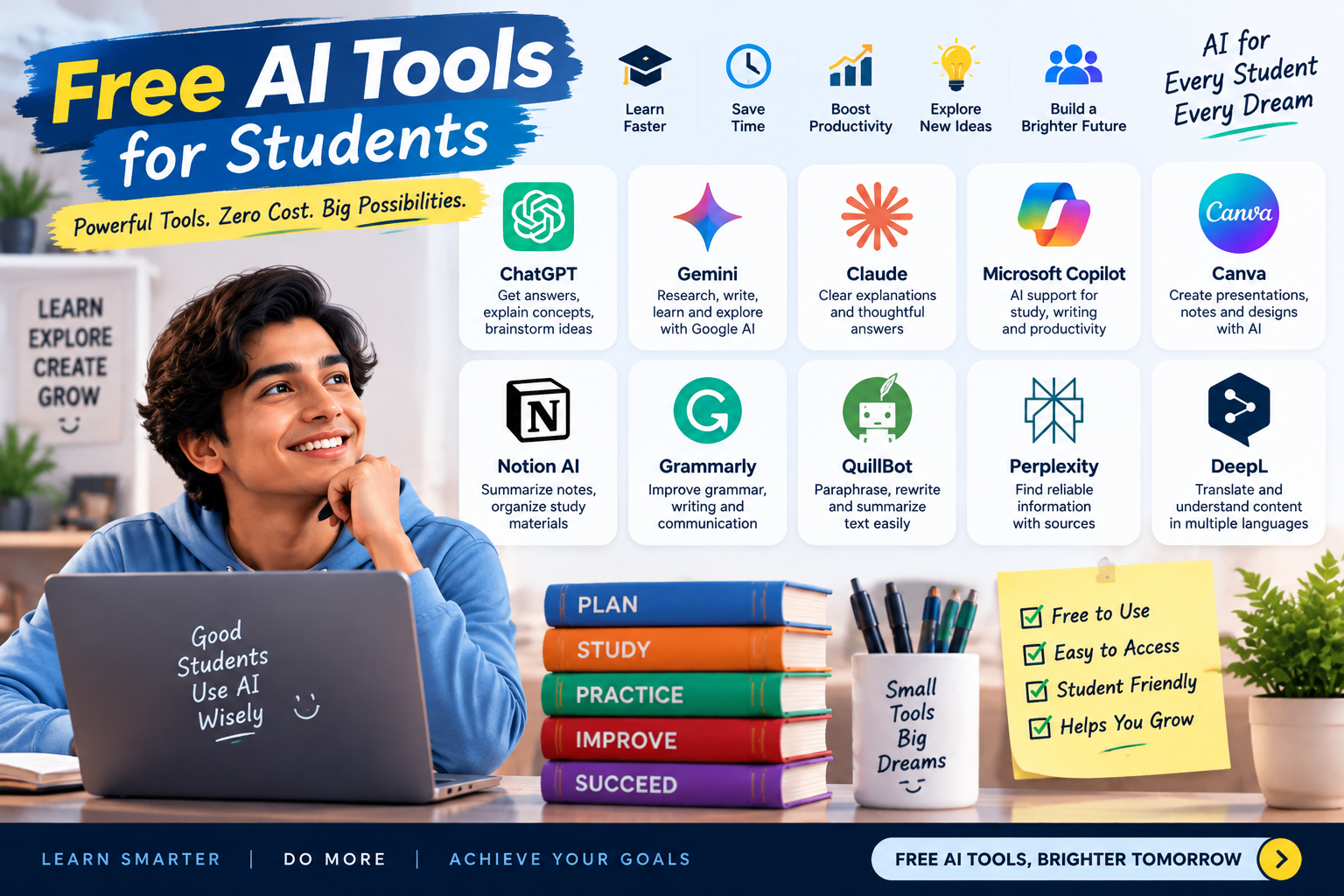
Many students searching for the best AI tools for students in 2026 prefer free solutions before choosing premium options. Fortunately, several AI tools provide useful features without requiring payment.
1. ChatGPT Free Version
Best for:
- Concept explanations
- Brainstorming
- Writing improvement
- Basic coding help
The free version is suitable for many everyday learning tasks.
2. Google Gemini Free Version
Best for:
- Research assistance
- Learning explanations
- Google ecosystem users
Students can use it for exploring topics and organizing information.
3. Microsoft Copilot Free
Best for:
- General AI assistance
- Productivity support
Useful for students who want AI help without purchasing a subscription.
4. Canva Free AI Features
Best for:
- Presentations
- Visual study materials
- Project designs
Helpful for students preparing seminars and assignments.
5. Grammarly Free
Best for:
- Grammar improvement
- Writing corrections
Useful for improving everyday writing skills.
Advantages of Free AI Tools
Free AI tools provide several benefits:
✅ No financial commitment
✅ Good for beginners
✅ Suitable for basic learning tasks
✅ Helps students understand AI technology
Limitations of Free AI Tools
However, students should understand that free versions often have restrictions:
- Limited advanced features
- Usage limits
- Fewer customization options
- Lower access priority during busy periods
For many students, free AI tools are enough for regular learning needs.
Best Paid AI Tools Worth Considering
Paid AI tools are not necessary for every student. However, some learners may benefit from premium features depending on their requirements.
Students Who May Consider Paid AI Tools:
1. University Students
Students working on:
- Research projects
- Long assignments
- Presentations
- Thesis preparation
may find advanced AI features useful.
2. Coding Students
Programming learners may benefit from:
- Better coding assistance
- Advanced debugging support
- Development features
3. Content Creators and Freelancers
Students creating:
- Blogs
- Videos
- Digital projects
- Presentations
may benefit from premium AI features.
When Should Students Upgrade to Paid AI Tools?
Before paying for an AI subscription, students should consider:
✅ Do I use AI regularly?
✅ Does the free version limit my learning?
✅ Will premium features save meaningful time?
✅ Does the tool improve my learning process?
Students should avoid buying AI subscriptions simply because they are popular.
AI Tools by Need, Responsible Usage, FAQ, Conclusion & AdSense Review
AI Tools for Different Student Needs
Different students have different learning goals. A school student preparing for exams may need different AI features compared with a college student working on research projects or a programming student learning software development.
Here are the recommended AI tool categories based on student requirements.
Best AI Tools for Research and Assignments
Research is an important part of academic learning. AI tools can help students collect ideas, understand topics, and organize information.
Recommended Tools:
1. Perplexity AI
Best for: Research and information discovery
Students can use it for:
- Finding information about a topic
- Understanding complex subjects
- Exploring different viewpoints
- Getting starting points for research
Important Tip:
Students should always check original sources before using information in academic work.
2. ChatGPT
Best for: Understanding concepts and creating outlines
Students can use ChatGPT for:
- Creating assignment structures
- Explaining difficult topics
- Generating discussion points
- Improving drafts
However, students should add their own analysis and ideas instead of submitting AI-generated content directly.
3. Google Gemini
Best for: Students using Google services
Useful for:
- Summarizing information
- Organizing ideas
- Learning explanations
Best AI Tools for Taking Notes
Managing notes is a common challenge for students. AI note-taking tools can help convert large amounts of information into easier revision material.
Recommended Tools:
1. Notion AI
Useful for:
- Organizing class notes
- Creating summaries
- Managing study schedules
- Tracking assignments
2. Microsoft Copilot
Useful for:
- Summarizing documents
- Creating structured notes
- Improving productivity
3. ChatGPT
Students can use it to:
- Convert chapters into key points
- Create revision notes
- Generate practice questions
Best AI Tools for Exam Preparation
AI can support exam preparation by helping students revise effectively.
Recommended Tools:
1. Quizlet AI
Useful for:
- Flashcards
- Memory practice
- Revision exercises
2. Khan Academy AI Tools
Useful for:
- Understanding concepts
- Guided learning
- Practice support
3. ChatGPT
Students can use it for:
- Creating mock questions
- Explaining answers
- Building revision plans
Remember: AI should support preparation, but consistent practice and revision remain the key factors for exam performance.
Best AI Tools for Coding Students
Technology students can use AI tools to improve programming skills.
Recommended Tools:
1. GitHub Copilot
Useful for:
- Code suggestions
- Debugging assistance
- Learning programming patterns
2. ChatGPT
Useful for:
- Explaining programming concepts
- Finding coding mistakes
- Learning different approaches
3. Microsoft Copilot
Useful for:
- General technical assistance
- Productivity improvement
Best AI Tools for Improving English and Communication Skills
Many students in India use AI tools to improve English communication for education and career growth.
Recommended Tools:
1. Grammarly
Useful for:
- Grammar improvement
- Sentence correction
- Professional writing
2. ChatGPT
Students can practice:
- Conversation skills
- Vocabulary
- Interview preparation
- Writing improvement
3. Language Learning AI Apps
AI-powered language applications can help students practice pronunciation, vocabulary, and communication skills.
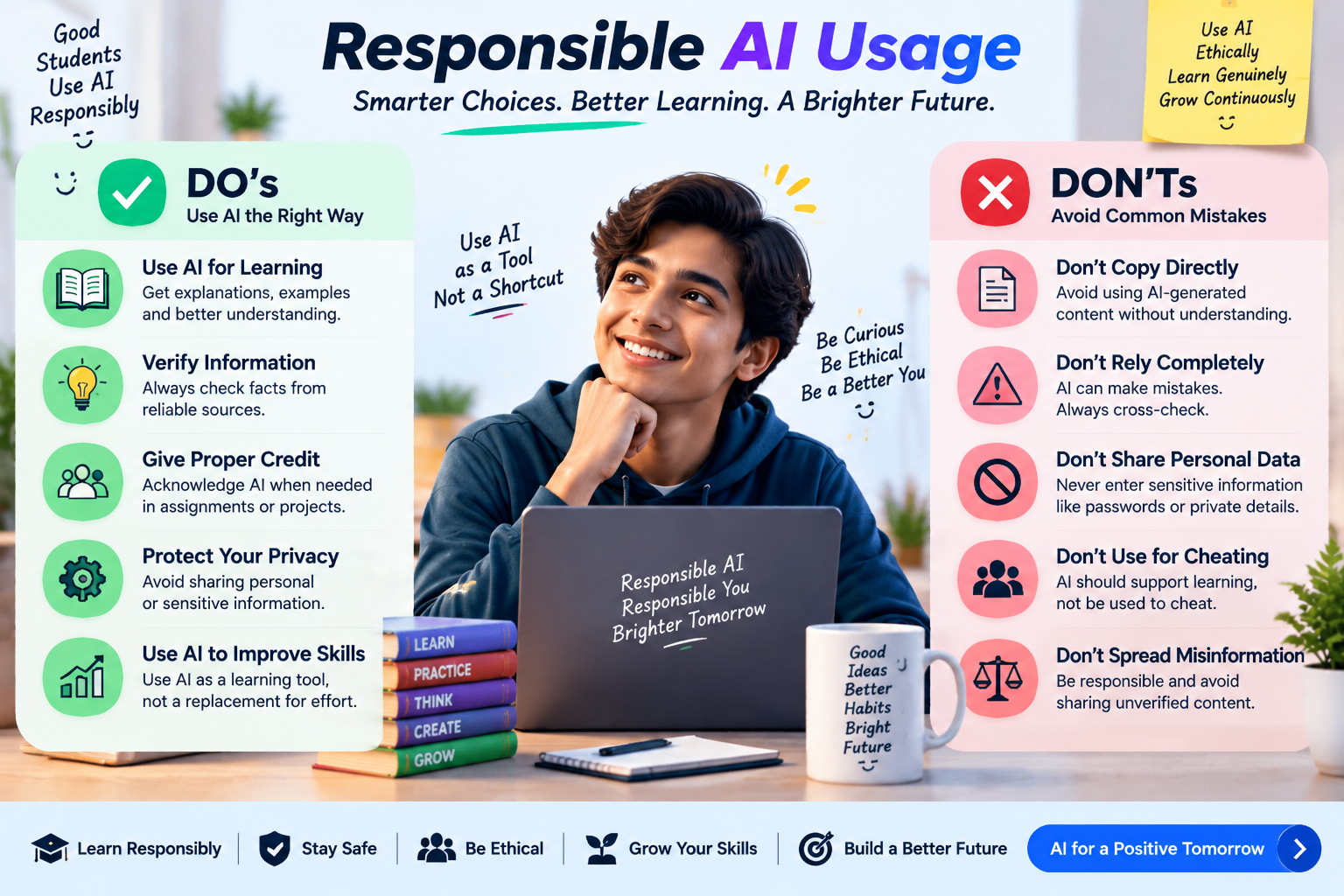
How Students Should Use AI Responsibly
AI tools provide powerful learning support, but responsible usage is extremely important.
1. Avoid Copying AI Answers Directly
Students should not simply copy AI-generated responses into assignments.
Instead:
- Understand the explanation
- Rewrite ideas in their own words
- Add personal analysis
- Verify information
The purpose of education is learning, not just completing tasks faster.
2. Verify Important Information
AI tools can sometimes provide incorrect or incomplete answers.
Before using AI information:
- Check textbooks
- Refer to trusted websites
- Confirm facts from reliable sources
This is especially important for:
- Medical topics
- Scientific information
- Legal topics
- Research work
3. Use AI to Understand Concepts
The best way to use AI is as a personal learning assistant.
Good examples:
❌ “Write my entire assignment.”
✅ “Explain this topic and help me create my own answer.”
4. Maintain Academic Honesty
Students should follow their institution’s rules regarding AI usage.
Some schools and universities allow AI assistance, while others may have restrictions.
Always use AI according to academic guidelines.
5. Protect Personal Information
Students should avoid sharing:
- Passwords
- Personal documents
- Private information
- Sensitive academic records
with AI platforms.
Free vs Paid AI Tools: Which One Should Students Choose?
Choosing between free and paid AI tools depends on learning needs, budget, and usage frequency.
Free AI Tools
Advantages:
✅ No subscription cost
✅ Suitable for basic learning support
✅ Good for beginners
✅ Helps students explore AI capabilities
Limitations:
❌ Usage restrictions
❌ Limited advanced features
❌ Fewer customization options
Paid AI Tools
Advantages:
✅ More advanced features
✅ Higher usage limits
✅ Better productivity features
✅ Useful for intensive learning and professional projects
Limitations:
❌ Monthly subscription cost
❌ Not necessary for every student
❌ Premium features may not always improve learning quality
Which Option Should Students Choose?
School Students:
Free AI tools are usually enough for:
- Understanding concepts
- Creating notes
- Practicing questions
College Students:
A combination of free and paid tools may be useful depending on:
- Research requirements
- Projects
- Assignments
Coding and Professional Learners:
Premium AI tools may provide additional value for:
- Programming projects
- Advanced learning
- Career preparation
Frequently Asked Questions (FAQ)
1. What is the best AI tool for students in 2026?
The best AI tool depends on the student’s requirement. ChatGPT, Google Gemini, Microsoft Copilot, Perplexity AI, Grammarly, and specialized educational tools each serve different purposes. Students should choose based on their learning goals rather than popularity alone.
2. Are AI tools free for students?
Yes, many AI tools provide free versions. Free plans are often sufficient for basic learning, writing assistance, research support, and productivity tasks. Paid plans provide additional features and higher usage limits.
3. Can AI tools help students prepare for exams?
Yes, AI tools can support exam preparation by creating practice questions, explaining concepts, summarizing topics, and helping with revision plans. However, students still need regular study, practice, and self-learning.
4. Is using AI for assignments allowed?
It depends on the rules of the school or university. Students should follow academic guidelines and use AI as a learning assistant rather than submitting AI-generated work as their own.
5. Which AI tool is best for college students?
College students may benefit from tools like ChatGPT, Google Gemini, Perplexity AI, Notion AI, and Grammarly depending on whether they need research support, writing improvement, note organization, or productivity assistance.
6. Can AI replace teachers?
No. AI can support learning, but teachers provide human guidance, experience, motivation, and personalized understanding that AI cannot fully replace.
Conclusion: Choosing the Right AI Tools for Better Learning
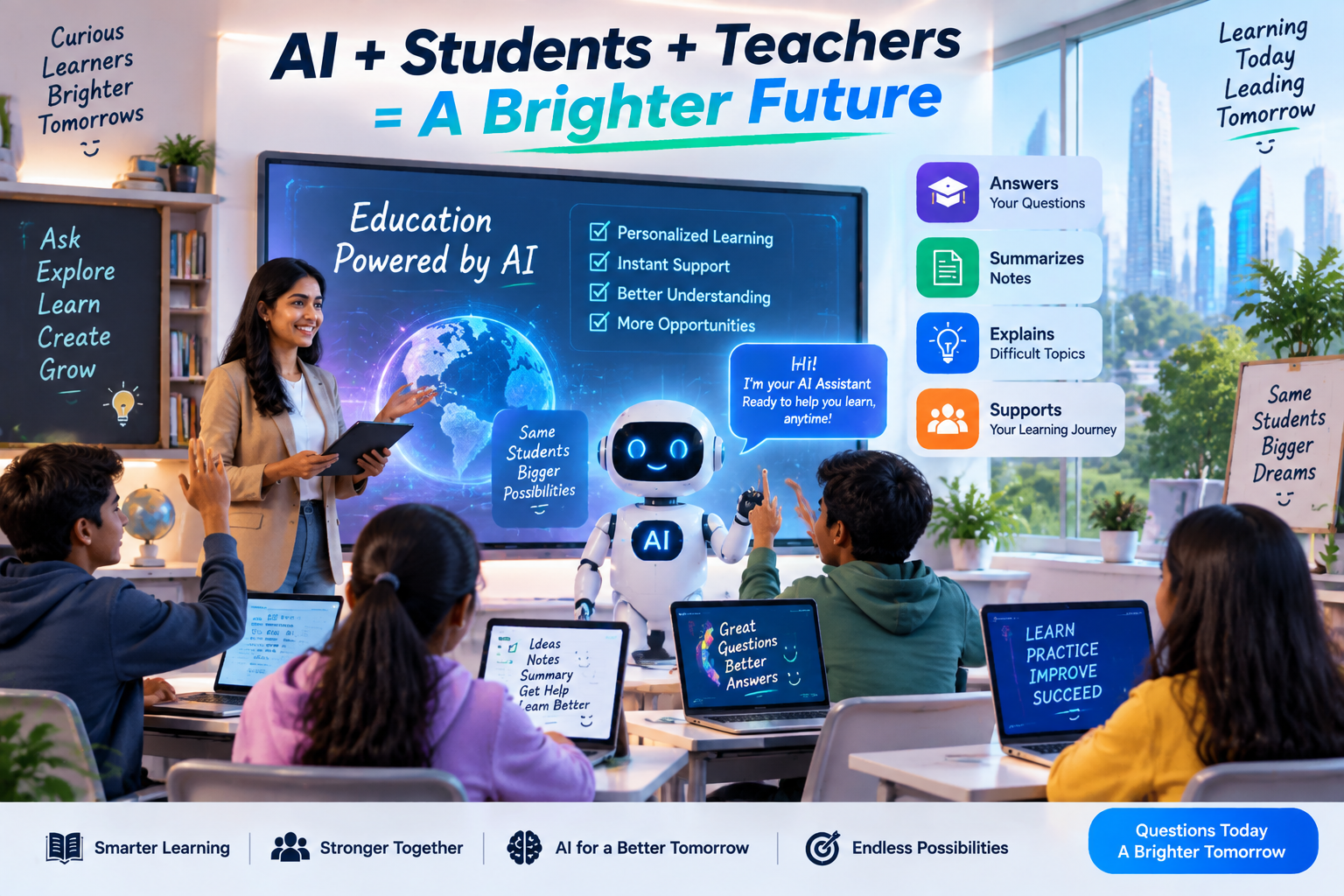
The best AI tools for students in 2026 can support learning, research, productivity, and skill development when used responsibly. These AI-powered apps can help explain difficult concepts, improve writing, assist with coding, and create a more personalized learning experience.
However, AI works best when students use it responsibly. It should be considered a learning partner that supports curiosity and understanding, not a shortcut that replaces effort and critical thinking.
Free AI tools are enough for many students, while paid tools can be valuable for learners who need advanced features for research, projects, or professional skills.
The right AI tool depends on individual goals, learning style, and requirements. Students who combine AI assistance with regular practice, creativity, and independent thinking can make the most of this technology.
Sources & References
This article is based on information from trusted technology and educational resources:
- Google AI for Education: https://ai.google/education/
- OpenAI Education Resources: https://openai.com/education/
- Khan Academy AI Learning Resources: https://www.khanmigo.ai/
- GitHub Copilot Documentation: https://docs.github.com/en/copilot
- Research on Generative AI in Education: https://arxiv.org/abs/2303.11146
Note: AI tools should be used as learning assistants. Students should verify information, follow academic guidelines, and combine AI support with their own knowledge and creativity.
10 thoughts on “Best AI Tools for Students in 2026: Free and Paid AI Apps to Improve Learning”